

Introduction
In this article, we will see how to data from one activity to another using Intent in Xamarin. In my previous article, we learned about the Checkbox widget in Xamarin.
Let's begin.
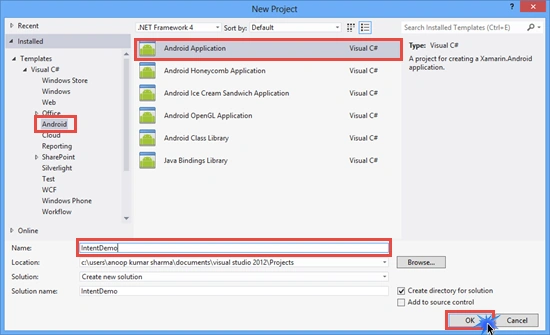
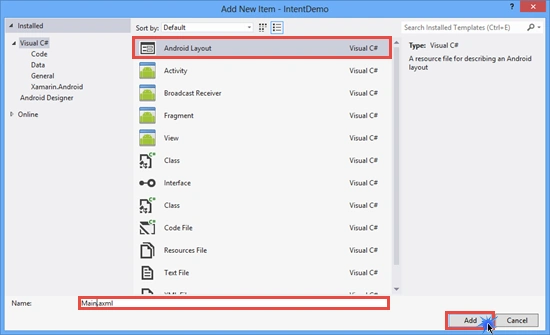
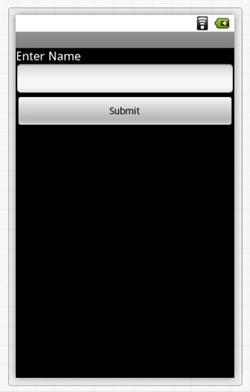
3. Drop a TextView, EditText(set id="@+id/txt_Name") and Button(set id="@+id/btn_Submit" and text="Submit") control onto the Main.axml Layout.
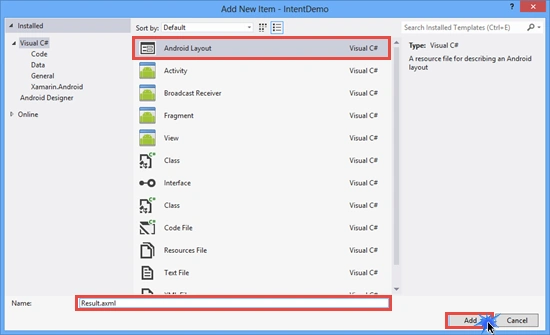
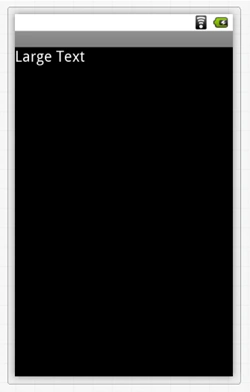
Drop a TextView (Large) control onto the Result.axml Layout and set id="@+id/txt_Result".
Activity1.cs Code
- using System;
- using Android.App;
- using Android.Content;
- using Android.Widget;
- using Android.OS;
- namespace IntentDemo
- {
- [Activity(Label = "IntentDemo", MainLauncher = true, Icon = "@drawable/icon")]
- public class Activity1 : Activity
- {
- EditText txt_Name;
- Button btn_Submit;
- protected override void OnCreate(Bundle bundle)
- {
- base.OnCreate(bundle);
- // Set our view from the "main" layout resource
- SetContentView(Resource.Layout.Main);
- //Get txt_Name and btn_Submit Button CheckBox control from the Main.xaml Layout.
- txt_Name = FindViewById<EditText>(Resource.Id.txt_Name);
- btn_Submit = FindViewById<Button>(Resource.Id.btn_Submit);
- //btn_Submit click event
- btn_Submit.Click += btn_Submit_Click;
- }
- void btn_Submit_Click(object sender, EventArgs e)
- {
- //if EditText in not Empty
- if(txt_Name.Text!="")
- {
- //ing the Activity2 in Intent
- Intent i = new Intent(this,typeof(Activity2));
- //Add PutExtra method data to intent.
- i.PutExtra("Name",txt_Name.Text.ToString());
- //StartActivity
- StartActivity(i);
- }
- else
- {
- Toast.MakeText(this,"Please Provide Name",ToastLength.Short).Show();
- }
- }
- }
- }
Oscar NetoPosted Jul 20, 2015, 7:17 AM
Hello, do you have any example of the image pass (ImageView content) to another activity (ImageView)