

Prerequisites
- Azure account
Now, let's get started with the following steps:
Create and configure a PHP web app
Step 1: Sign in to the online Microsoft Azure Portal.
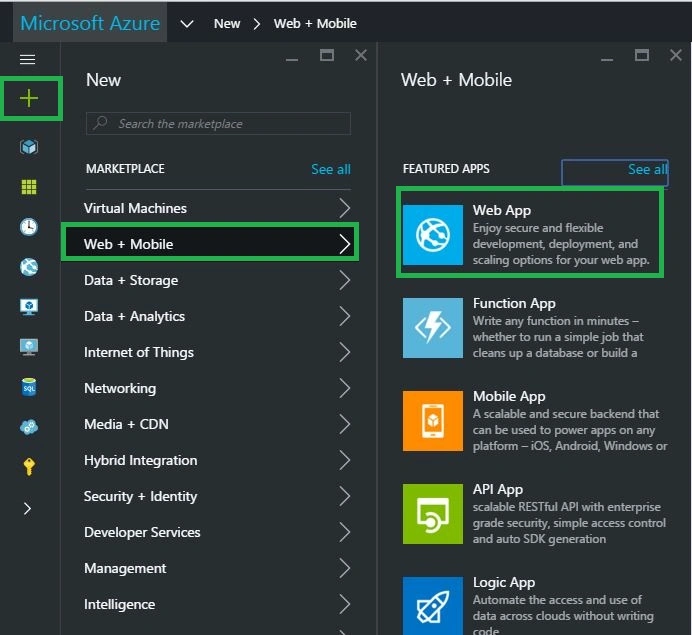
Step 2: In the Jump bar, click New, then click Web + Mobile, and then Web App.
Step 3: In the Web App account blade, specify the desired configuration for the Web App account (Type name for the web app & Resource Group). Click Create button at the bottom of the screen to create the Web App.
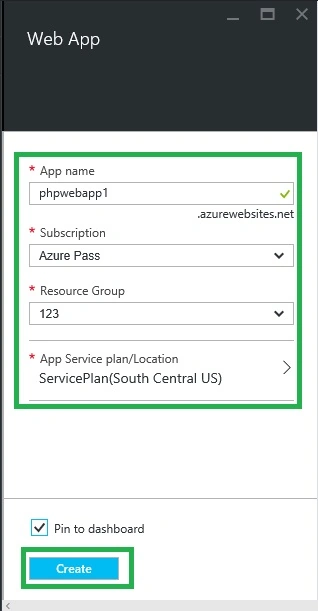
After you click Create, you'll get your new Web App being configured on the dashboard.
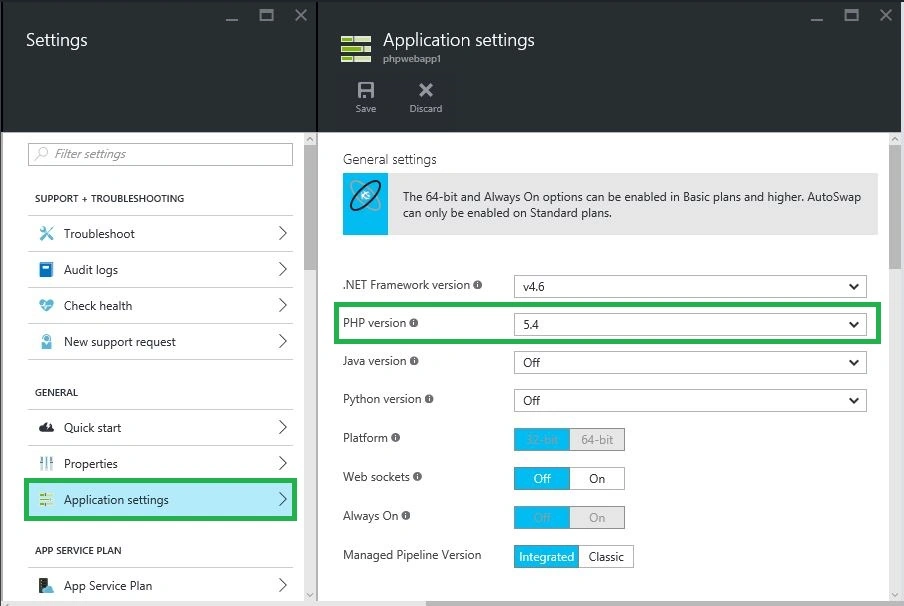
Step 4: In the Web app blade, click Settings, then Click Application settings and choose the desired PHP version and click Save. Within a few moments, your java web app will be ready for use. Click the URL to browse to the new site. The web page confirms that you have created a PHP-based web app.
Read more articles on Azure:
Vignesh ManiPosted Apr 14, 2016, 8:20 AM
Nice sir
Mohammed IbrahimPosted Apr 12, 2016, 2:07 PM
nice
Debasis SahaPosted Apr 12, 2016, 1:22 PM
Good One..
Shakti Singh DulawatPosted Apr 12, 2016, 11:06 AM
I think the article is extremely basic and is something that is already available on Azure's website. However I am looking more details series about PHP Web App In Azure
Raja TPosted Apr 12, 2016, 6:39 AM
Nice,Thanks for sharing ..
Rahul Kumar SaxenaPosted Apr 12, 2016, 5:54 AM
Good Show
Bhushan SinghPosted Apr 12, 2016, 5:13 AM
nice