

Introduction
In this article I explain how to use various types of popup boxes in PHP. If you learn JavaScript then you know that JavaScript has the following three types of popup boxes:
- Alert box
- Confirm box
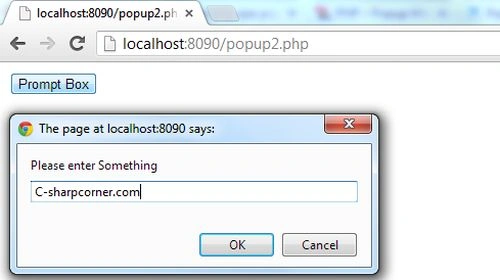
- Prompt box
Now here I explain all these popup boxes with PHP one by one.
Alert Box
An alert box is used if you ensure the information comes through the user. It means an alert box pop-up, when you click on a "button".
Syntax
| alert("Write some thing here"); |
Example
An example of the alert box is:
<?php
echo '<script type="text/javascript">
window.onload = function () { alert("Welcome at c-sharpcorner.com."); }
</script>';
?>
Output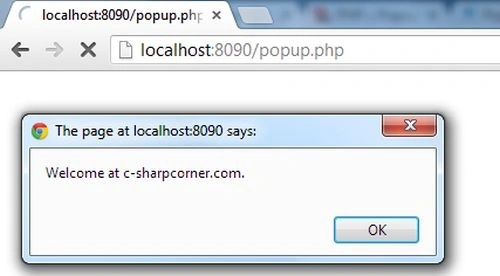
Confirm Box
A confirm box is used when you want the user to verify or accept something.
Syntax
| confirm("Write some thing here"); |
Example
An example of the confirm box is,
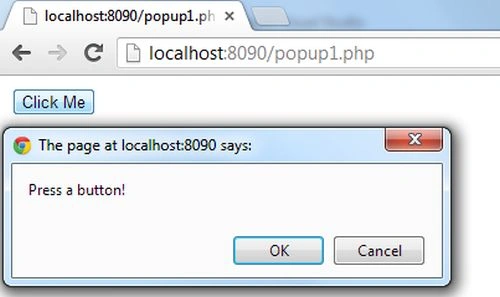
if the user clicks "ok" then the confirm box returns true and is the user clicks "Cancel", then the box returns false.
<html>
<head>
<script>
function myFunction() {
var x;
var r = confirm("Press a button!");
if (r == true) {
x = "You pressed OK!";
}
else {
x = "You pressed Cancel!";
}
document.getElementById("demo").innerHTML = x;
}
</script>
</head>
<body>
<?php
?>



Micah ParkerPosted Jan 3, 2020, 7:36 PM
Hi, how can I monitor the click event of alert()? Thanks :)
Vinod KumarPosted Aug 22, 2013, 12:52 AM
This is a very simple popup but nice....