

Introduction
Let's move on to the steps of finding the list of printers registered and also how to add printers. Here's the procedure followed.
Step 1
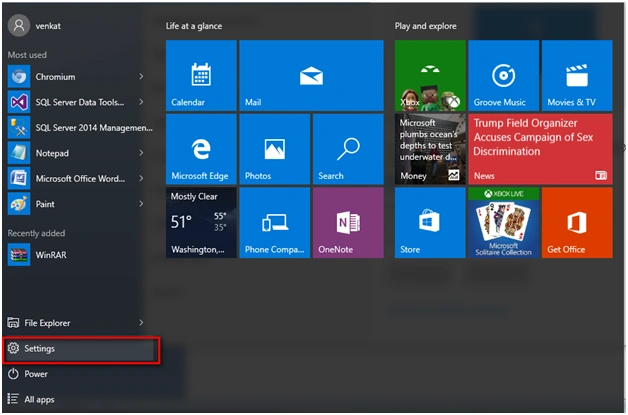
Go to Settings option in Windows 10.
Step 2
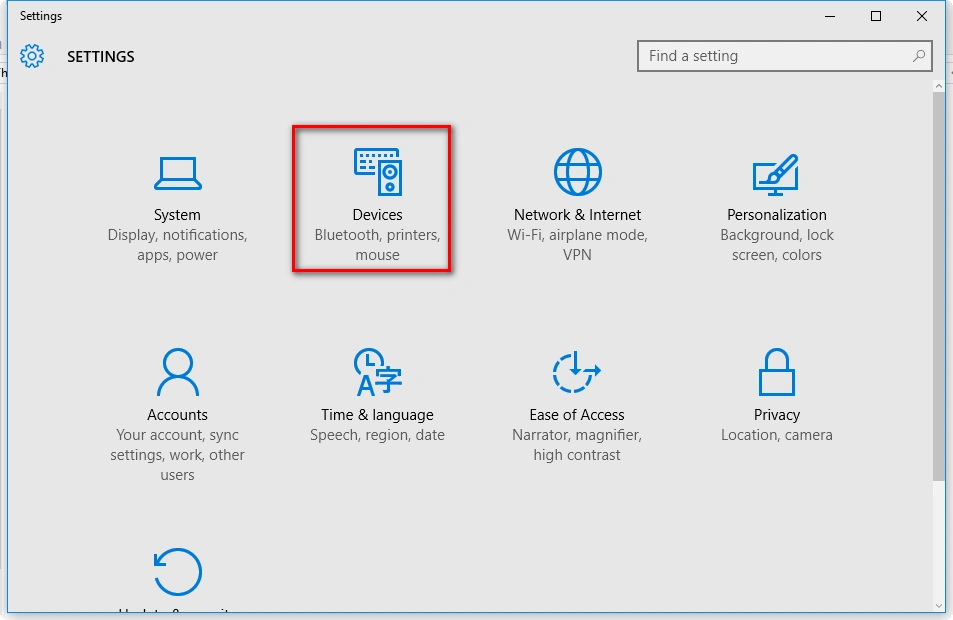
Under Settings go to Devices.
Step 3
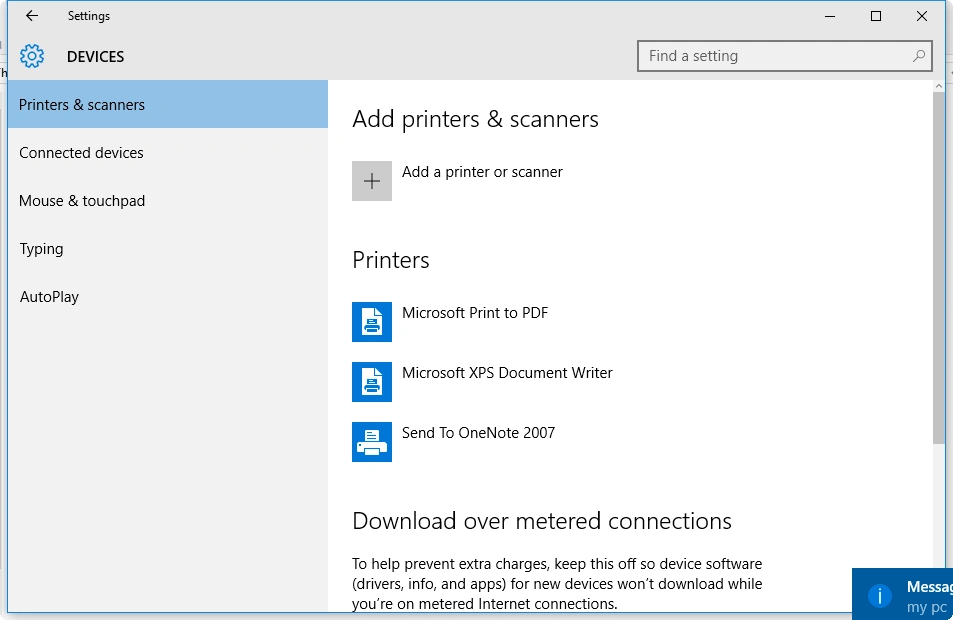
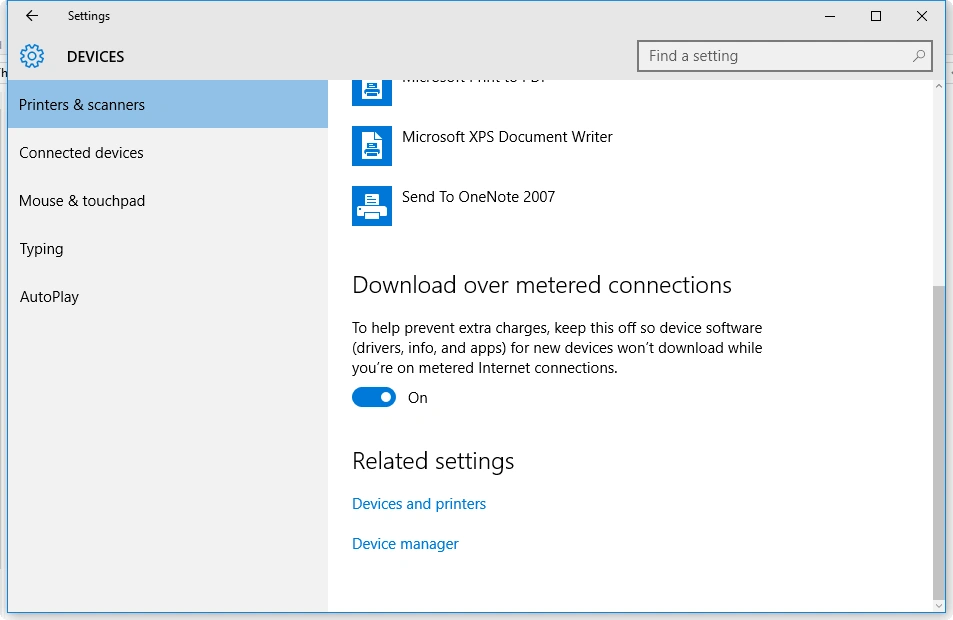
Under Devices go to "Printers and scanners" option.
Step 4
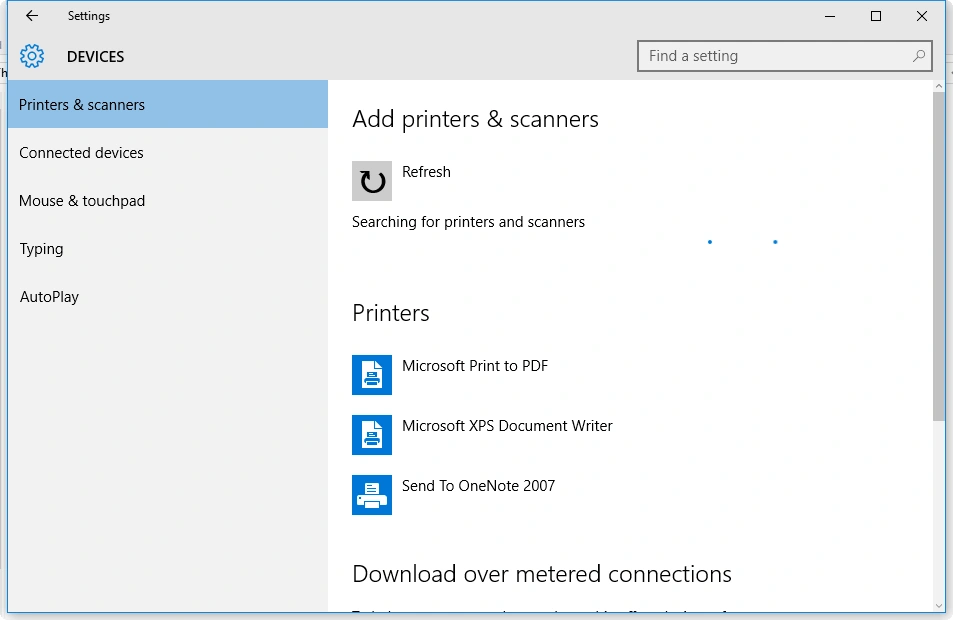
List of Printers available is displayed and we can add the printer in our network with the "+" icon.
Step 5
There is an option of validating the inflow of data and data access via internet using the option metered internet connections (It should be set to ON).
Read more articles on Windows 10:
Summary
In this article, we learned about Printer Options in Windows 10.
Join the conversation! Your thoughts help the community grow.