

Question arises: What is Protocol Mapping?
In Simple Terms: It is set of configured protocols which intimate to use which type of binding based on particular address. It groups set of protocols that are responsible for transport protocols.
So, we all are good to go and implement this concept.
Now, let's get it started off
The Complete Code of IService1.cs looks like this:
using
System;
using
System.Collections.Generic;
using
System.Linq;
using
System.Runtime.Serialization;
using
System.ServiceModel;
using
System.ServiceModel.Web;
using
System.Text;
namespace
WcfService1
{
// NOTE: You can use the "Rename" command on the "Refactor"
menu to change the interface name "IService1" in both code and config file
together.
[ServiceContract]
public interface
IService1
{
[OperationContract]
double Add(double
a, double b);
[OperationContract]
double Sub(double
a, double b);
[OperationContract]
double Mul(double
a, double b);
[OperationContract]
double Div(double
a, double b);
}
}
The Complete Code of Service1.svc looks like this:
using
System;
using
System.Collections.Generic;
using
System.Linq;
using
System.Runtime.Serialization;
using
System.ServiceModel;
using
System.ServiceModel.Web;
using
System.Text;
namespace
WcfService1
{
// NOTE: You can use the "Rename" command on the "Refactor"
menu to change the class name "Service1" in code, svc and config file together.
public class
Service1 : IService1
{
public double
Add(double a, double
b)
{
return a + b;
}
public
double Sub(double
a, double b)
{
return a - b;
}
public
double Mul(double
a, double b)
{
return a * b;
}
public
double Div(double
a, double b)
{
return a / b;
}
}
}
The Complete Code of Web.Config looks like this:
<?xml
version="1.0"?>
<configuration>
<system.web>
<compilation
debug="true"
targetFramework="4.0"
/>
</system.web>
<system.serviceModel>
<protocolMapping>
<add
scheme="http"
binding="basicHttpBinding"
bindingConfiguration=""/>
</protocolMapping>
<behaviors>
<serviceBehaviors>
<behavior>
<!-- To avoid
disclosing metadata information, set the value below to false and remove the
metadata endpoint above before deployment
-->
<serviceMetadata
httpGetEnabled="true"/>
<!--
To receive exception details in faults for debugging purposes, set the value
below to true. Set to false before deployment to avoid disclosing exception
information -->
<serviceDebug
includeExceptionDetailInFaults="false"/>
</behavior>
</serviceBehaviors>
</behaviors>
<serviceHostingEnvironment
multipleSiteBindingsEnabled="true"
/>
</system.serviceModel>
<system.webServer>
<modules
runAllManagedModulesForAllRequests="true"/>
</system.webServer>
</configuration>
Now it's time for us to go and add protocols with unique URL and system user name. So the complete steps for doing this is described as below:
Start->Accessories->Run
When the Run window opens type: netsh
The command prompt will open, so now it's time for us to go and add protocols for user. So in the command prompt type:
netsh>http add urlacl url=http: //localhost:8000/Service user=Vijay-PC
Press Enter Now. The http will be successfully added and display a success message on prompt.
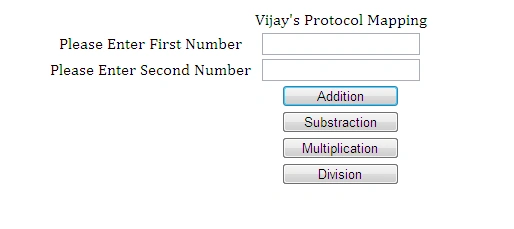
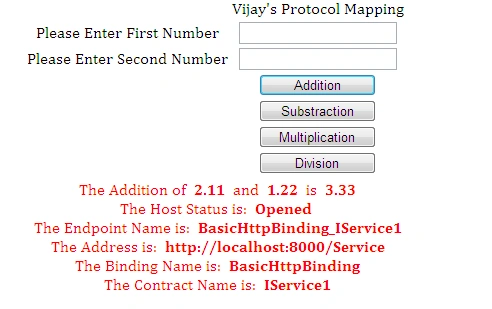
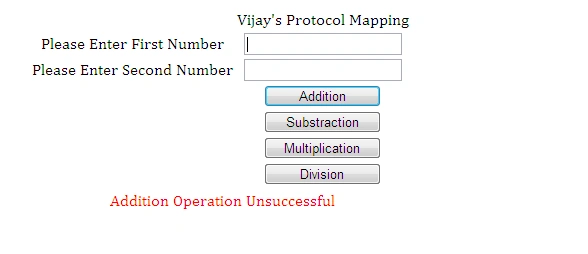
The Complete Code of WebForm1.aspx looks like this:
James VeronicaPosted Jan 24, 2012, 12:08 AM
Very Interesting
Monika AroraPosted Jan 23, 2012, 11:37 PM
Hi Vijai. Its very useful and good article.
Amit MaheshwariPosted Jan 23, 2012, 5:50 PM
It's a great effort to accomplish such auspicious task keep going and thanks for sharing.....
Arjun PanwarPosted Jan 23, 2012, 4:15 PM
Really this concepts is so good.