

This article shows how to create a barcode scanner in all the three platforms: Android, iOS and Windows using Xamarin.Forms.
In my last article I explained how to create a barcode scanner in Xamarin.Forms. Here I'm going to explain something about a Barcode \ QR Code Generator.
For creating the QR Code Generator I'm going to use the same NuGet package, Arc.Barcodes, a cross-platform creator built on top of ZXing.Net.Mobile to allow for easy cross-platform access from Shared/PCL core libraries that I have used to create the Barcode Scanner.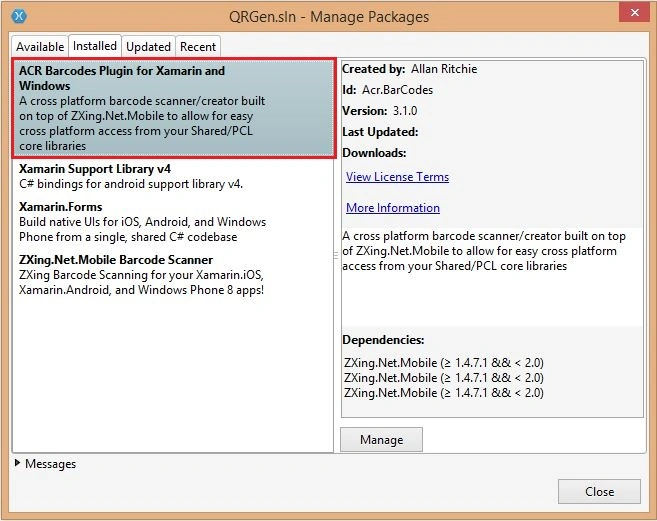
Now we want to initialize the corresponding NuGet package in each platform-specific startup classes.
In Android, on MainActivity.cs call:
global::Acr.BarCodes.BarCodes.Init(() => (Activity)Xamarin.Forms.Forms.Context); before calling LoadApplication();.
In iOS, on AppDelegate.cs call global::Xamarin.Forms.Forms.Init(); before calling LoadApplication();.
In Windows Phone, on MainPage.cs call global::Xamarin.Forms.Forms.Init(); before calling LoadApplication();.
Now we can create a button to initialize the event and Image View to load the QR Code and most importantly we must add an entry that will carry the value that will be carried by the QR Code.
- var btnCreateQR = new Button { Text = "Genrate" };
- var imgCode = new Image();
- var txtBarcode = new EntryCell { Label = "Value " };
- btnCreateQR.Clicked += (sender, e) =>
- {
- try
- {
- var QRstream = BarCodes.Instance.Create(new BarCodeCreateConfiguration
- {
- Format = BarCodeFormat.QR_CODE,
- BarCode = txtBarcode.Text.Trim(),
- Width = 200,
- Height = 200
- }
- );
- txtBarcode.LabelColor = Color.White;
- imgCode.Source = ImageSource.FromStream(() => QRstream );
- }
- catch (Exception ex)
- {
- txtBarcode.LabelColor = Color.Red;
- System.Diagnostics.Debug.WriteLine(ex.ToString());
- DisplayAlert("Alert", "Enter value that want to be carried in the QR Code", "OK");
- }
- };
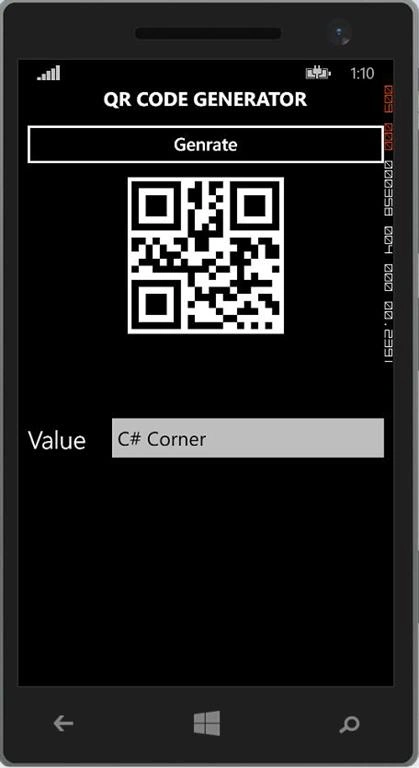
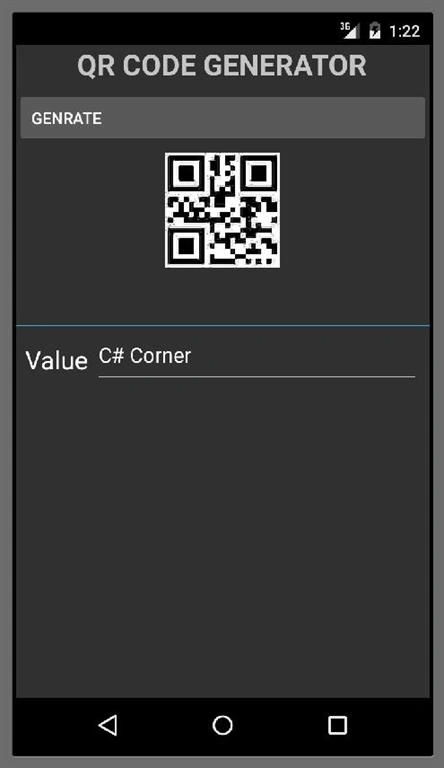
You can refer to the sample project attached with this for more details. Also, you can generate a Barcode, Data Matrix, Maxi code and so on, using the same logic.
Sajid HussainPosted Dec 21, 2017, 12:27 AM
I want that one application start qr screen start, without any button click?after reading qr code its again start for next scan? how can i get this?
Joginder BangerPosted Mar 25, 2016, 4:59 PM
Hello sir ..i download your project successfully but i trying to open these are project no load ..IOS...Android and microsoft...what i do for right.
Vaikesh K PPosted Aug 13, 2015, 5:16 AM
Thanks Gowtham Rajamanickam :)
Vaikesh K PPosted Aug 13, 2015, 5:15 AM
Thanks Sibeesh Venu
Gowtham RajamanickamPosted Aug 13, 2015, 4:50 AM
good one..
Sibeesh VenuPosted Aug 13, 2015, 4:29 AM
Nice Share :)
Vaikesh K PPosted Aug 13, 2015, 12:51 AM
Thanks Santhakumar Munuswamy :)
Santhakumar MunuswamyPosted Aug 12, 2015, 2:53 PM
Good Article. Thanks for sharing
Vaikesh K PPosted Aug 12, 2015, 8:55 AM
Thanks Ankit Bansal...
Ankit BansalPosted Aug 12, 2015, 8:53 AM
good one...
Vaikesh K PPosted Aug 12, 2015, 7:41 AM
Thanks Gopi Chand sir :)
Gopi ChandPosted Aug 12, 2015, 7:38 AM
Very useful...well done Vaikesh
Vaikesh K PPosted Aug 12, 2015, 6:21 AM
Thanks Rajeesh Menoth Sir :)
Rajeesh MenothPosted Aug 12, 2015, 5:55 AM
Good One
Vaikesh K PPosted Aug 12, 2015, 5:40 AM
Thanks Karthikeyan K :)
Karthikeyan KPosted Aug 12, 2015, 5:29 AM
Nice one...Thanks for share