

ASP.NET QueryString
A query string is a collection of characters input to a computer or web browser. A Query String is helpful when we want to transfer a value from one page to another. When we need to pass content between the HTML pages or aspx Web Forms in the context of ASP.NET, a Query String is very easy to use and the Query String follows a separating character, usually a Question Mark (?). It is basically used for identifying data appearing after this separating symbol. A Query String Collection is used to retrieve the variable values in the HTTP query string. If we want to transfer a large amount of data then we can't use the Request.QueryString. Query Strings are also generated by form submission or can be used by a user typing a query into the address bar of the browsers. Query Strings are contained in request headers. A Query String collection is a parsed version of the QUERY_STRING variable in the Server Variables collection. It enable us to retrieve the QUERY_STRING variable by name. When we use parameters with Request.QueryString, the server parses the parameters sent to the request and returns the effective or specified data.
Syntax of Query String
Request.QueryString(variable)[(index).count].
Step 1
Start Visual Studio.
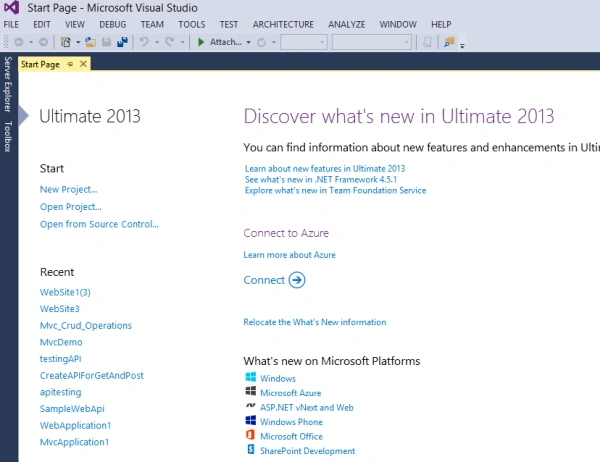
Figure 1: Start Visual Studio
Step 2
Now for creating a website, click on the file, go to new and click on the website.
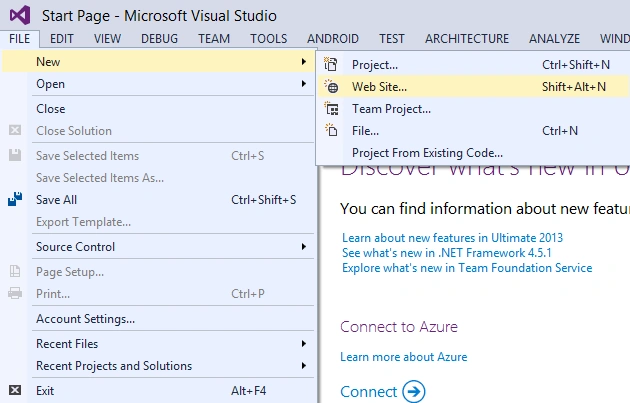
Figure 2: Create Website
Step 3
Now we add the two web forms to the website.
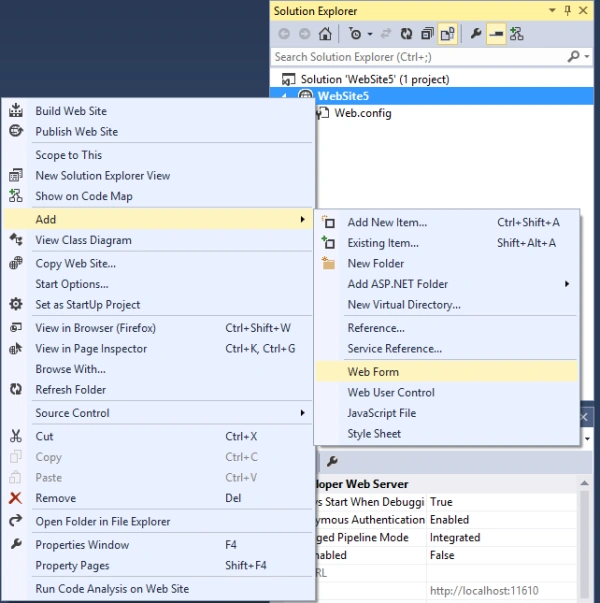
Figure 3: Add Web form
Step 4
We design the web form as in the following,
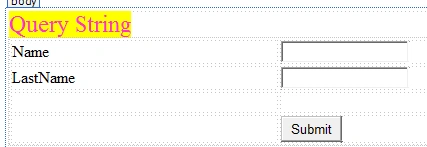
Figure 4: Design form
Step 5
After designing the web form, we need to write the following code in the button click.
protected void Button1_Click(object sender, EventArgs e)
{
    Response.Redirect("default2.aspx ?firstname=" + TextBox1.Text + "&lastname=" + TextBox2.Text);
}
Step 6
In the second web form we take the one lable for displaying the values of the first page. For receiving the value from the first page we write the following code on the page_load of the second page.
protected void Page_Load(object sender, EventArgs e)
{
    string firstname = Request.QueryString["firstname"];
    string lastname = Request.QueryString["lastname"];
    Label1.Text = "welcome" + firstname + " " + lastname;
}
Step 7
Now we need to execute the website by using the F5 key. After execution we give the input in the textboxes like this,
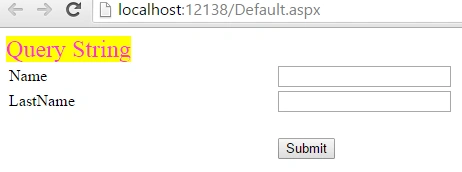
Figure 5: Execute Web Form
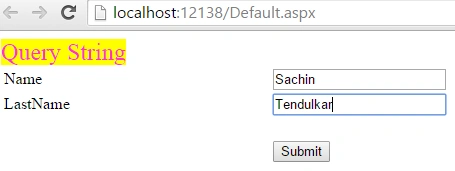
Figure 6: Input in the Textboxes
Step 8
After giving the values, we click on the Submit button then the following window will appear.
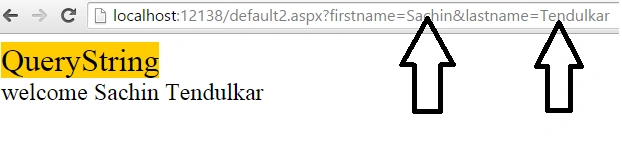
Figure 7: Final Window
Summary
In this article, I explained how to use Query Strings in ASP.NET, now you can easily do these operations in your projects for transferring a value of one page to another page.
I hope this article will be helpful for beginners if they want to transfer data from one page to another.
Ravi RaushanPosted Dec 20, 2024, 9:23 AM
It is Very useful, But If The Client Dont Want To Show The Varible On The Address Bar..
Ravi RaushanPosted Dec 20, 2024, 7:13 AM
Impressive
Nabeel shahPosted Jan 12, 2021, 12:36 PM
How we can secure this query string
Ahmed EchchoayebyPosted Apr 17, 2020, 5:10 AM
Thank You for posting this article. One thing i want to mentioned here is query strings not recommended to send confidential data like password etc
vigneshwari ananthanPosted Nov 29, 2018, 12:14 AM
Same task but i need a query in clent side
rajeev mishraPosted Dec 2, 2017, 2:28 AM
If i use the select button in the grid view and i want the value of first row should be selected in the another form with the values then what will be the code....
Alia GrayPosted Dec 11, 2015, 3:53 AM
Hi,The QueryString in ASP.NET accesses the requested web pages. When you load file.html?x=y, it parses "x" and "y". Use the following code to use the query string on web page //output the id query stringResponse.Write(Request.QueryString["id"]);Response.Write("<br/>");//output the numberof query strings Response.Write("Number of Query String Parameters: " + Request.QueryString.Count.ToString())
Afzaal Ahmad ZeeshanPosted Jun 6, 2015, 7:29 AM
I was not able to understand how is the structure the way you defined it. Getting a query string is as simple as, "Request.QueryString["key"]". Using the key is easy and simple because you do not have to worry about the index of the query string in the URL.
Afzaal Ahmad ZeeshanPosted Jun 6, 2015, 7:28 AM
amol sarkate in that case you might want to pass a custom header, or use the Session variables to store the variables there. Adding the array or collection in the Query string (in URL) would never be a good option. Shorter URLs are best.
Rajeesh MenothPosted Jun 6, 2015, 5:10 AM
good one
Santhakumar MunuswamyPosted Jun 6, 2015, 2:01 AM
Thanks for sharing
Amol SarkatePosted Jun 6, 2015, 12:42 AM
good article i have one doubt here can it possible too pass collection of values means array list genric collection and if yes then how to collect these values in second page
RakeshPosted Jun 5, 2015, 10:12 PM
Good