

What is TypeScript?
“TypeScript is a typed superset of JavaScript that compiles plain JavaScript”.Key Features of TypeScript
- Supports standard JavaScript codes.
- Encapsulation through classes and modules.
- TypeScript supports interfaces and enums.
- Have object-oriented features such as classes, constructors, properties, and functions.
- Supports error handling.
- Supports advanced programming language features such as collections, generics, and lambdas.
TypeScript to JavaScript
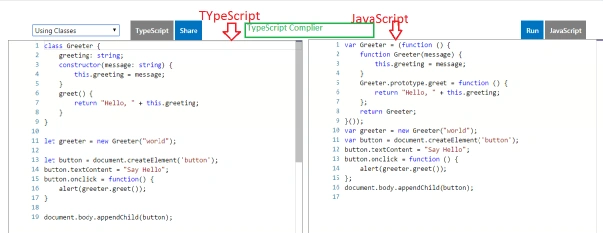
TypeScript compiler (TSC) will convert your TypeScript code into a JavaScript code.
TypeScript Playground
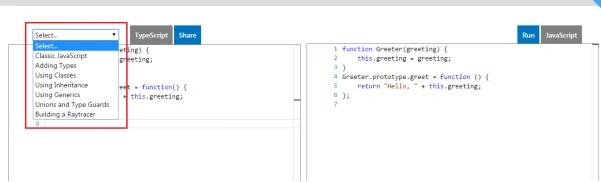
On this URL, we have the option to write typescript code and you can see the same JavaScript code on the right-hand side.Basic Data Types in TypeScript
TypeScript supports the following basic data types.
- Boolean
- Number
- String
- Array
- Tuple
- Enum
- Any
- Void
- Null and Undefined
- Never
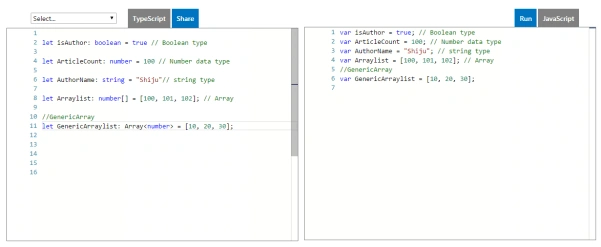
The code represents the basic data type declaration and syntax in Typescript.
- let isAuthor: boolean = true
- let ArticleCount: number = 100
- let AuthorNmae: string = "Shiju"
- let ArrayList: number[] = [100, 101.102]
- let GenericArrayList: Array < number >= [10, 20, 30]
- The“
- let” keyword is using instead of “
- var” keyword
Tuples and Enums in TypeScript
Tuple types allows you to represent a value as a pair of a string and a number or any other combination.
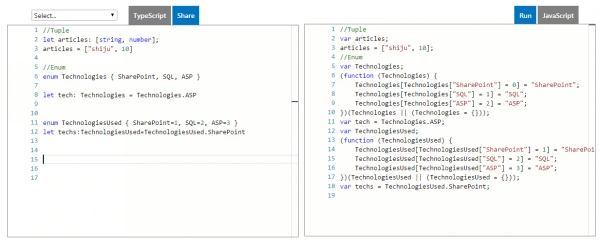
Here is an example of using the tuples and enums in TypeScript.
- let articles: [string, number]
- articles = ["shiju", 10]
- enum Technologies {
- SharePoint,
- SQL,
- ASP
- }
- let Tech: Technologies = Technologies.ASP
- enum TechnologiesUsed {
- SharePoint = 1, SQL = 2, ASP = 3
- }
- let Techs: TechnologiesUsed = TechnologiesUsed.SharePoint
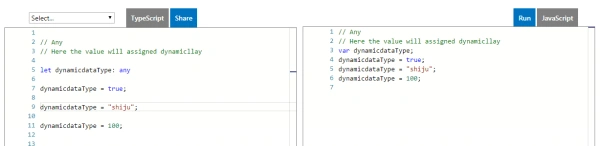
Examples for "any" are as follows.
- “
- any” is a dynamic data type.once you declare a variable as any type, you can assign any type of data into that variable
- let dynamicdataType: any
- dynamicdataType = true;
- dynamicdataType = "shiju";
- dynamicdataType = 100;
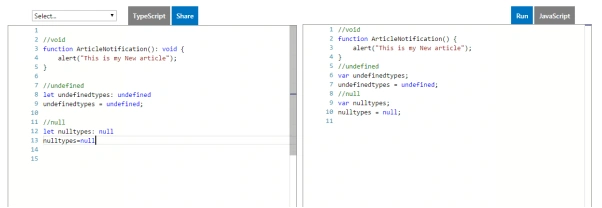
Using void, undefined, and null.
An example of a function with string return type is as follows.
- function ArticleNotification(): string {
- let message: string = "This is my New article";
- return message;
- }
- function ArticleNotification(): void {
- alert("This is my New article");
- }
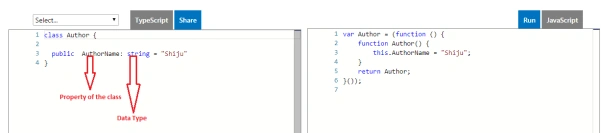
Create a class in TypeScript
- class Author {
- public AuthorName: string = "Shiju";
- }
- let authordetails = new Author();
- let authorName: string = authordetails.AuthorName
Access modifiers in TypeScript
TypeScript supports the following access modifiers.
- public
- private
- protected
Properties in TypeScript
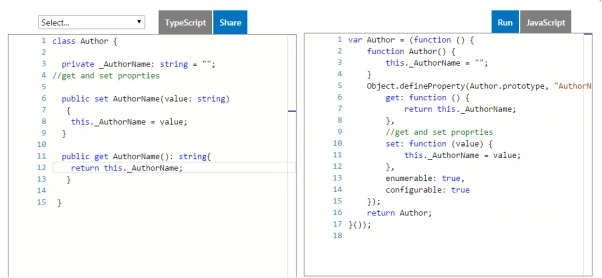
Similar to any other class, TypeScript supports properties. The following is an example of an Author class that has a property, AuthorName.
- class Author {
- private _AuthorName: string;
- public set AuthorName(value: string) {
- this._AuthorName = value;
- }
- public get AuthorName(): string {
- return this._AuthorName;
- }
- }
Methods in TypeScript
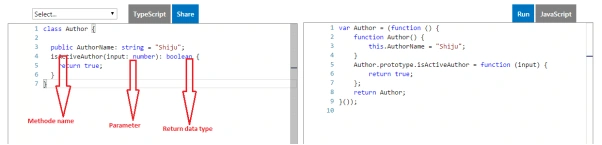
The following is an example of a method of a TypeScript class.
- class Author {
- public AuthorName: string;
- isActiveAthour(authorId: number): boolean {
- return true;
- }
- }
Inheritance in TypeScript
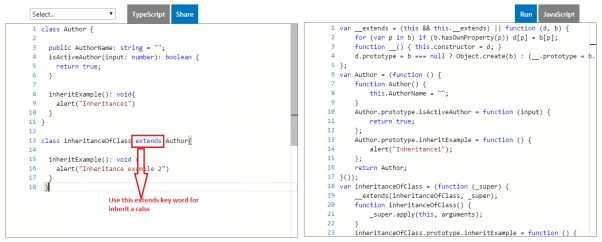
To inherit the class in TypeScript, use the “extends” keyword. See the example, mentioned below.
- class Author {
- public AuthorName: string;
- isActiveAthour(authorId: number): boolean {
- return true;
- }
- inheritExample(): void {
- alert("Inheritance1")
- }
- }
- class inheritanceOfClass extends Author {
- inheritExample(): void {
- alert("Inheritance example 2")
- }
- }
Interface in TypeScript
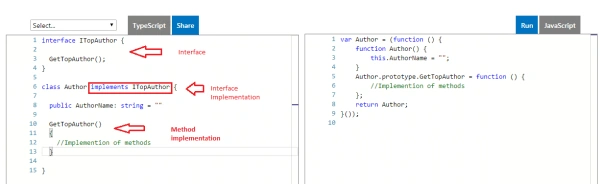
Use the keyword “implements” for the interface implementation in TypeScript.
- interface ITopAuthor {
- GetTopAuthor()
- }
- class Author implements ITopAuthor {
- public AuthorName: string = "";
- GetTopAuthor() {}
- }
Constructor of a class
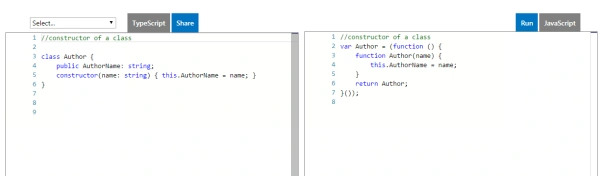
The example, mentioned below indicates how to create a constructor of a class in TypeScript.
- class Author {
- public AuthorName: string;
- constructor(name: string) {
- this.AuthorName = name;
- }
- }
- let authorName = new Author("shiju");
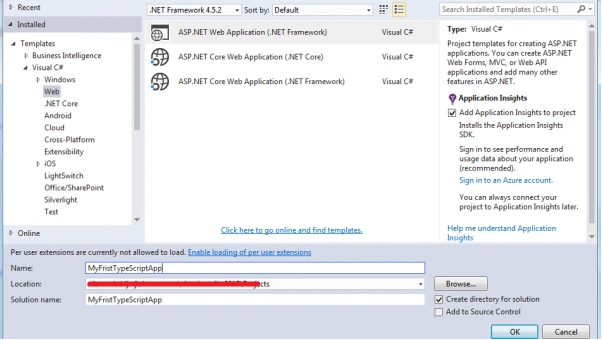
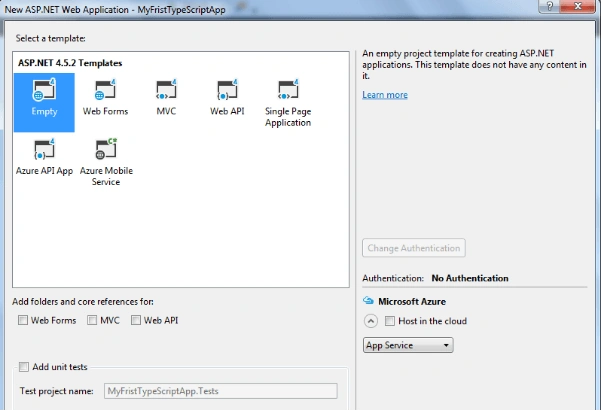
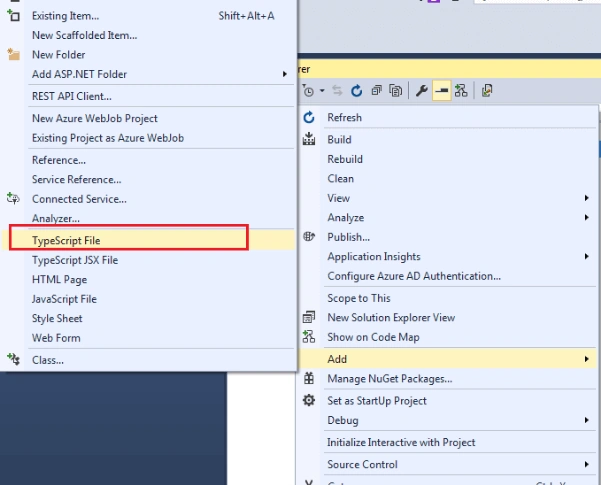
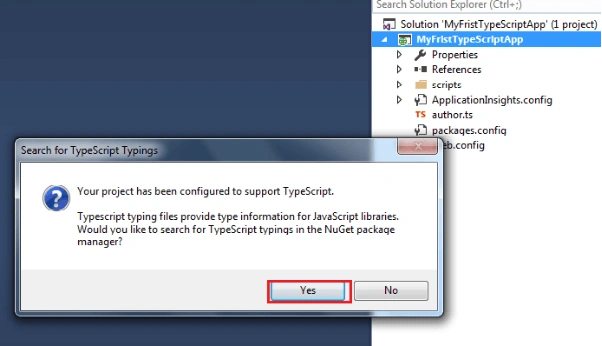
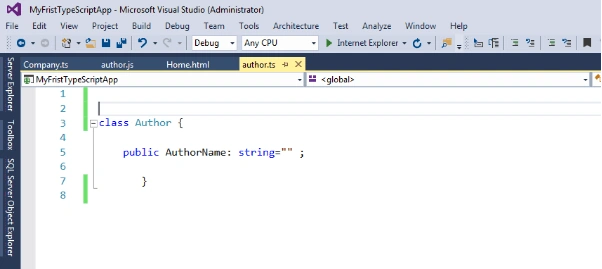
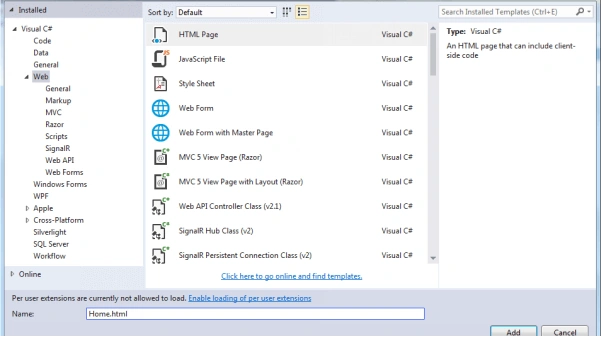
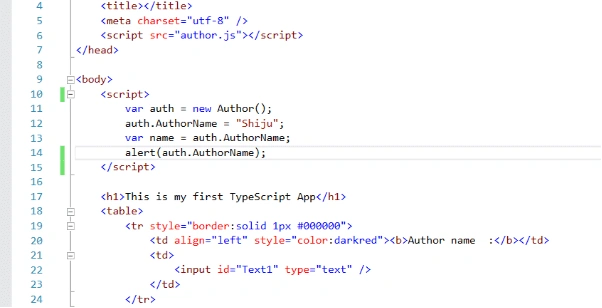
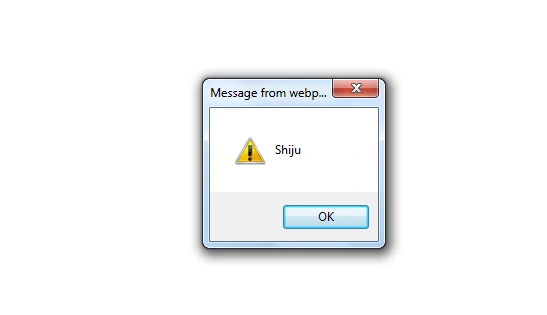
Create a TypeScript Project
Import and Export Modules in TypeScript
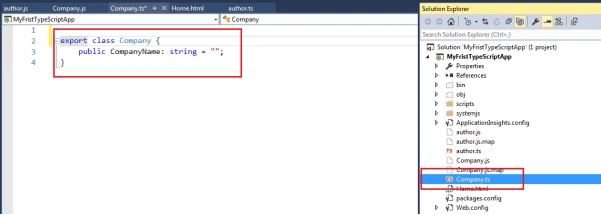
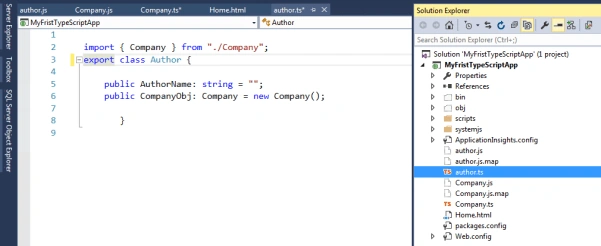
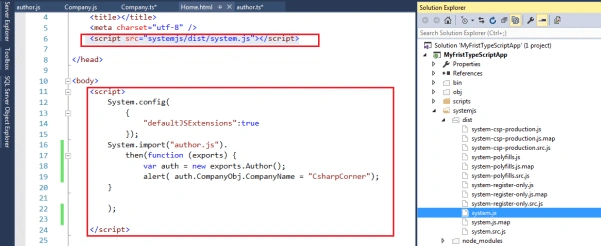
The variables, class, functions, interfaces are declared in one module, but they are not available the outside of that module without exporting them, i.e., using the export keyword. Once it's exported, it must be imported, using the import keyword and then these are available in the imported module.
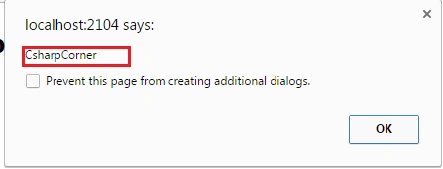
Let's see an example, how we can export and import from different classes.
Add a new Typescript file called Company, which is using the export keyword.
Conclusion
In this article, we learned basic steps of how to install TypeScript, create a TypeScript app, create classes and their members, and how to import and export class functionality.
suhel ahmedPosted Jan 16, 2019, 11:57 PM
How systemjs file is created??
olivermodePosted Jul 16, 2018, 1:59 AM
Thank you!!!!!!!!!!!!!!!!!!!!!!!!!!
ajmalPosted Feb 9, 2017, 8:12 AM
I can create Company object in Author class without import and export. It is not showing error ?? , it is working??. could you please elaborate it little more
Parminder Pal SinghPosted Feb 3, 2017, 1:20 PM
Very nice and clear article to start with TypeScript. Good Job
Sourabh SomaniPosted Nov 29, 2016, 11:10 PM
Very nice and clear Explanation :)
Bikesh SrivastavaPosted Nov 29, 2016, 10:23 PM
Very nice article ,good job