

Introduction
This article will cover the following.
- Brief Concepts
- Implementation – Download and install TypeScript using NPM
- Implementation – Download and install TypeScript in VS 2015 for IntelliSense
- Implementation – Create a basic Customer application with a few core concepts using TypeScript and VS 2015
- Class, Property creation, and Method creation
- Inheritance
- Getter and setter
- Exception with try, catch and finally
- Export and import concept
- Loader concept -- SystemJS
What is TypeScript?
- It is an open-source language created by Microsoft in October 2012.
- It is designed for the development of large applications.
- It is a typed superset of JavaScript that compiles to JavaScript eventually.
Benefits of Typescript
- Coverts to JavaScript only
TypeScript converts the OO code into the JavaScript only by providing the power of object-orientation.
- Rapid Application Development
Because of the object-oriented concepts, it allows us to write code very quickly and clean as well.
- Incorporate all features of Javascript
TypeScript community is constantly upgrading their version by incorporating all the features of ECMA 5 and later versions, so it's worth to rely on.
Implementation – Download and install TypeScript using NPM
Steps to be followed
- Go to the URL -- https://www.typescriptlang.org/#download-links and install TypeScript using NPM. For that, you need to install Node.
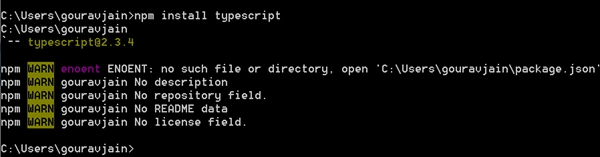
Here, you are good to go with TypeScript then.
Implementation – Download and install TypeScript in VS 2015 for IntelliSense.
Steps to be followed
- Visit the URL -- https://www.microsoft.com/en-us/download/confirmation.aspx?id=48593, and download and then install. Make sure, your VS is closed at that time.
Implementation – Create a basic Customer application using TypeScript with a few core concepts using VS 2015.
- Class, Property creation and Method creation
- Inheritance
- Getter and setter
- Exception with try, catch and finally
- Interface
- Export and import concept
- Loader concept -- SystemJS
Steps to be followed
- Open VS 2015 and create a project named “TypeScript-Sample-1” and choose empty template.
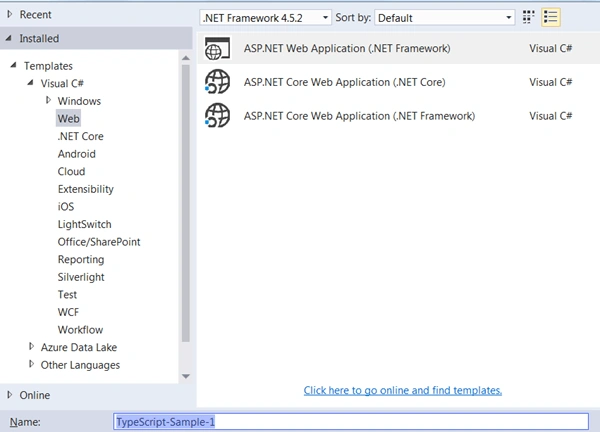
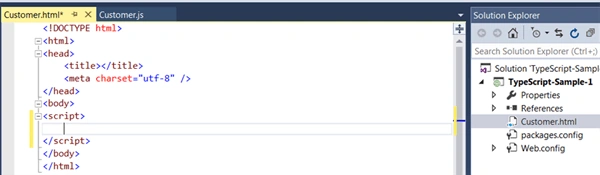
- Create a Customer.html file and add a blank <script> tag here.
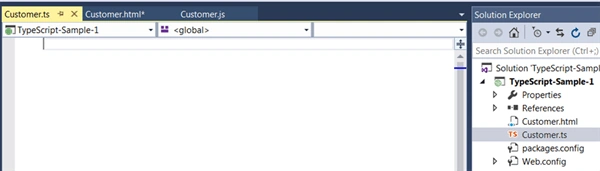
- Create a Customer.ts file
Class, Property creation and Method Concept
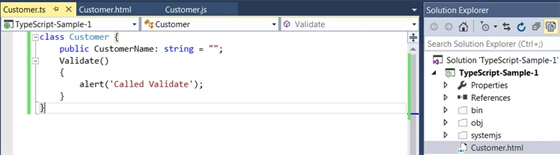
- Create a class named Customer and save the file. We can see the auto-generated Customer.js file in VS.
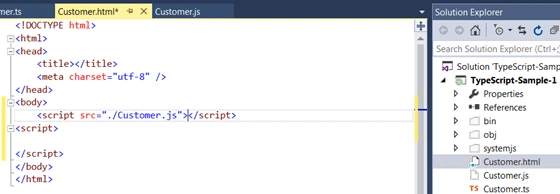
- Refer to the Customer.js file in the HTML file.
- Write the code to create an object of Customer class.
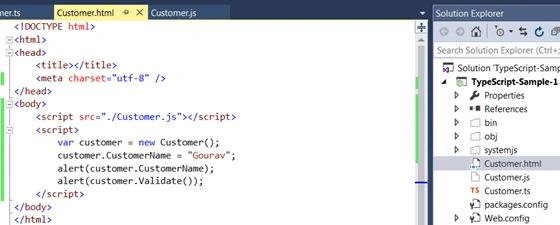
- Run the application. There, we can see a couple of alerts of ‘Gourav’ and ‘Called Validate’.

Inheritance
- Create a class named as CustomerModified and extend it from the Customer class.
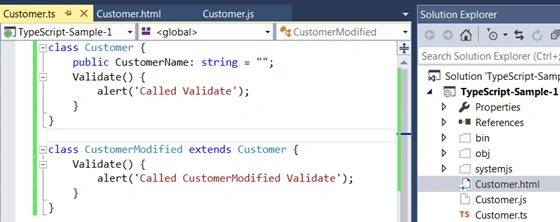
- Write the code to check the modified class object creation.
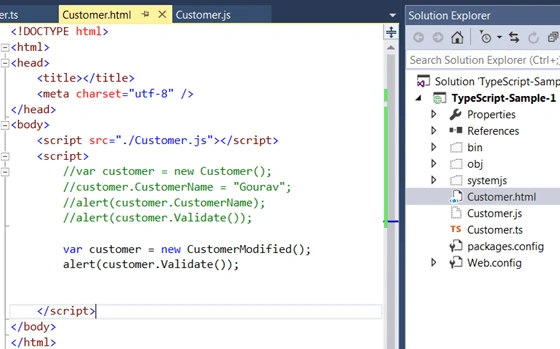
- Run the application. There, we can get alert of the extended class ‘Called CustomerModified Validate’.

Getters and Setters
- Create a getter and setter for _customerName in Customer class.
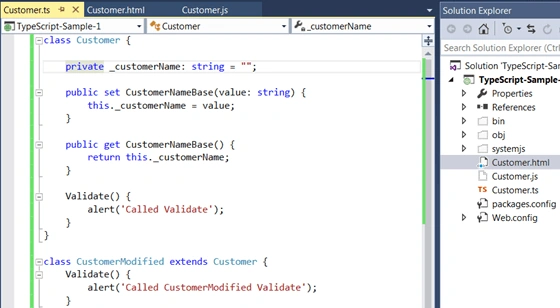
- Write the code in the HTML file to use getters and setters for CustomerName.
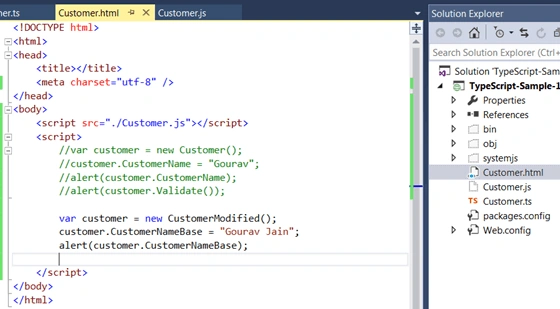
- Run the application. There, we can get the alert using getters and setters.

Exception with try, catch and finally
- Incorporate the exception in the JS file with the "throw" keyword in the CustomerModified Validate method.
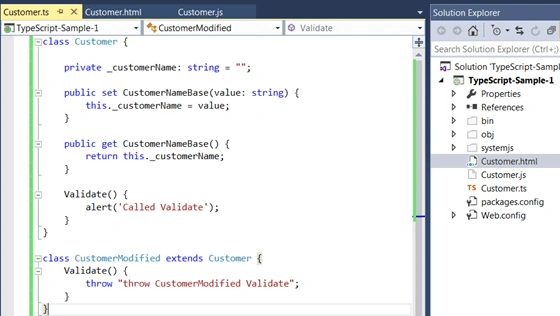
- Write the code in an HTML file to handle the exception using try, catch, and finally.
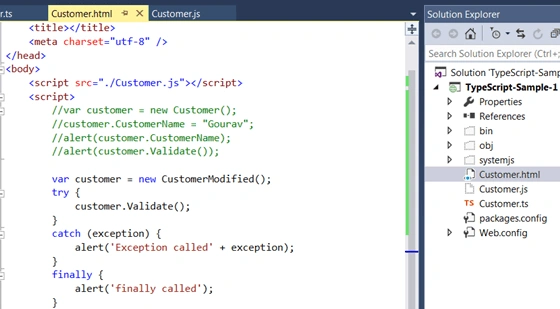
- Run the application. There, we can see a couple of alerts – first is of exception and then of finally.

Export and import concept
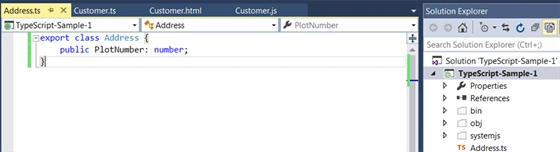
- Create another class named Address and mark that class as export so that it can be imported in any class.
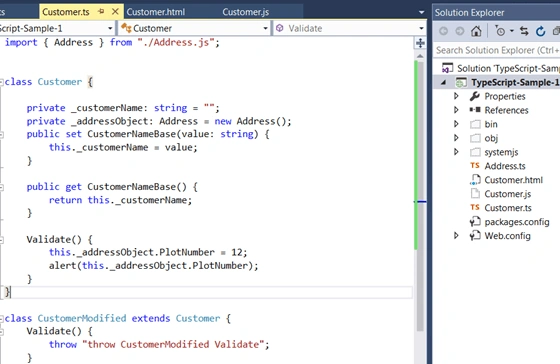
- Import the Address class into Customer class and use its property into the validate method and show in the alert.
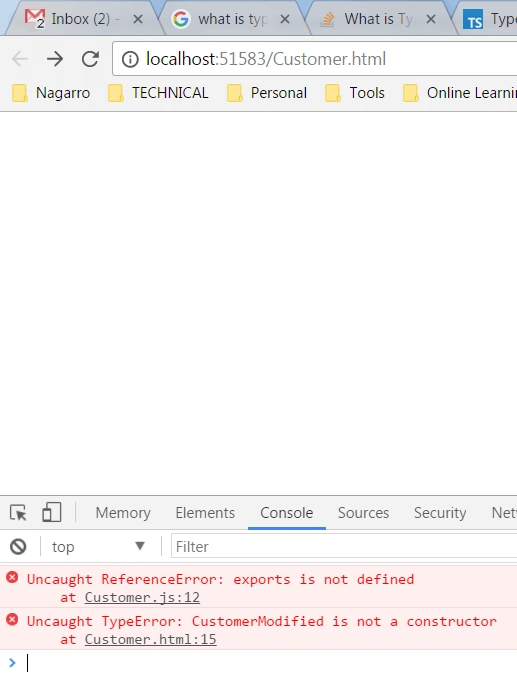
- Run the application – The application will break because export is not defined. So, to resolve this issue, we need to include loader i.e. SystemJS which is covered in the next section.
- Loader concept -- SystemJS
- Include SystemJS package using NPM using the following command – “npm install SystemJS” and it would be installed.
- Copy this folder and paste into your solution and refer the SystemJS file in the HTML file after that.
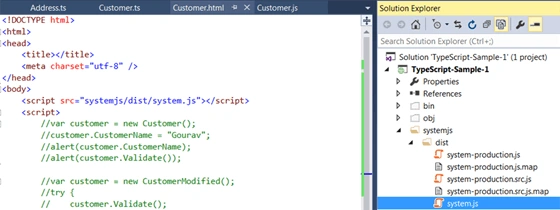
- Write some code in the HTML script tag to use the SystemJS package and call the Customer class object. Internally address the object property as well.
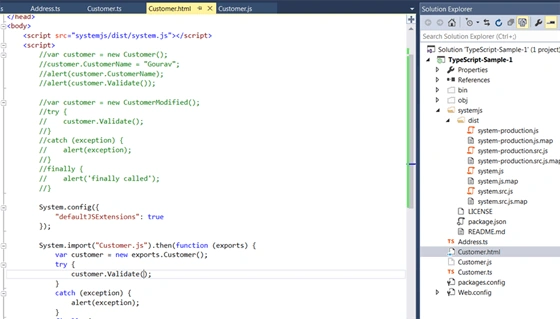
- Run the application. Here, you can see the value of plot-number in the alert which was a part of Address class.

Note - A demo file is attached to this article for reference. Happy Learning!
Tom LarryPosted Mar 24, 2018, 2:05 PM
Another question, is TSConfig.json required for TypeScript for Visual Studio?
Tom LarryPosted Mar 24, 2018, 1:57 PM
Gourav, nice work. Downloaded the code, F5, trapped into system.js, dt=Promise.resolved();