

Introduction
This article explains how to fetch data of a particular Hashtag from Twitter using TweetSharp API in ASP.NET.
This article explains how to fetch data of a particular Hashtag from Twitter using TweetSharp API in ASP.NET.
Background
- VS2013
- C#
Before moving forward we have to create an app in Twitter using the following steps:
Step 1: Login to twitter and go to https://apps.twitter.com/ and you can see your apps if you have any, else click on Create New App button. You will be able to see application management window to create a new app. Here's the screenshot:
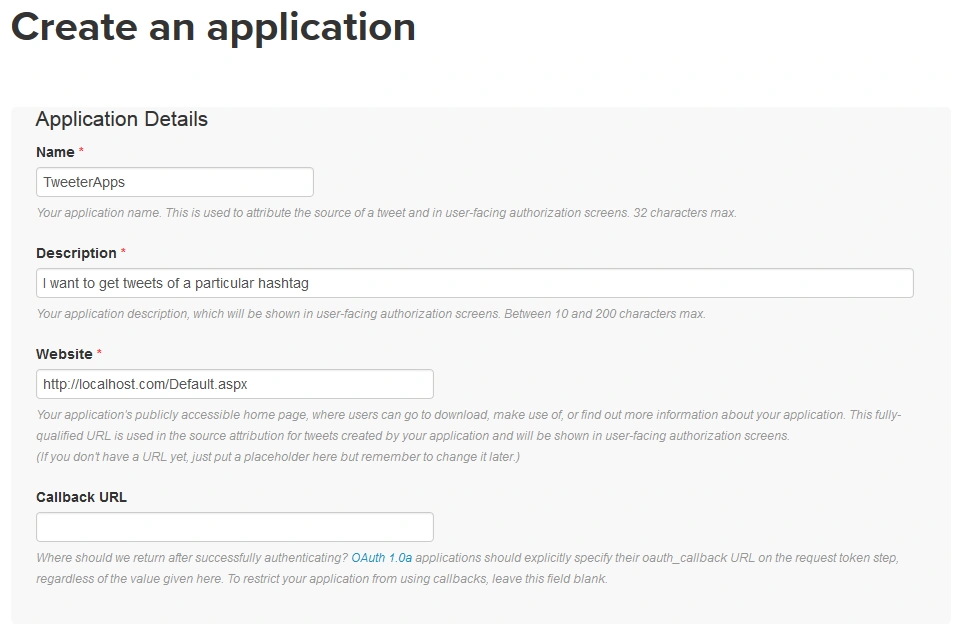
I have filled the form as per my requirements. You can change this as per your.
Accept the agreement and click Create Your Twitter Application.
Step 2: Go to Keys and Access Tokens Tab and you will see Consumer Key (API Key) and Consumer Secret (API Secret). Here's the screenshoot.
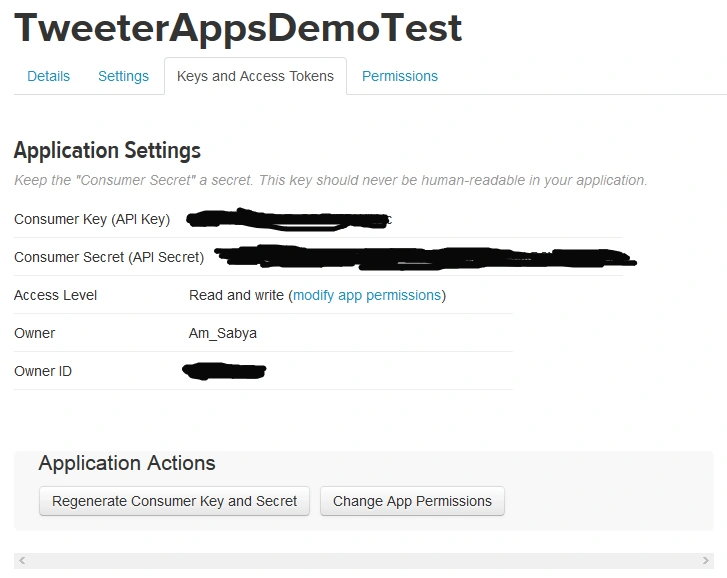
Step 3: Now scroll down and click on Create my access token. You will see Access Token and Access Token Secret.
I have filled the form as per my requirements. You can change this as per your.
Accept the agreement and click Create Your Twitter Application.
Step 2: Go to Keys and Access Tokens Tab and you will see Consumer Key (API Key) and Consumer Secret (API Secret). Here's the screenshoot.
Step 3: Now scroll down and click on Create my access token. You will see Access Token and Access Token Secret.
Step 4: I am showing data in console application.
- Go to Visual Studio and create a console application.
- Click Manage NuGet Packages.
- Search for tweetsharp and install it as per the following image:
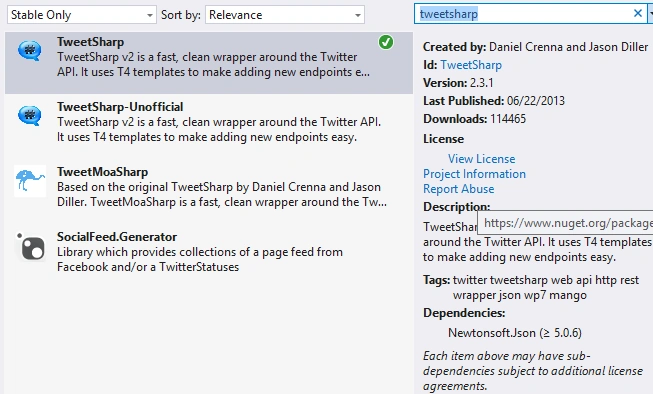
Step 5: Add the following code in your class with main method. Refer the comments for better understanding.
Mohamad AhmadPosted Feb 27, 2020, 1:09 AM
Object reference not set to an instance of an object. this is returned in Visual studio 2012
Shiekh shanPosted May 21, 2019, 6:10 AM
An unhandled exception of type 'System.NullReferenceException' occurred in ConsoleApplication3.exe
Anil kumarPosted Mar 13, 2018, 2:33 AM
Hi .. this is Anil .. I have used above code working fine but missing media object in Entities object ..can you help me how to get.it's urjent
Keyur SanghviPosted Mar 8, 2018, 2:49 AM
Getting below error on creating list on Line number 14.An unhandled exception of type 'System.NullReferenceException' occurred in ConsoleApplication3.exe
SubashPosted Aug 1, 2016, 5:56 AM
Good
Santhakumar MunuswamyPosted Oct 18, 2015, 5:55 AM
Good one
Sabyasachi MishraPosted Oct 7, 2015, 1:51 AM
Thanks everyone for your appreciation.
Ankit BansalPosted Oct 7, 2015, 1:24 AM
nice..thanks for sharing knowledge..
RakeshPosted Oct 7, 2015, 1:08 AM
Good share
Sibeesh VenuPosted Oct 7, 2015, 12:55 AM
Nice Share
Humayun Kabir MamunPosted Oct 7, 2015, 12:05 AM
Nice...
Nilesh JadavPosted Oct 6, 2015, 9:22 PM
Nice one ! Thank you for sharing
Gowtham KPosted Oct 6, 2015, 12:40 PM
Good One
Rajeesh MenothPosted Oct 6, 2015, 12:35 PM
Nice Share