

We will not go into the details about what REST architecture style is. Depending on it's type, our service will be of the nature where each method will act as a resource on the internet. So to create a REST based service, we will create a new ASP.Net project and add a WCF service project into it. Let's call it RESTService.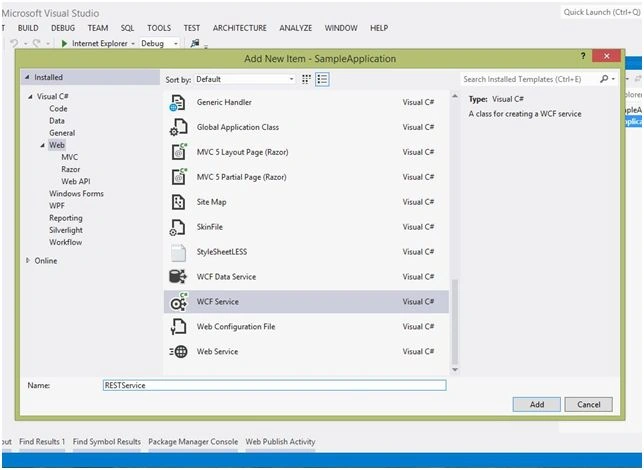
Next, we remove any default methods. We add a sample class named POCOClass with the 2 properties Name and Id. Next we add a method to the service that returns a list of the type POCOClass.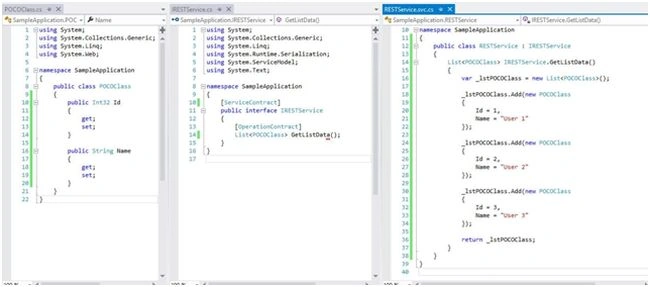
Next, to make this service a RESTful type, we need to do some code changes as in the following:
- Add the WebGet attribute or WebInvoke attribute to the methods to allow them to be used with the HTTP verbs like GET, PUT, POST and so on.
- Add a URI template to these methods that is nothing but a URL that will identify the methods as a unique resource on the internet.
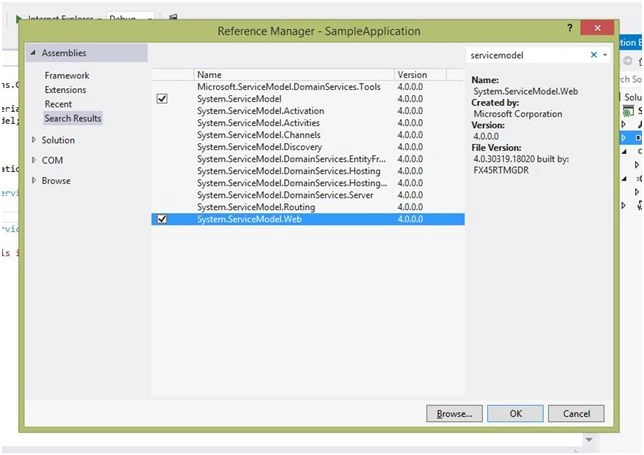
- Change the binding to be used as a webHttpBinding type.
Add the WebGet attribute on the implementation of the service method.
- using System;
- using System.Collections.Generic;
- using System.Linq;
- using System.Runtime.Serialization;
- using System.ServiceModel;
- using System.Text;
- using System.Net;
- using System.ServiceModel.Web;
- using System.Runtime.Serialization.Json;
- using System.IO;
- using System.Web.Http;
- namespace SampleApplication {
- public class RESTService: IRESTService {
- [WebGet]
- List < POCOClass > IRESTService.GetListData() {
- var _lstPOCOClass = new List < POCOClass > ();
- _lstPOCOClass.Add(new POCOClass {
- Id = 1,
- Name = "User 1"
- });
- _lstPOCOClass.Add(new POCOClass {
- Id = 2,
- Name = "User 2"
- });
- _lstPOCOClass.Add(new POCOClass {
- Id = 3,
- Name = "User 3"
- });
- return _lstPOCOClass;
- }
- }
- }
- [WebGet(UriTemplate = "/GetListData", ResponseFormat = WebMessageFormat.Json)]
- List < POCOClass > IRESTService.GetListData() {
- var _lstPOCOClass = new List < POCOClass > ();
- _lstPOCOClass.Add(new POCOClass {
- Id = 1,
- Name = "User 1"
- });
- _lstPOCOClass.Add(new POCOClass {
- Id = 2,
- Name = "User 2"
- });
- _lstPOCOClass.Add(new POCOClass {
- Id = 3,
- Name = "User 3"
- });
- return _lstPOCOClass;
- }
First, we need to change the endpoint behavior to use the webHttpBinding. This is to be done inside:
system.serviceModel => behaviors => endpointBehaviors => behavior
and change the endpoint to use the webHttpBinding. This is to be done in:
system.serviceModel => services => service => endpoint
The complete settings will look like:
- <configuration>
- <system.web>
- <compilation debug="true" targetFramework="4.5" />
- <httpRuntime targetFramework="4.5" />
- </system.web>
- <system.serviceModel>
- <behaviors>
- <serviceBehaviors>
- <behavior name="">
- <serviceMetadata httpGetEnabled="true" httpsGetEnabled="true" />
- <serviceDebug includeExceptionDetailInFaults="false" />
- </behavior>
- </serviceBehaviors>
- <endpointBehaviors>
- <behavior name="web">
- <webHttp/>
- </behavior>
- </endpointBehaviors>
- </behaviors>
- <services>
- <service name="SampleApplication.RESTService">
- <endpoint address="" behaviorConfiguration="web" binding="webHttpBinding"
- contract="SampleApplication.IRESTService" ></endpoint>
- </service>
- </services>
- <serviceHostingEnvironment aspNetCompatibilityEnabled="true" multipleSiteBindingsEnabled="true" />
- </system.serviceModel>
- </configuration>
Next, we use the Google Chrome extension app called Postman to test the service. Add the service URL and select GET as the HTTP verb.
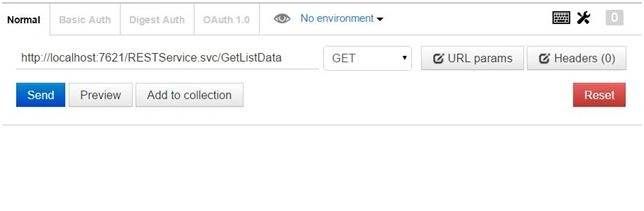
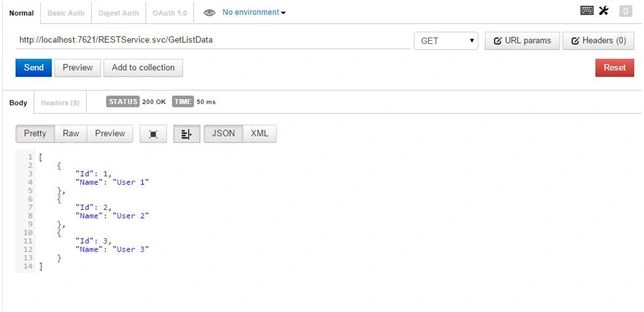
Click the Send button and see the results.
Next, let's try to POST some data to it. So we add another method that receives data of the type POCOClass from the HttpBody. We also add the WebInvoke attribute and the UriTemplate for it.
- [WebInvoke(UriTemplate="/PostUserData", RequestFormat=WebMessageFormat.Json)]
- void IRESTService.PostUserData([FromBody] POCOClass userData)
- {
- }
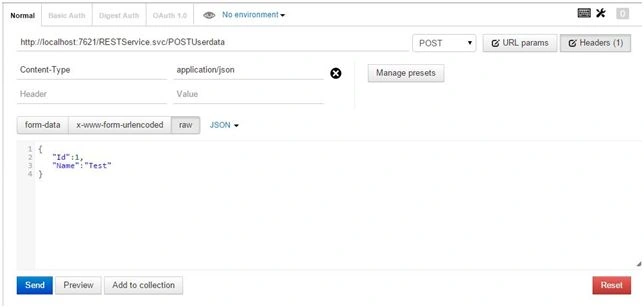
Click Send and see the results. We are getting the results on the server.
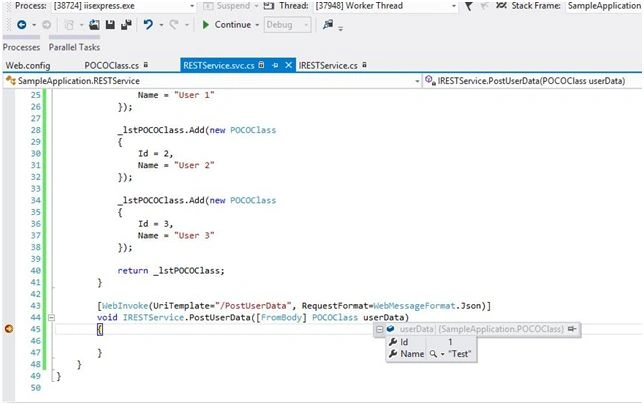
Easy, isn't it? So create the REST services depending on the requirements. No need to use the SOAP based WCF service, making it lighter.
bhushan sahuPosted Nov 17, 2017, 2:09 AM
Thanks sir... your guidance is helping
Sonu ChaudharyPosted Apr 4, 2016, 12:52 PM
nice artical
Sonu ChaudharyPosted Apr 4, 2016, 12:52 PM
good one
Joginder BangerPosted Mar 21, 2016, 3:13 PM
Good job sir and thanks for shared ..
Harieswaran DPosted Jul 12, 2015, 11:40 PM
Good One...!!!
Narasimha Reddy ChennupalliPosted Jul 12, 2015, 10:01 AM
Good one, thanks for sharing.
Neeraj KumarPosted Jul 12, 2015, 9:33 AM
Nice
Sibeesh VenuPosted Jul 12, 2015, 8:11 AM
Nice share
Gopi ChandPosted Jul 12, 2015, 5:35 AM
Good work
RakeshPosted Jul 12, 2015, 4:02 AM
Good Article Sirji
Shubham KumarPosted Jul 12, 2015, 1:56 AM
nice
Santhakumar MunuswamyPosted Jul 12, 2015, 1:22 AM
Good article! Thanks for sharing