

Introduction
This article's intention is to explain the main skills measured in this sub-topic of the AZ-204 Certification. Azure CDNs, Azure Front Door, and Redis Cache are the main components that will have their fundamentals explained here alongside a practical example.
This certification is very extensive and this article approaches only the main topics, make sure you know deep down those components before taking the exam. Another great tip is to do exam simulators before the official exam in order to validate your knowledge.
What is the Certification AZ-204 - Developing Solutions for Microsoft Azure?
The AZ-204 - Developing Solutions for Microsoft Azure certification measures designing, building, testing, and maintaining skills of an application and/or service in the Microsoft Azure Cloud environment. It approaches, among others, those components.
- Azure Virtual Machines
- Docker
- Azure Containers
- Service Web App
- Azure Functions
- Cosmos DB
- Azure Storage
- Azure AD
- Azure Key Vault
- Azure Managed Identities
- Azure Redis Cache
- Azure Logic App
- Azure Event Grid
- Azure Event Hub
- Azure Notification Hub
- Azure Service Bus
- Azure Queue Storage.
Target Audience
Any IT professional willing to improve his knowledge in Microsoft Azure is encouraged to take this certification, it is a great way to measure your skills within trending technologies. But, some groups of professionals are more keen to take maximum advantage of it.
- Azure Developers, with at least 1 year of experience with Microsoft Azure.
- Experienced Software Developers, looking for an Architect position in a hybrid environment.
- Software Developers, working to move applications to the cloud environment.
Skills Measured
According to today's date, the skills that are measured in the exam are split as follows.
- Develop Azure compute solutions (25-30%)
- Develop for Azure storage (10-15%)
- Implement Azure security (15-20%)
- Monitor, troubleshoot, and optimize Azure solutions (10-15%)
- Integrate caching and content delivery within solutions
- Instrument solutions to support monitoring and logging
- Connect to and consume Azure services and third-party services (25- 30%)
- Develop an App Service Logic App
- Implement API Management
- Develop event-based solutions
- Develop message-based solutions
Benefits of Getting Certified
The main benefit here is having a worldwide recognized certification that proves that you have knowledge of this topic. Among intrinsic and extrinsic benefits, we have.
- Higher growth potential, as certifications are a big plus.
- Discounts and deals in Microsoft products and partners, like PluralSight and UpWork.
- MCP Newsletters, with trending technologies.
- Higher exposure on LinkedIn, as recruiters usually search for specific certifications.
- Higher salary, you will be more valuable to your company.
- Unique happiness when getting the result and you were approved, knowing that all your efforts were worth it.
Main Skills measured by this topic
What are Azure CDNs?
Azure CDN is the Azure service to provide a distributed network of servers to your applications, with Azure CDN you can boost your application's load time, save bandwidth with caching strategies, and speed responsiveness with compressed files. Azure CDNs centralize the requests from your origin into a single point, where it is easier to manage your inbound and outbound traffic with cache strategies, firewall policies, traffic balancing many other features as follows.
- Caching Strategies, configuring the requests to be cached and its expiring policies.
- Compressed files, reducing the size of static files in order to save bandwidth when requested.
- Geo-filtering, blocking, or allowing requests from specific countries.
- Global distribution, among Azure Regions.
- Integration, Azure CDNs have full integration with your Azure services.
- High Security, without additional costs.
- Scalability with load-balancing makes it much easier to scale your applications.
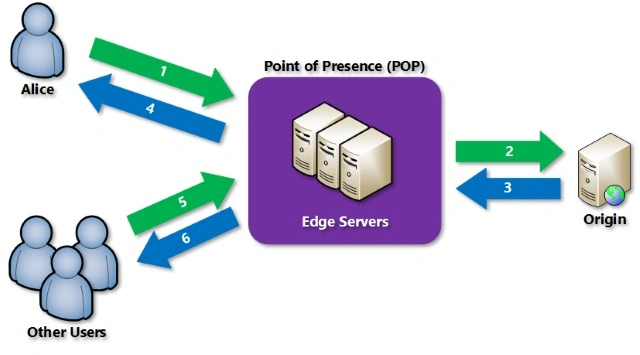
Azure CDN Profile
The Azure CDN Profile groups your Azure CDN Endpoints in the same pricing tier, they are not distributed by Azure regions as far as they are a global service. Azure CDN profile has 4 different pricing tiers and can have from 0 to N Endpoints.
Azure CDN Endpoint
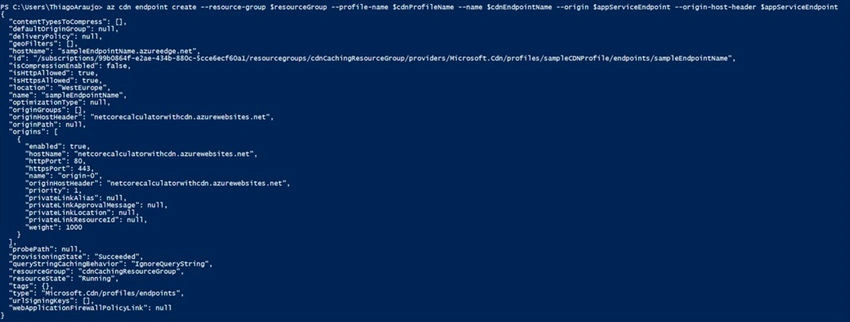
CDN Endpoints are where we configure the CDN endpoint that will be exposed as far as the host that is going to be accessed. It has the following main properties.
- Name, forming the CDN endpoint URI.
- Origin Type, the host type
- Storage, for Azure Storage.
- Cloud Service, for Azure Cloud Service.
- Web App, for Azure Web Apps.
- Custom Origin, for any other possible origin.
- Origin Hostname, the origin server domain.
- Origin Path, the sub-sectors if applied inside the Origin Hostname.
- Origin Host Headers, host header to be sent with each request.
- Protocol, the HTTP protocol.
- Origin Port, the host port.
- Optimization is the optimization type.
- Microsoft profile
- Verizon profile
- Akamei profile
CDN Endpoint Caching
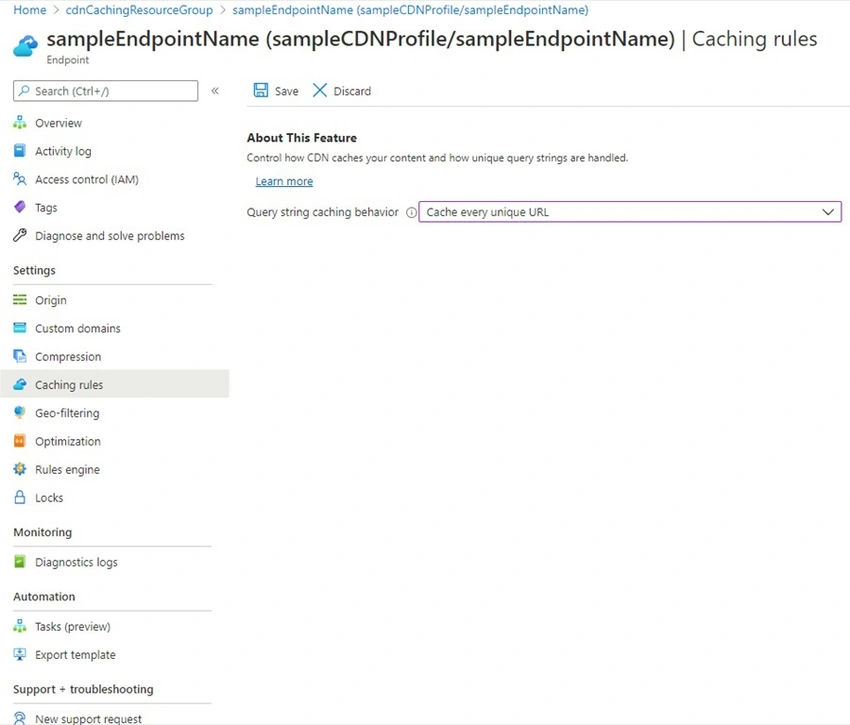
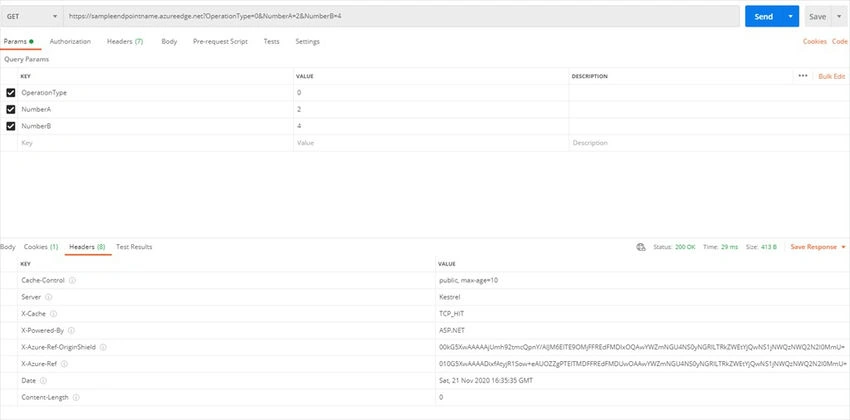
Azure CDN provides a caching functionality, facilitating the configuration and management of caching requests from our CDN Endpoints. This caching functionality is available in three query string modes.
- Ignore query strings, not taking into consideration any query string. The first request with a query string will be cached and until this cached item is expired any request with an equal or different query string will result in the same value. Default mode.
- Bypass caching for query strings, not caching requests with query strings.
- Cache every unique URL, every possible request will be cached.
Caching Purge
Azure CDNs also provide functionality to purge all the cache, this functionality is at the Azure CDN Profile level and you can filter which endpoint and which path is going to have the cache purged.
Caching Rules
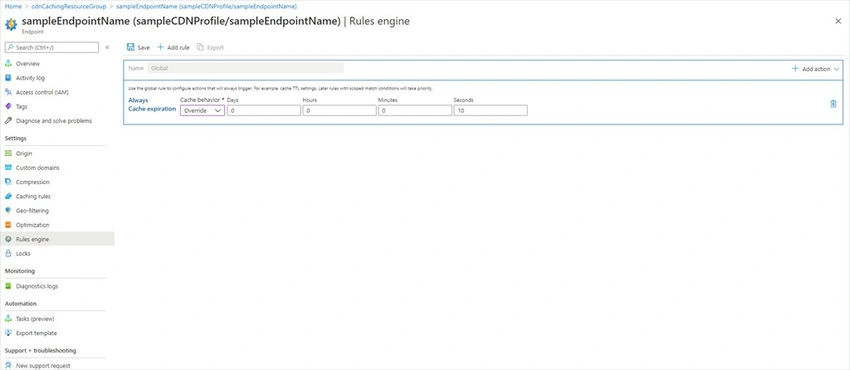
You can filter and customize your caching strategy with the caching rules, by default Azure CDNs store the cache for 7 days. Under caching rules we have a default global caching rule with the possibility to add many other custom rules, those rules are formed with conditions that have to be satisfied in order to trigger actions that are going to be executed, and on those actions, we have three types of caching behavior.
- Override overrides any kind of cache headers set by the origin.
- Bypass cache, not caching, and ignore any kind of cache headers.
- Set if missing, if the origin does not provide cache headers then it is set.
What is Azure front door?
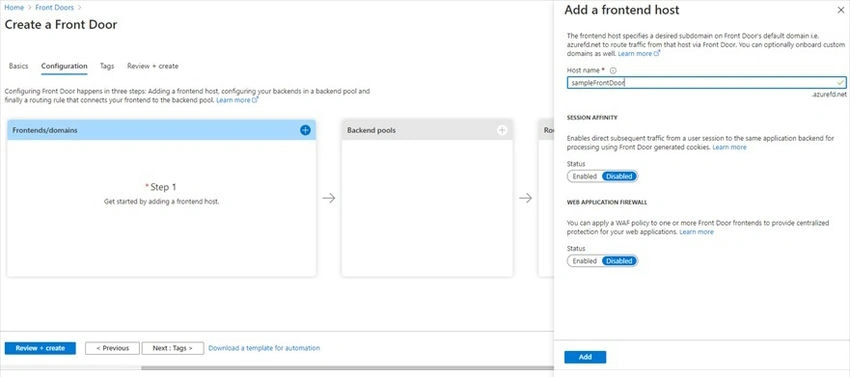
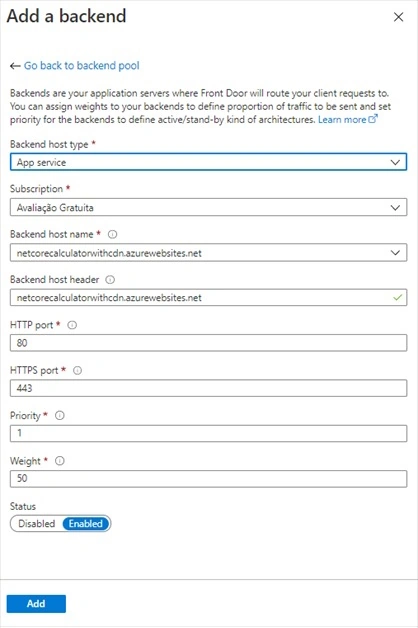
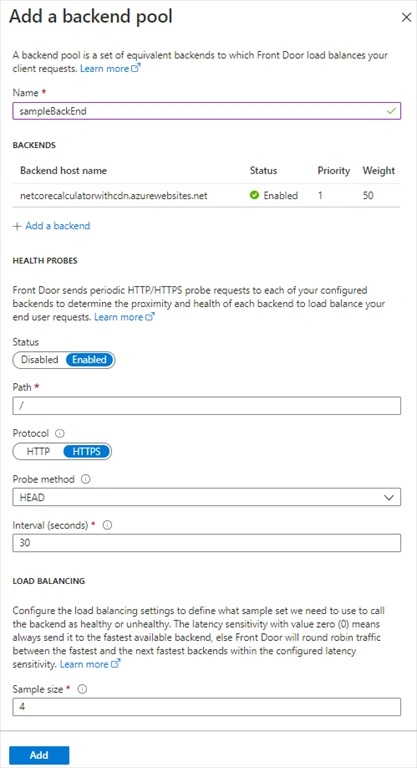
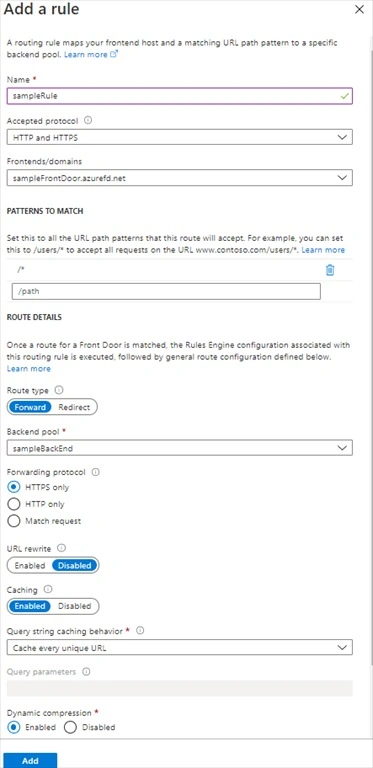
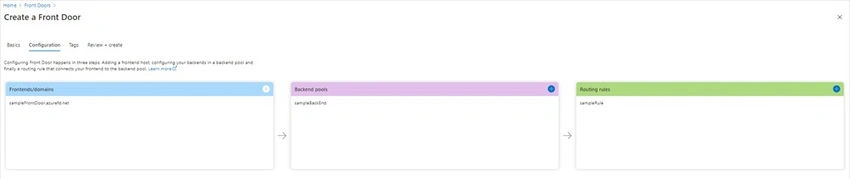
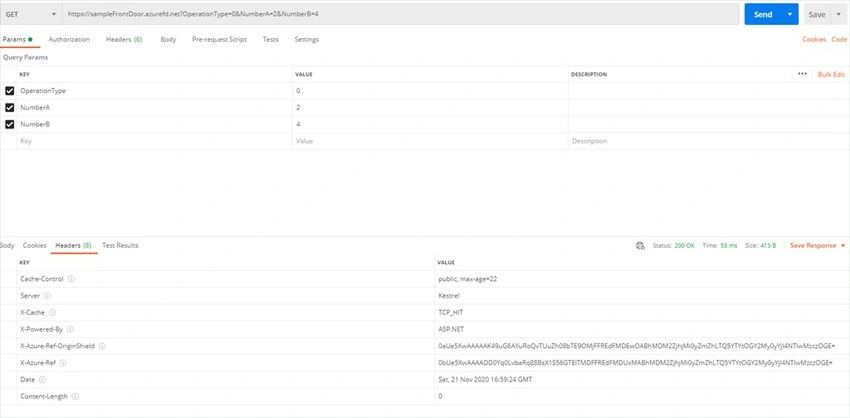
Azure Front Door is another Azure Service that, like CDN, centralizes incoming requests into a single endpoint that will distribute those calls to different hosts. An Azure Front Door is formed from Frontends/Domains connected to Backend Pools, and those connections are filtered by the routing rules, it works like a modern CDN, using HTTP/HTTPS Layer 7 and anycast protocol and Azure Front Door main functionalities are the ones as follows.
- Caching, like CDNs with rules and expiring policies.
- Resiliency, distributing incoming through different Azure Regions.
- Cookie-based session affinity, making it easier for restful applications when we need to redirect a client to the same back-end.
- Health probe, to determine the healthiest and closer back-end to the client request.
- Web Application Firewall, protecting your back-ends from malicious attacks and vulnerabilities.
- URL redirect, redirecting traffic based on.
- Protocol, HTTP or HTTPS
- Hostname
- Path
- QueryString.
- URL rewrite, with a powerful engine to rewrite income requests to a different request to the back-end.
Caching Policies
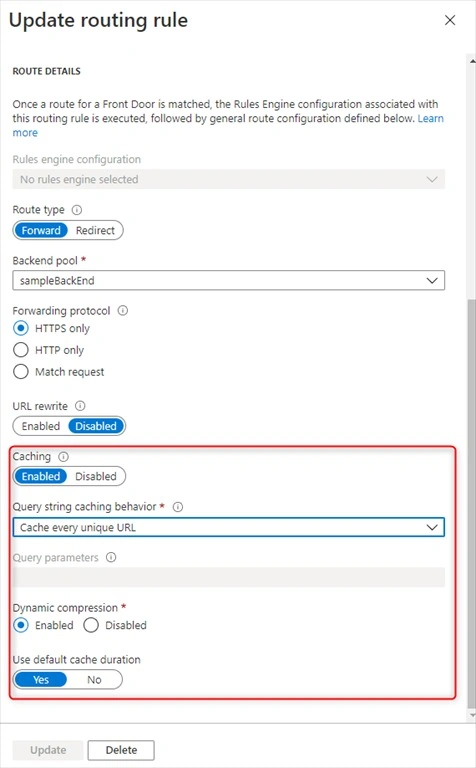
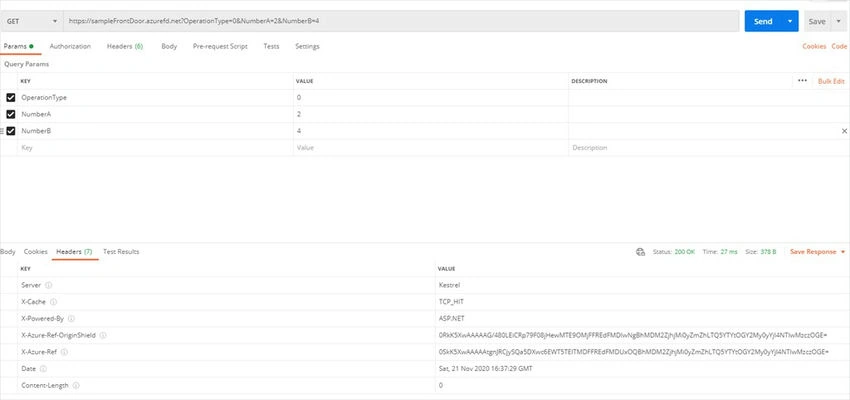
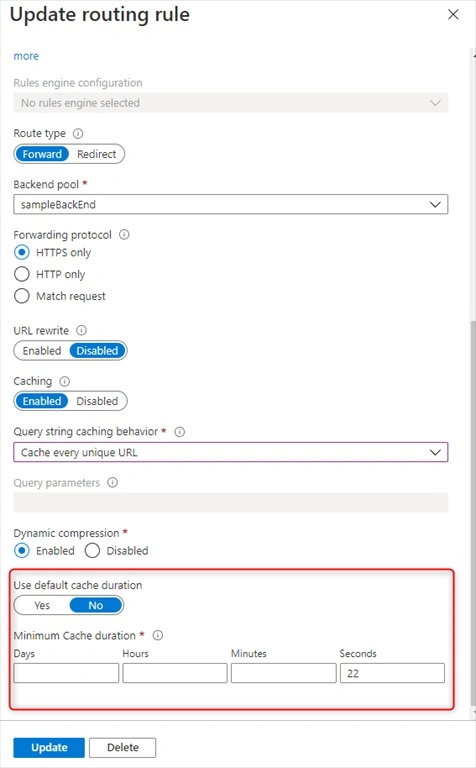
Azure Front Door caching policies are almost equal to the Azure CDN caching policies, having some small differences as follows.
- Caching behavior
- Cache every unique URL, and cache any query string individually like Azure CDN.
- Ignore query string, caching any query string equally like Azure CDN.
- Ignore specified query strings, ignoring to cache those query strings.
- Include specified query strings, specifying query string to be cached.
- Default cache duration, random from 1 to 3 days.
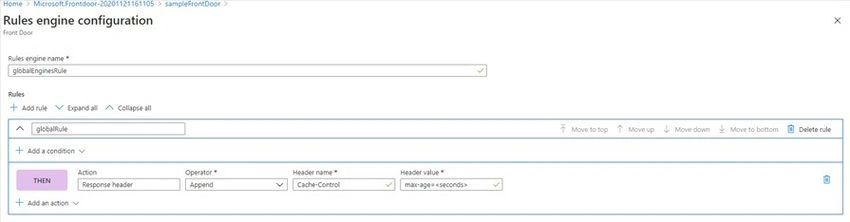
- Rule Engine is more powerful than Azure CDN because it does not manage only cache policies. Is formed by.
- Many rule engine configurations.
- Each rule engine configurations contain many rules.
- Group of conditions and actions, conditions that if met are going to trigger the actions.
What is Redis Cache?
Azure Redis Cache is based on the popular open-source Redis cache. It gives you access to a secure, dedicated Redis cache, managed by Microsoft and accessible from any application within Azure.
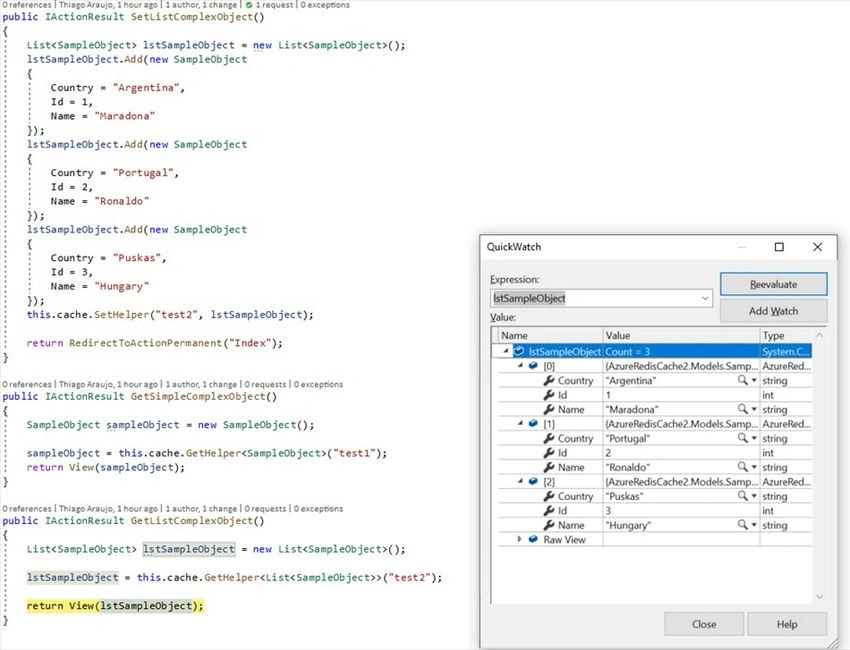
Different from the Azure CDNs and Azure Front Door, Azure Redis Cache is not used to cache requests and responses. Azure Redis Cache is used as an in-memory database caching key-value pairs of data. Azure Redis Cache helps your application become more responsive even as the customer load increases. It takes advantage of the low-latency, high-throughput capabilities of the Redis engine. This separate, distributed cache layer allows your data tier to scale independently for more efficient use of the compute resources in your application layer.

Join the conversation! Your thoughts help the community grow.