Introduction
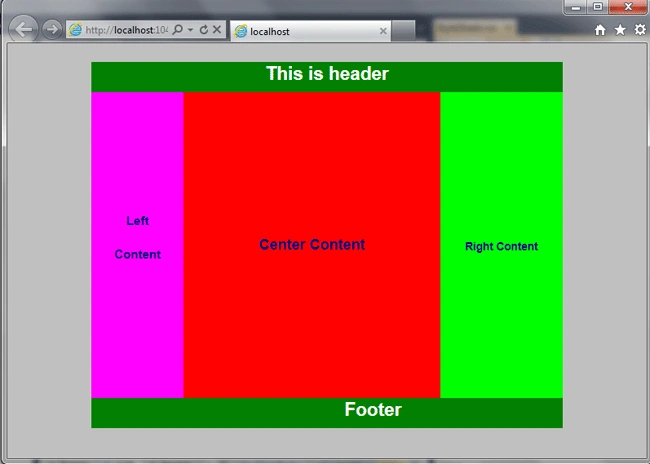
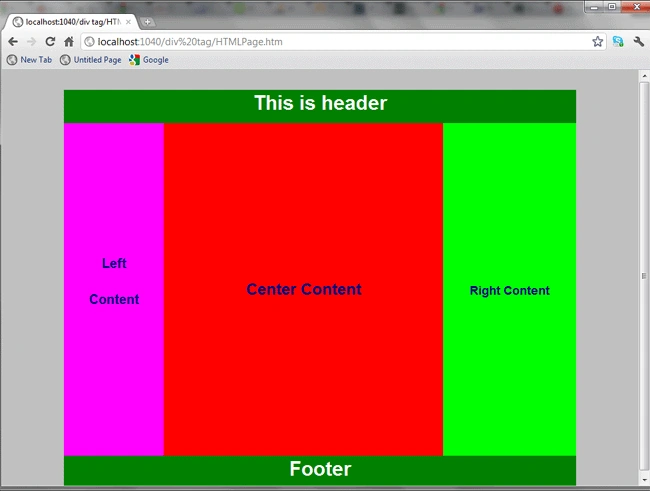
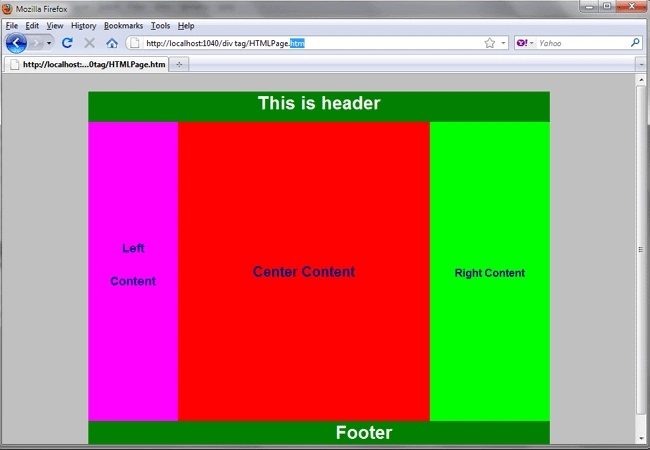
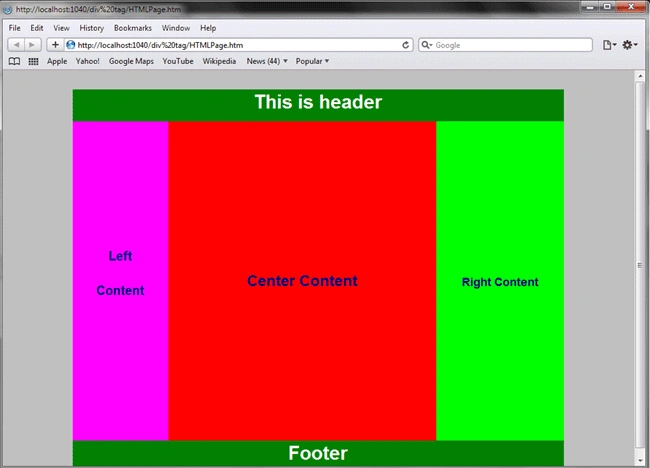
The <div> tag is used for defining a section or a division in an HTML page. You can use it to group large sections as a block and can be formatted (Presentation of block) using Style Sheet (CSS) in your document. For example, you can wrap a header block in one div and content block in another div. See the following code, in which I used a different div for each block. In simple terms, it is a container in which you create a division of your documents and you can manipulate your document layout using class and id names in the div tag. HTML5 has introduced a number of new tags that you will use in place of div tags such as article, aside, footer, header, section, and nav.
Syntax
<div
align=" Specifies the alignment of the content inside a div element. Possible values are : center | justify | left | right"
class="Specifies class names"
dir=" rtl (Right to Left | ltr (Left to Right)"
id=" specifies unique id identifier"
lang=" Specifies a language code for the content in an element. "
style="style information"
title="advisory text">
</div>
| Attributes Introduced by HTML5 |
| accesskey |
spaced list of accelerator key(s) |
| contenteditable |
true | false | inherit |
| contextmenu |
id of menu |
| data-X |
user-defined data |
| draggable |
true | false | auto |
| hidden |
hidden |
| itemid |
microdata id in URL format |
| itemprop |
microdata value |
| itemref |
space-separated list of IDs that may contain microdata |
| itemscope |
itemscope |
| itemtype |
microdata type in URL format |
| spellcheck |
true | false |
| tabindex |
number |
| HTML5 Event Attribute |
| onabort |
onblur |
oncanplay |
oncanplaythrough |
| onchange |
onclick |
oncontextmenu |
ondblclick |
| ondrag |
ondragend |
ondragenter |
ondragleave |
| ondragover |
ondragstart |
ondrop |
ondurationchange |
| onemptied |
onended |
onerror |
onfocus |
| onformchange |
onforminput |
oninput |
oninvalid |
| onkeydown |
onkeypress |
onkeyup |
onload |
| onloadeddata |
onloadedmetadata |
onloadstart |
onmousedown |
| onmousemove |
onmouseout |
onmouseover |
onmouseup |
| onmousewheel |
onpause |
onplay |
onplay |
| onplaying |
onprogress |
onratechange |
onreadystatechange |
| onscroll |
onseeked |
onseeking |
onselect |
| onshow |
onstalled |
onsubmit |
onsuspend |
| ontimeupdate |
onvolumechange |
onwaiting |
|
Code:
Htmlpage.htm
- <!DOCTYPE html>
- <html>
- <head>
- <link href="StyleSheet.css" rel="stylesheet" type="text/css" />
- <title></title>
- </head>
- <body>
- <div class="MainBody">
- <div class="header" >
- <h3>This is header </h3>
- </div>
- <div class="left">
- <h4>Left</h4>
- <h5>Content</h5>
- </div>
- <div class="center">
- <h1>Center Content</h1>
- </div>
- <div class="right">
- <h2>Right Content</h2>
- </div>
- <div class="footer">
- <h3>Footer</h3>
- </div>
- </div>
- </body>
- </html>

Gowtham RajamanickamPosted Apr 12, 2016, 2:13 AM
Good One, Thanks for sharing
Mahesh ChandPosted Jul 18, 2011, 1:39 PM
From HTML div tag? Or is it same?