

Introduction
Running and debugging a .NET Core Web API project in Visual Studio Code is straightforward when the development environment is properly configured. With the required SDK and extensions installed, VS Code can now easily build, run, and attach a debugger to your application.
This article provides a step-by-step guide to help you run and debug a .NET Core Web API project efficiently using VS Code.
Prerequisites
Before starting, ensure that your system has the following tools installed:
Visual Studio Code
.NET 8 SDK
To confirm that the .NET SDK is installed correctly, run the following command in your terminal:
dotnet --versionThe command should return a version number starting with 8.
Opening the Project in VS Code
Begin by navigating to your project directory, open CMD there, and run the below command.
code .Restoring and Building the Project
Before running the application, it is important to restore dependencies and build the project. This ensures that all required packages are available and that the code compiles successfully.
Restore/Build dependencies:
dotnet restore
dotnet build
If there are any issues during this step, they should be resolved before proceeding to debugging.
Starting the Debugging Process
Step 1: Initiate Debugging
Use the Run menu in Visual Studio Code to start the debugging process. You can either select the option from the menu or use the keyboard shortcut.
Click on the Run menu
Select Start Debugging
Alternatively, press F5
Press enter or click to view image in full size
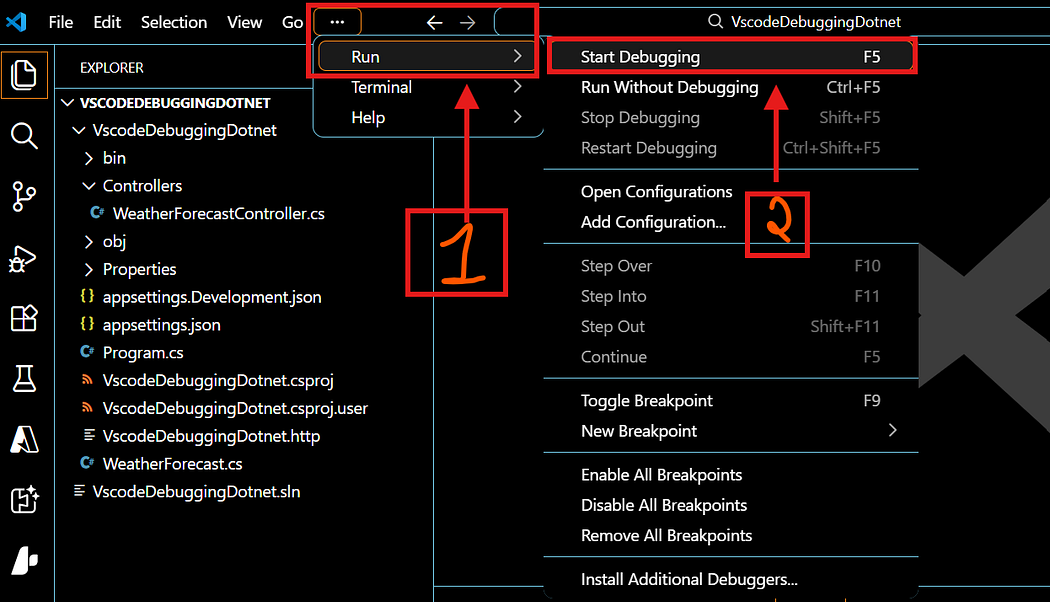
When this action is triggered, VS Code begins preparing the application for execution.
Step 2: Select the Debugger
When prompted, choose the C# debugger option. This ensures that the debugging session is configured correctly for a .NET application.
Press enter or click to view image in full size
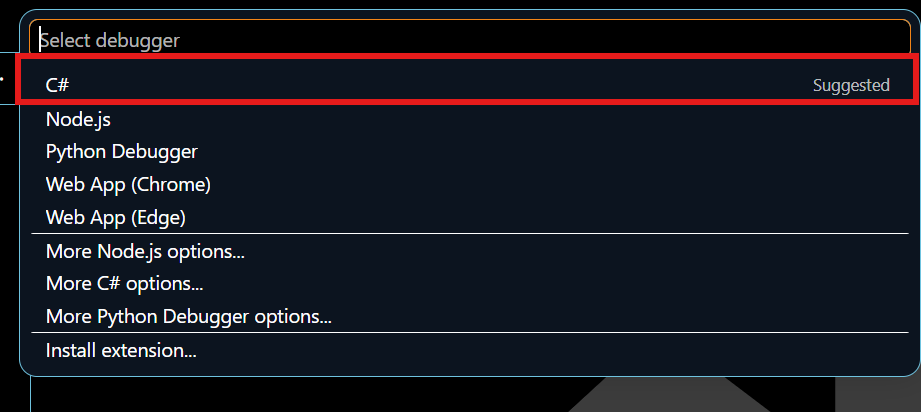
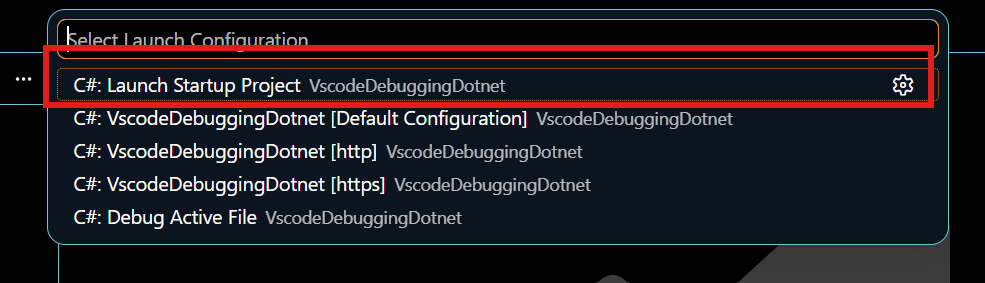
Step 3: Select the Startup Configuration
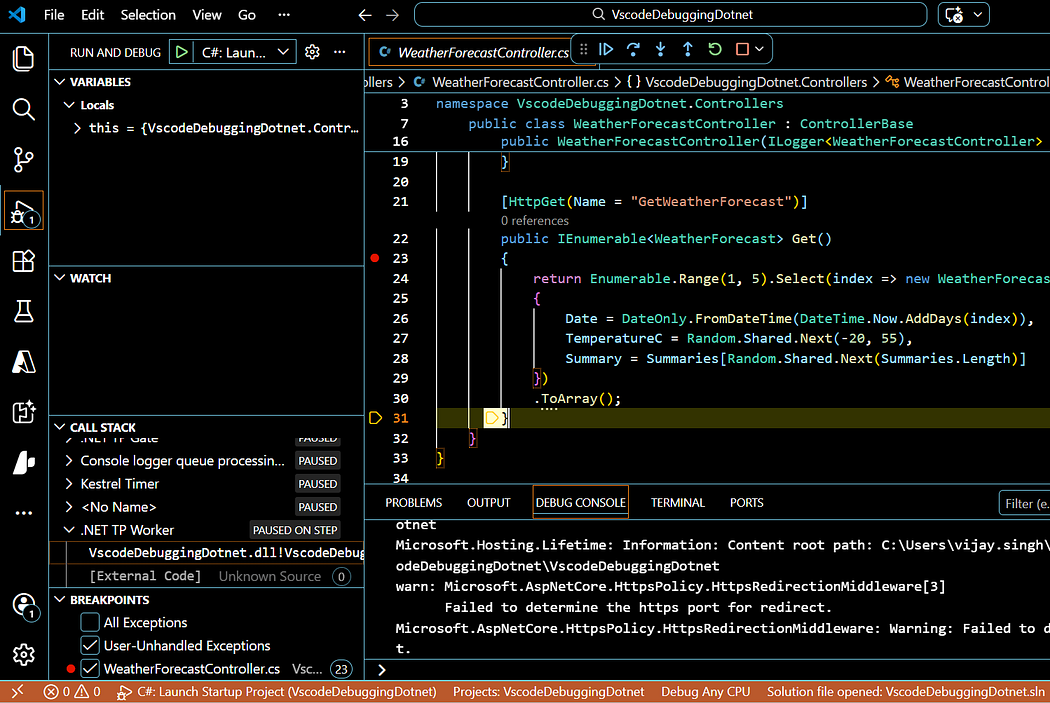
Next, choose the option labeled “C#: Launch Startup Project”. This configuration ensures that the correct project is executed as the entry point of your application.
Join the conversation! Your thoughts help the community grow.