

This series of articles will discuss JavaScript and related.
- Run JavaScript outside a Browser --- this article
- JaveScript Debugger and Debug JavaScript
A. Introduction
In modern web development, HTML, CSS, and JavaScrtipt are core technologies for building web pages and applications, where
- HTML defines the structure of your content,
- CSS determines the style and layout, and
- JavaScript makes the content interactive
Why JavaScript?
Because JavaScript is the only scripting language supported by all browsers. For example, VBScript does not support all modern browsers. As a developer, whether you are a C# developer, Java, or C++, you must know more or less about JavaScript because if you develop a Web App, you definitely will use JavaScript.
JavaScrip usually runs in a Browser, but it is not only running in a Browser, JavaScript can be run in a Server without a browser. We will discuss this issue in this article. The content of this article:
- A - Introduction
- B - JavaScript is a Compiled Language Now
- C - Run JavaScript in a Browser
- D - Run JavaScript on the Server Side (outside of Browsers)
- E - Node.js
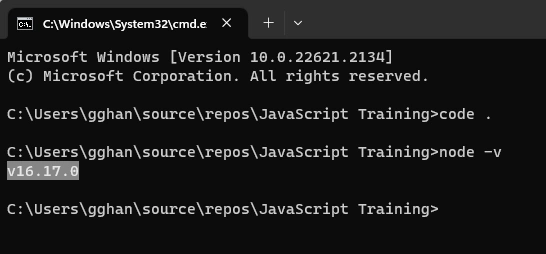
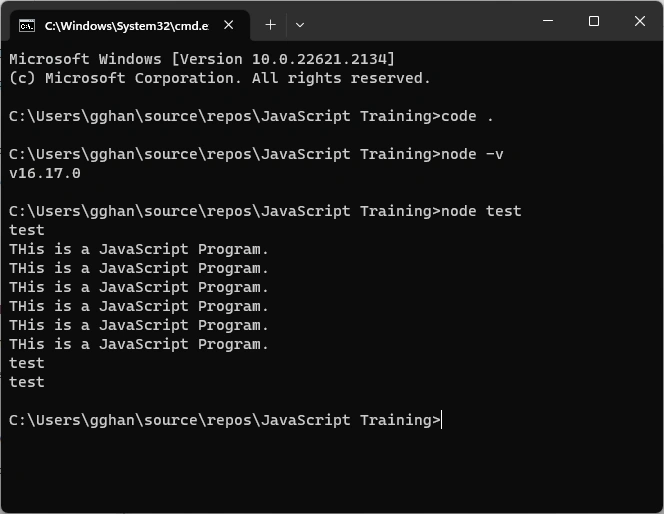
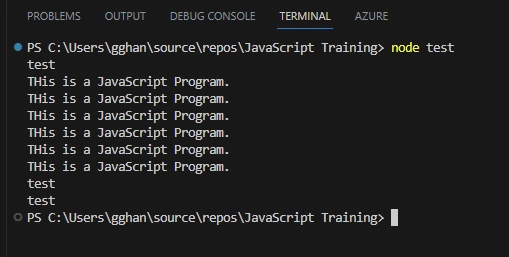
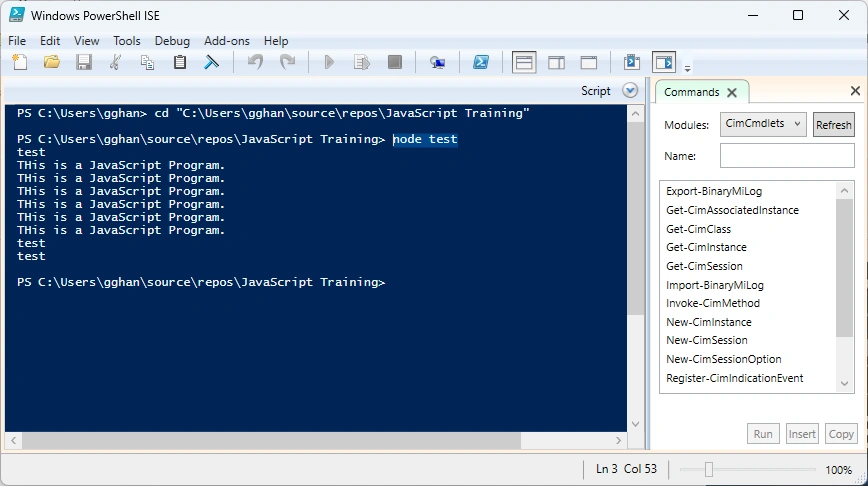
- F - Ways to Run JavaScript Outside Browser
- Command Prompt
- Windows PowerShell
- VS Code Terminal
B. JavaScript is Considered as a Compiled Language Now [ref]
JavaScript is generally considered an interpreted language, but modern JavaScript engines no longer just interpret JavaScript; they compile it.
This has been happening since 2009 when the SpiderMonkey JavaScript compiler was added to Firefox 3.5, and everyone followed this idea.
JavaScript is internally compiled by V8 with just-in-time (JIT) compilation to speed up the execution.
This might seem counter-intuitive, but since the introduction of Google Maps in 2004, JavaScript has evolved from a language that was generally executing a few dozen lines of code to complete applications with thousands to hundreds of thousands of lines running in the browser.
Our applications can now run for hours inside a browser rather than being just a few form validation rules or simple scripts.
In this new world, compiling JavaScript makes perfect sense because while it might take a little bit more to have the JavaScript ready, once done, it's going to be much more performant than purely interpreted code.
JavaScript can execute not only in the browser but also on the server or on any device that has a special program called the JavaScript engine. The browser has an embedded engine, sometimes called a “JavaScript virtual machine”.
C. Run JavaScript in a Browser
The JavaScript Engine is a program whose responsibility is to execute JavaScript code. All modern browsers come with their own version of the JavaScript Engine, but the most popular one is Google’s V8 Engine. Google’s V8 engine powers Google Chrome browsers.
Here is a list of the different JavaScript Engines for each major Internet browser:
- V8: Open-source JavaScript Engine developed by Google for Chrome
- SpiderMonkey: The JavaScript Engine powering Mozilla Firefox
- JavaScriptCore: Open-source JavaScript Engine developed by Apple for Safari
- Rhino: Open-source JavaScript Engine managed by Mozilla Foundation for Firefox
- Chakra: A JavaScript Engine for Microsoft Edge
- JerryScript: A JavaScript engine for the Internet of Things (Iot).
D. Run JavaScript on the Server Side (outside of Browsers)
Is there a way to run JavaScript without a browser, like a shell or batch script? What you are looking for are called JavaScript shells.
A JavaScript shell allows you to quickly test snippets of JavaScript code without having to reload a web page. They are extremely useful for developing and debugging code.
Standalone JavaScript shells
The following JavaScript shells are stand-alone environments, like Perl or Python.
- Node.js: Node.js is a platform for easily building fast, scalable network applications.
- JSDB: A standalone JavaScript shell with compiled binaries for Windows, Mac, and Linux.
- JavaLikeScript: A standalone, extensible JavaScript shell including both native and JavaScript libraries.
- GLUEscript: A standalone JavaScript shell for writing cross-platform JavaScript applications. It can use wxWidgets for GUI apps, and was formerly called wxJavaScript.
- jspl: A standalone JavaScript shell enhanced by Perl. Can use Perl modules directly from JavaScript: DBI for database integration, GTK2 for GUI apps, POSIX for system programming, etc. The best of CPAN now for JavaScript programmers.
- ShellJS: Portable Unix shell commands for Node.js
- Windows Script Host: Microsoft® Windows® Script Host (WSH) is a language-independent scripting host for Windows Script.
E. What is Node.js (Node)?
The most popular JavaScript runtime outside of a Web Browser is Node.js. We can define Node.js like this (from wiki)
- Node.js is an open-source, cross-platform, back-end JavaScript runtime environment that executes JavaScript code outside of a web browser.
Join the conversation! Your thoughts help the community grow.