

Microsoft has announced the availability of the SharePoint Server 2016 IT Preview. The SharePoint product team has created a new Azure virtual machine gallery image with SharePoint Server 2016 IT Preview and its prerequisites pre-installed.
Here you can have a step by step guide to setup the VM using the new image in Azure.
- Login to manage.windowsazure.com
a. You can register for a free azure account.
b. The new azure portal is also live.
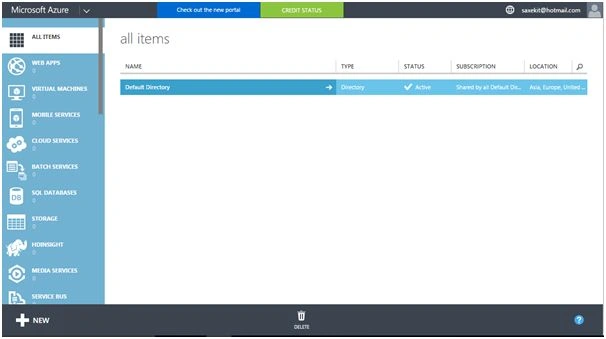
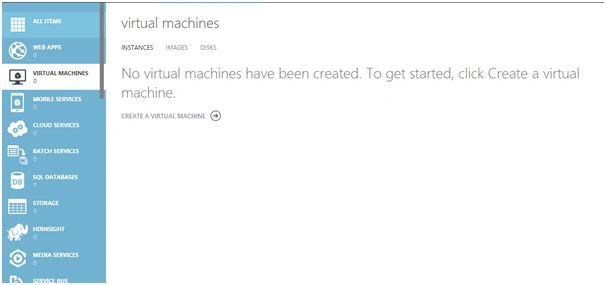
- Click on VIRTUAL MACHINES in the left navigation and create a new Virtual Machine
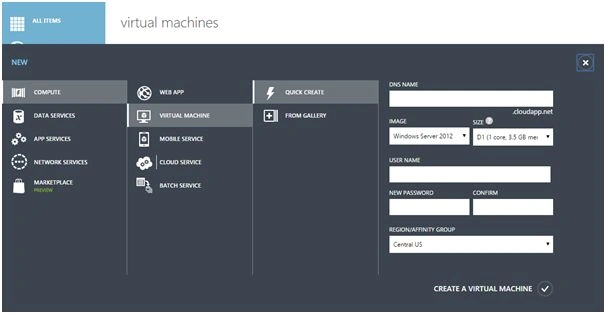
- Click on FROM GALLERY. On clicking you will see the following:
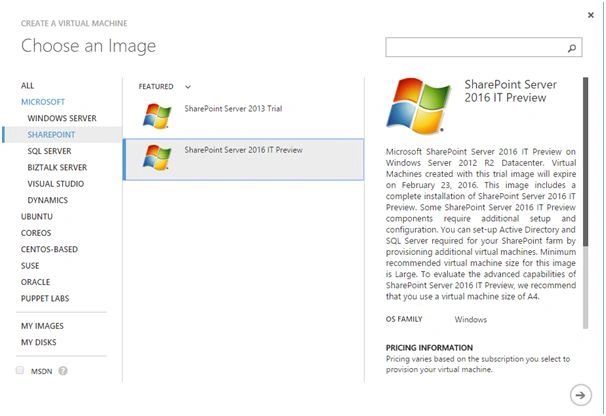
- In the next screen select the VM Name, tier, user name and password. Important to note here is that the VM size by default selected is D12 (4 Core, 28 GB memory), You can choose bigger size, but less than this is not recommended for SharePoint 2016 Preview kit.
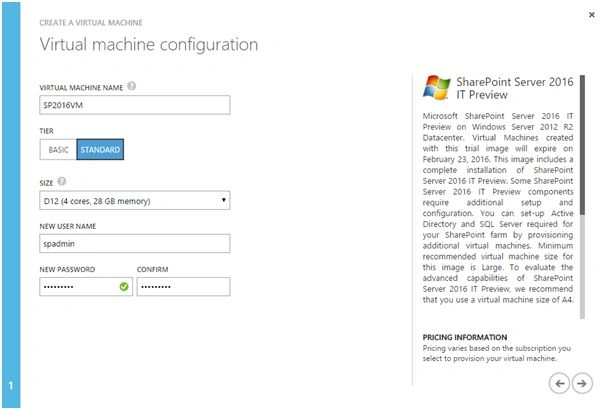
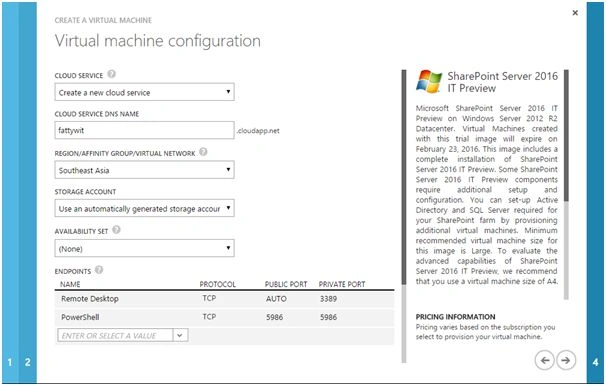
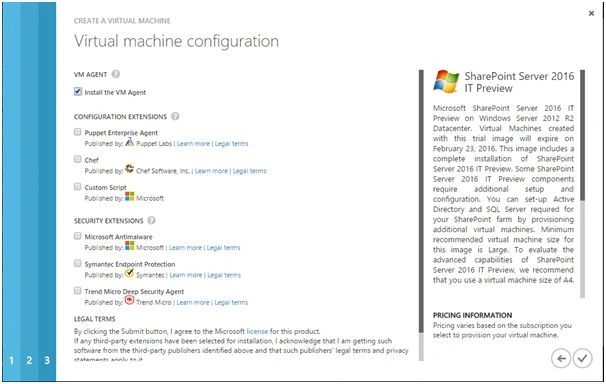
- Now the VM will be provisioned.
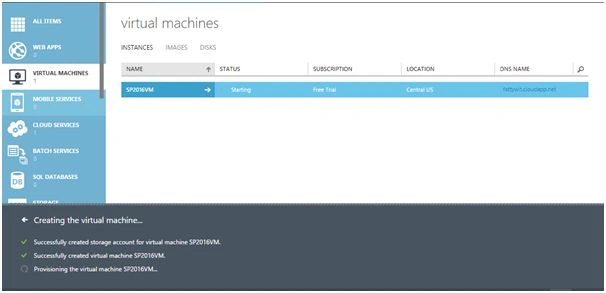
- Check the status. Once it’s set to Running, click on Connect at the bottom pane of the screen.
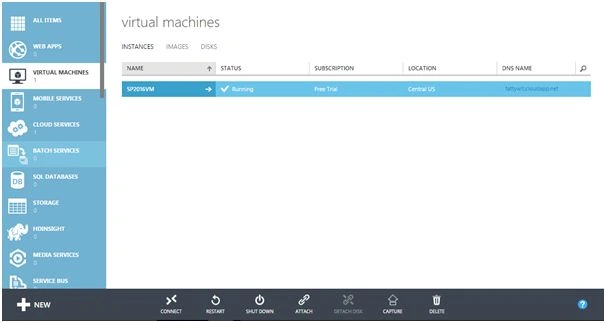
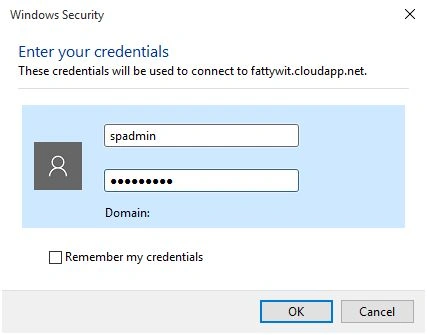
- It will download an rdp file. Double click on the rdp file. You will be prompted for credentials. Enter the same credentials that you have provided in step 4.
- The VM will have Windows Server 2012 R2 as the operating system.
- To start the SharePoint 2016 central admin you first need to run the SharePoint Configuration wizard.
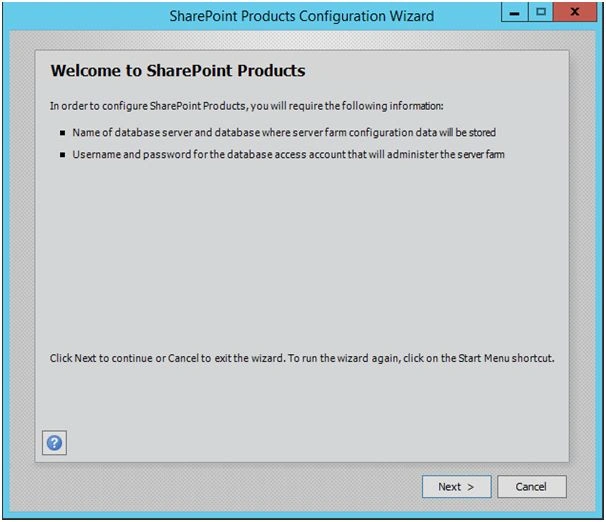
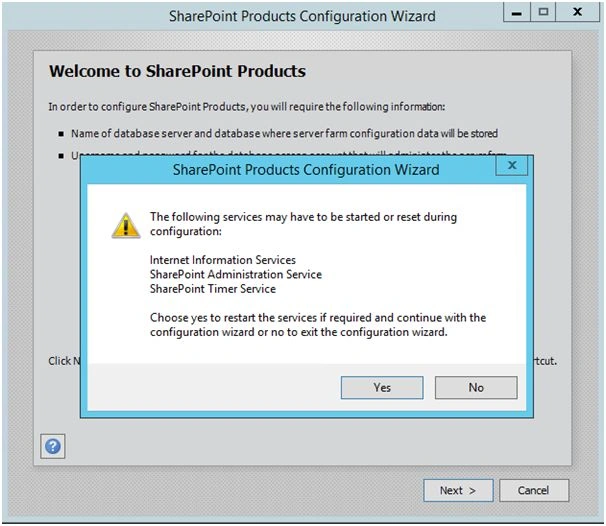
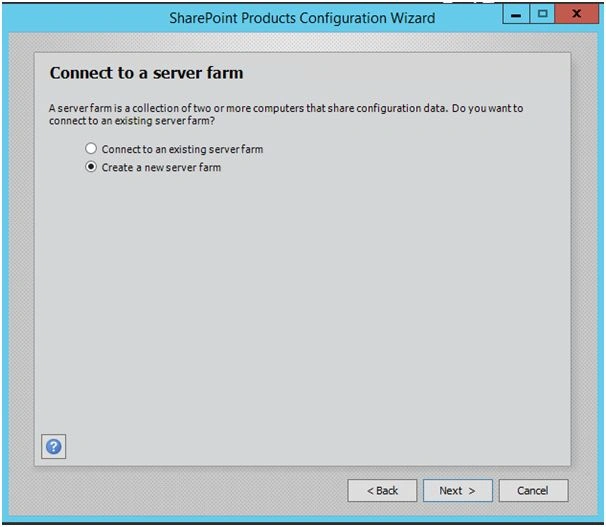
- Now you need to have SQL set up as well, to complete the SharePoint setup. You can create a SQL VM and use the same here. This set up do not have SQL installed.

- Once you complete the configuration wizard you are all set to explore the SharePoint 2016 world.
Ankit SaxenaPosted Feb 3, 2016, 11:12 AM
Thanks all posting your valuable comments.
Hemant MahajanPosted Jan 26, 2016, 12:50 PM
I was looking for something similar for last few days. It solved my eager. Thanks for the good sharing.
Santhakumar MunuswamyPosted Jan 10, 2016, 11:22 AM
Thanks for nice article
Karthikeyan KPosted Jan 10, 2016, 9:43 AM
Good one sir..
Humayun Kabir MamunPosted Jan 10, 2016, 7:31 AM
Nice...
Nanddeep NachanPosted Jan 10, 2016, 4:42 AM
Nice share. Although the SP2016 preview VM ends by end of February, good time to have some hands on.
Ankit BansalPosted Jan 10, 2016, 2:46 AM
nice one..keep sharing..