

Workflow Services API are one of the newest feature extensions that are shipped with SharePoint 2013. These APIs allow you to perform a lot of operations on Workflow, a couple of them are shown in the list below:
- Create Workflows
- Edit Workflows
- Start Workflows
- Stop Workflows
- List Workflows
- Copy Workflows from one site to another
- Associate Workflows to lists
- Export Workflows to WSP …. And the list goes on
Being this API a part of SharePoint CSOM, it is accessible using both JavaScript & C# Managed Code.
Workflow Services are primary meant to work with SharePoint 2013 Workflows (or WF4 Workflows) but also shipped with limited support for SharePoint 2010 Workflows (or WF3 Workflows).
The Workflow Services API consists of 4 Services to deal with different scenarios:
- Workflow Instance Service
- Can be used to Query Workflow Instances
- Can be used to Create new Instances based on existing Associations
- Can be used to Create new Instances on List Items and Sites
- Can be used to Communicate existing Instances
- To Cancel Workflow
- To Terminate Workflow
- Publish Custom Events
- Workflow Subscription Service
- Can be used to Query Workflow Associations
- Can be used to Create Workflow Associations
- Workflow Deployment Service
- Can be used to Query Workflow Definitions
- Can be used to Validate Workflow Definitions
- Can be used to Create Workflow Definitions
- Can be used to Validate Workflow Definitions
- Workflow Interop Service
- Can be used to Interact with SharePoint 2010 Workflows in SharePoint 2013
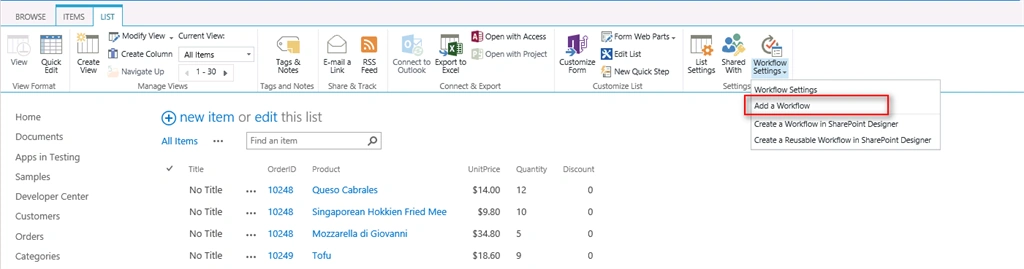
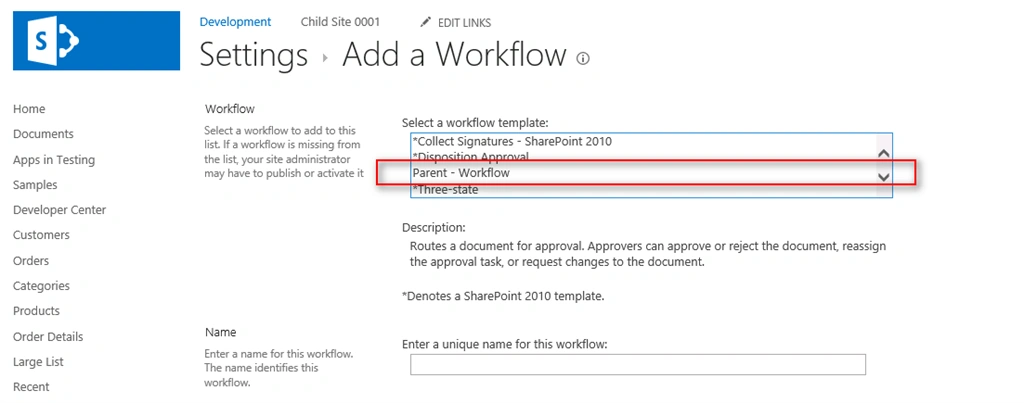
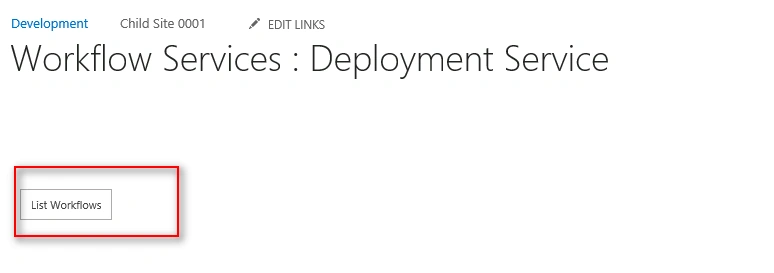
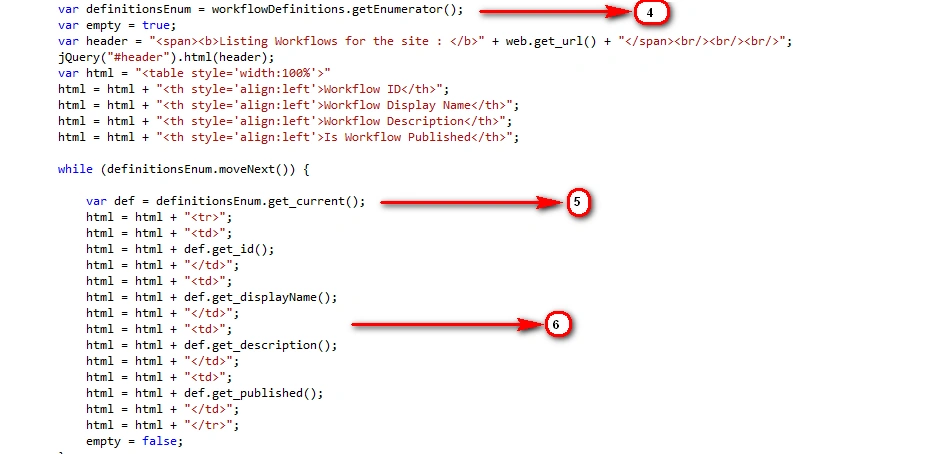
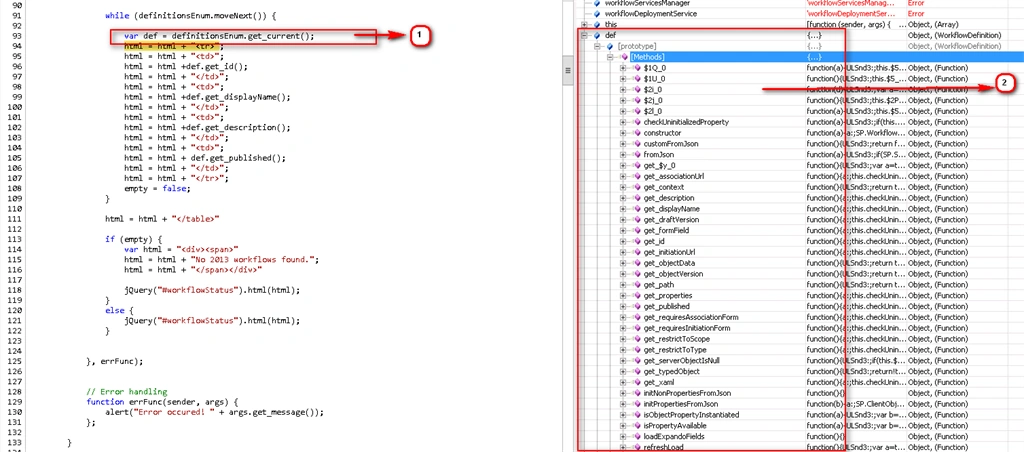
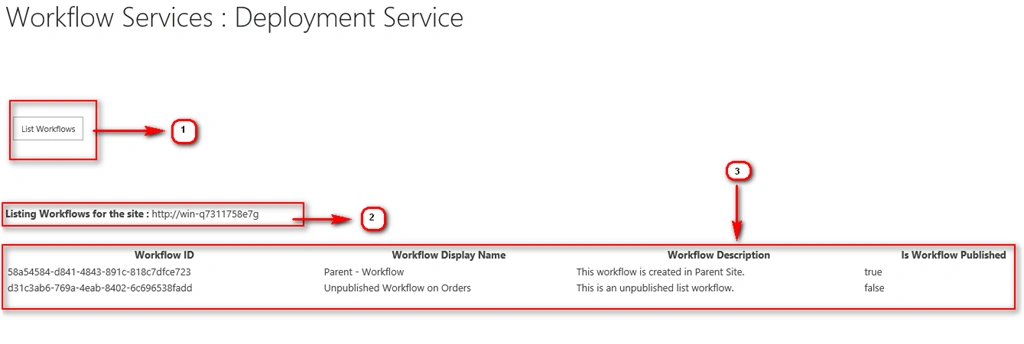
In this first article on Workflow Service we will consider a very simple scenario where we will list down all the workflows created [only WF4 Workflows] with in a site, to see important details like Name, ID and Published Status.
In order to step up this demo I have one site “Development” which is created as shown below:
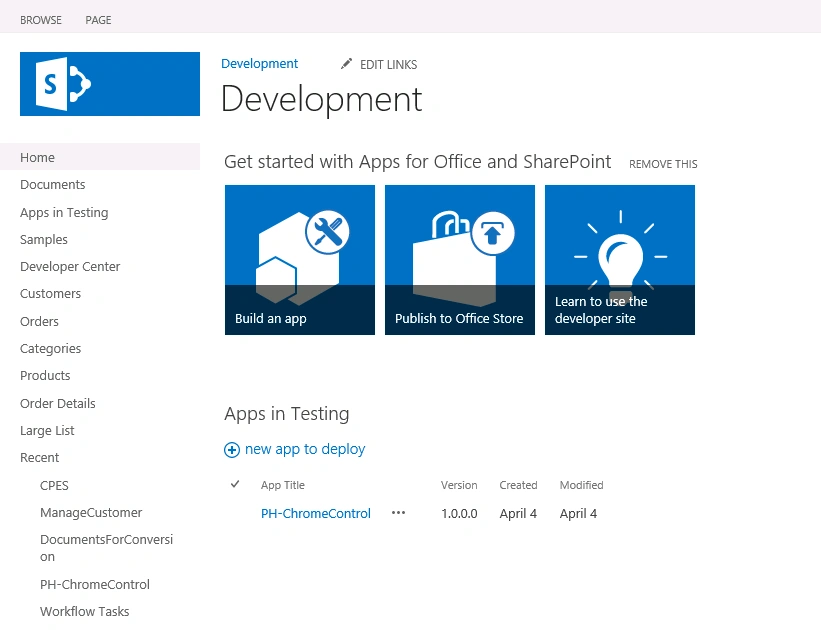
If we open this site in SharePoint Designer, and visit the Workflow Section on the left as shown below, we found no workflows has been created as of now.
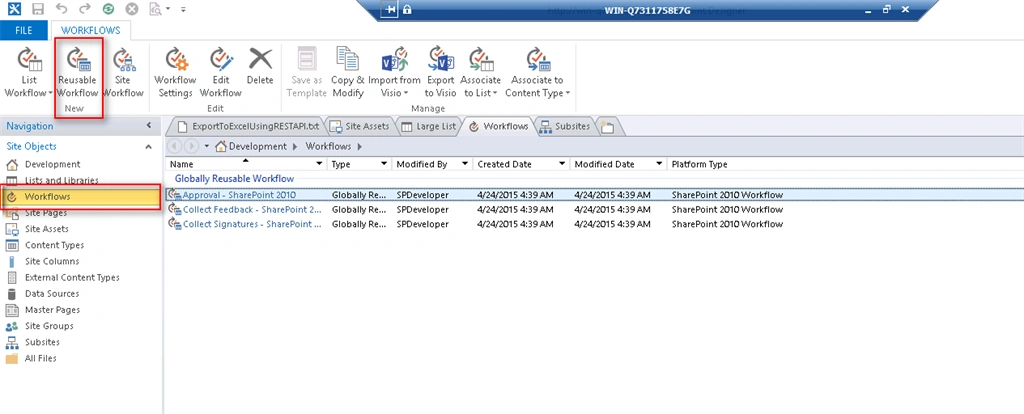
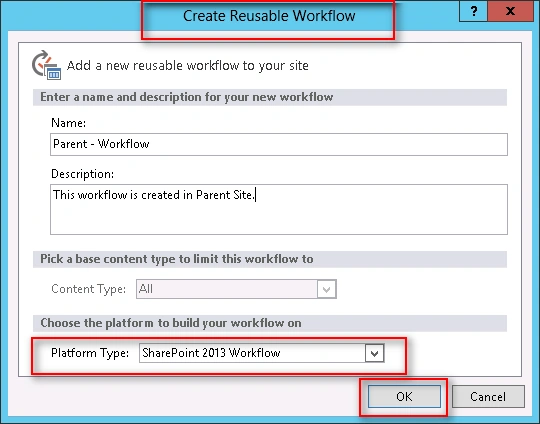
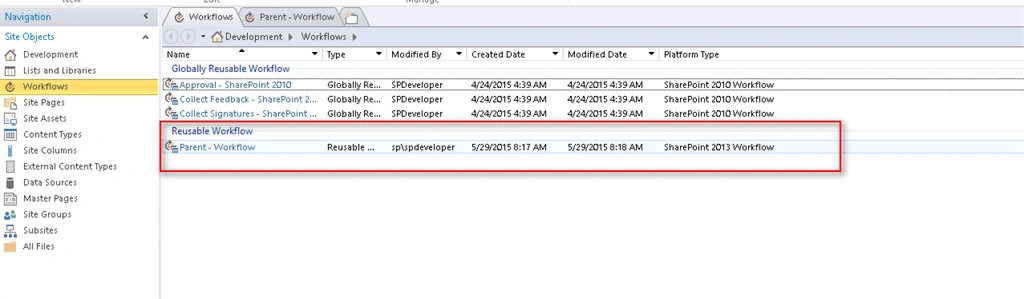
So first of all let’s create a new Reusable Workflow, give it a name “Parent – Workflow”. Make sure Platform Type must be “SharePoint 2013 Workflows”.
Click Ok to save the Workflow definition.
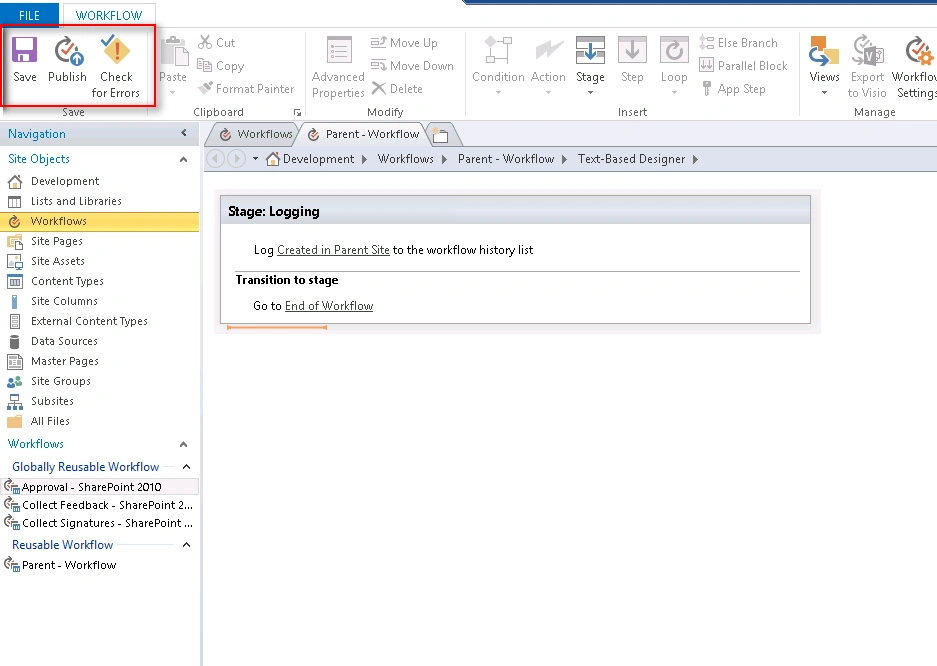
Now add a simple step called “Logging” to this workflow and add a “Log to History” activity to this list.
Check for the errors
Save the workflow
Publish the workflow as shown below:




Bhushan GawalePosted Apr 25, 2016, 1:01 AM
Good article, thanks for sharing!
Vignesh ManiPosted Apr 24, 2016, 10:23 AM
Nice
Humayun Kabir MamunPosted Apr 24, 2016, 12:38 AM
Nice...
Bhuvanesh MohankumarPosted Apr 23, 2016, 6:22 PM
Good
Debasis SahaPosted Apr 23, 2016, 6:26 AM
Nice One..
Ano MepaniPosted Apr 23, 2016, 2:24 AM
Nice article for learning Workflow
Ankur MistryPosted Apr 22, 2016, 12:34 PM
Nice one
Kuppurasu NagarajPosted Apr 22, 2016, 12:01 PM
Nice Sharing..
Gowtham RajamanickamPosted Apr 22, 2016, 4:29 AM
very good
Vijay SPosted Apr 22, 2016, 3:39 AM
Informative
Rahul Kumar SaxenaPosted Apr 22, 2016, 1:28 AM
Good show
Vipin TyagiPosted Apr 22, 2016, 12:39 AM
Nice article but images are not shown clearly....