

Clients often want to store the image of users but before uploading the image of a user to the server or in a database, the client needs to allow the user to preview his/her photo.
There is very simple solution for this using JavaScript by which your page will not do a postback and the user can preview his/her photo. Let us demonstrate the preceding explanation practically by creating one simple web site as follows.
Add a new "Website" named "Website1".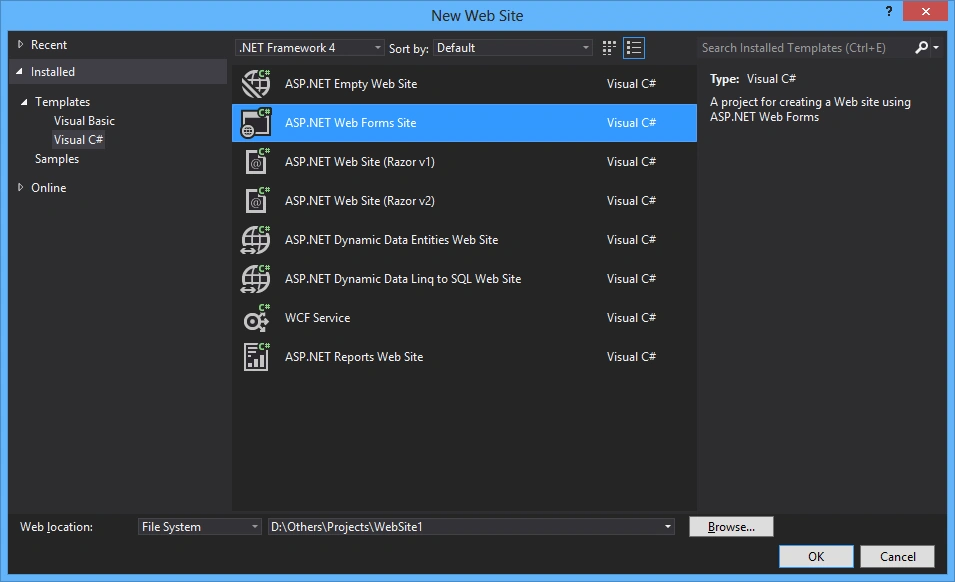
And you will get the default page named "Default.aspx".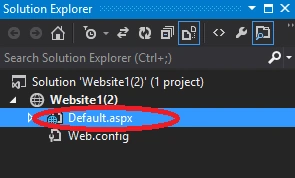
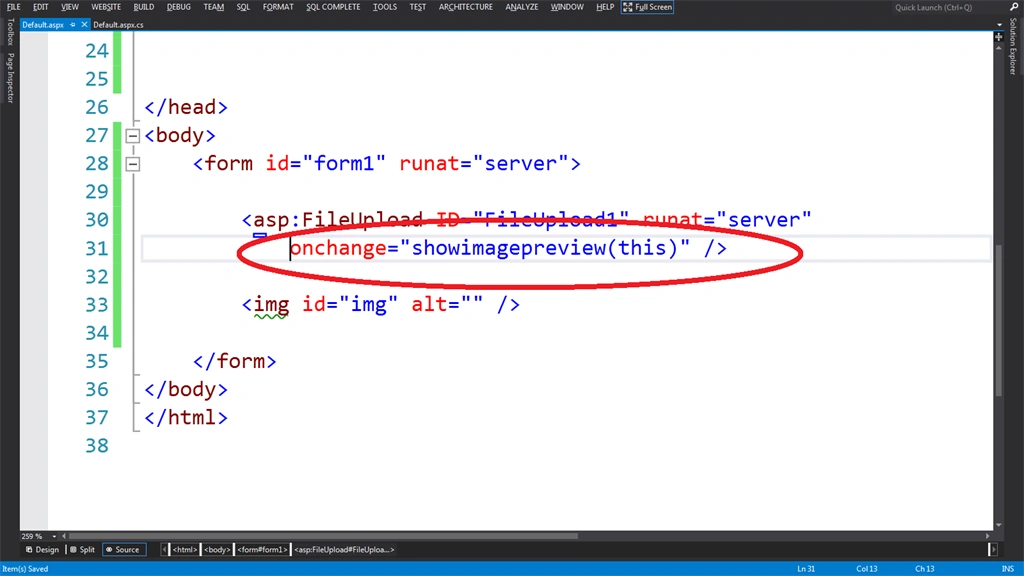
Add a File upload control named "FileUpload1" and an image control of HTML named "img" to the page.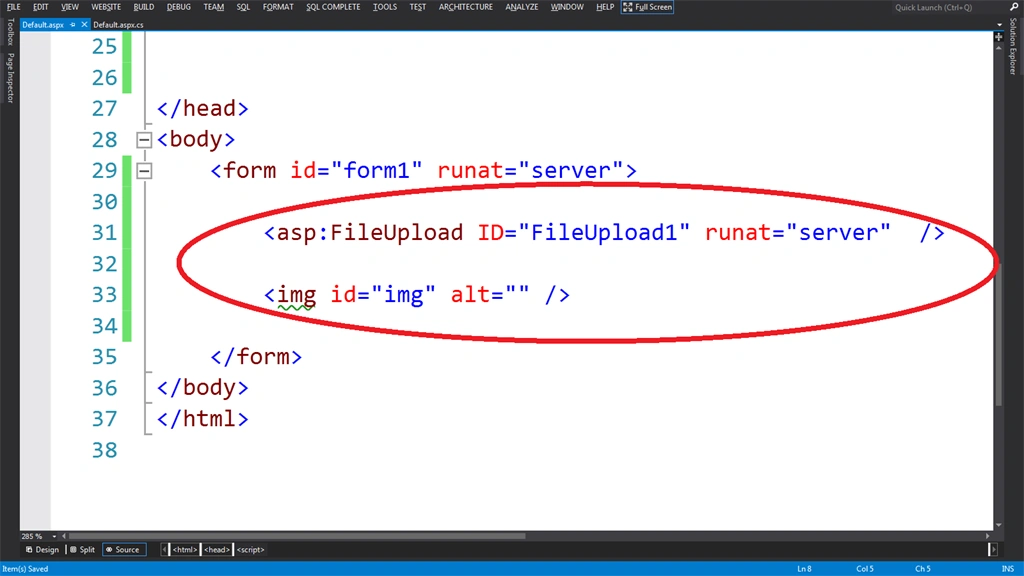
Add a JavaScript function named "showimagepreview()" in the <script> tag as in the following:
- <script type="text/javascript">
- function showimagepreview(input) {
- if (input.files && input.files[0]) {
- var reader = new FileReader();
- reader.onload = function (e) {
- document.getElementsByTagName("img")[0].setAttribute("src", e.target.result);
- }
- reader.readAsDataURL(input.files[0]);
- }
- }
- </script>
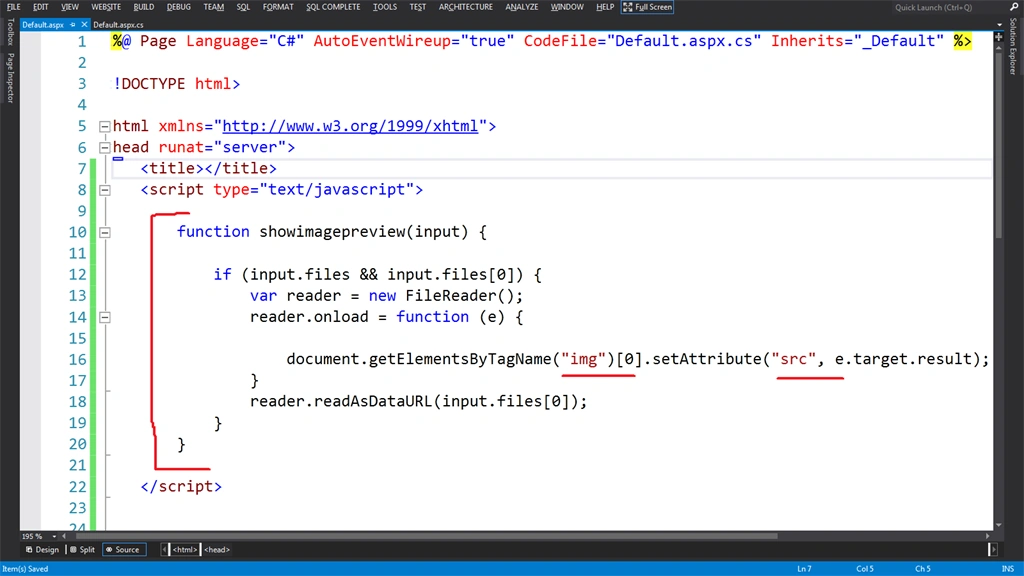
Now I will call this function on the event named "onchange()" on the fileupload control with a parameter "this".
Note: Here the "this" parameter is the upload control itself.
- onchange="showimagepreview(this)"
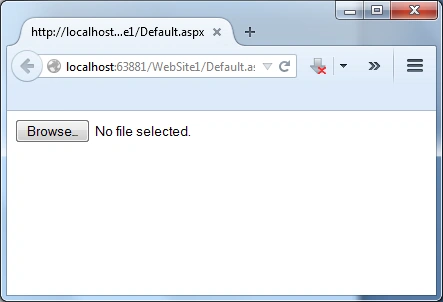
Now I will run the page that will look like:
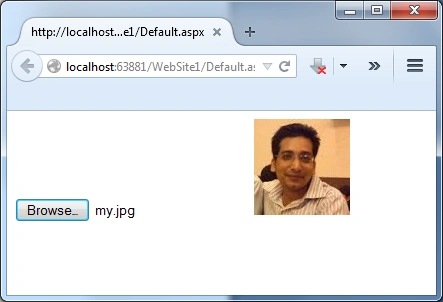
I will select the image and here is the output.
Sanghdeep SanghratnePosted Feb 25, 2020, 8:38 AM
Nice article sir
vikas jainPosted Apr 3, 2019, 12:16 AM
Dear Sir, I used that code in asp.net child page, it select file but don't display preview of that image
Guest UserPosted Apr 1, 2015, 10:13 AM
ok sir i write this and hi msg is desplayed.. but your code is not work for me, there is anything that i miss?? i am using <asp:Image ID="Image1" runat="server" style="height:50%; width:40%" /> and i change your code according to me asp image control. like id change and provide attribute Imageurl. help me sir
Guest UserPosted Apr 1, 2015, 3:28 AM
the onchange event is not fire :(
Guest UserPosted Apr 1, 2015, 3:01 AM
wow simple and understandable code <3 :)
Khargesh RajputPosted Mar 31, 2015, 12:08 AM
nice
Santhakumar MunuswamyPosted Mar 30, 2015, 11:18 PM
Good work
Gowtham RajamanickamPosted Mar 30, 2015, 10:09 PM
good one..