

Introduction
In this article and code example, I am going to explain how to implement inheritance in TypeScript.
TypeScript is a platform-independent programming language that is a superset of JavaScript. It is compatible with JavaScript because the generated code is JavaScript; that means we can write Inheritance in TypeScript code and run it as JavaScript code. TypeScript has a syntax that is very similar to JavaScript but adds features, such as classes, interfaces, inheritance, support for modules, Visual Studio Plug-in, etc. Learn more What is TypeScript here.
Inheritance
Inheritance is the process by which we can acquire the feature of another class. There is a Base class and the derived class, the derived class can access the features of the base class. Inheritance is of many types, Single, Multiple, Multilevel, Hybrid, etc. In this article, I explain the concept of Simple Inheritance.
Now to see how it works, let's use the following.
Step 1. Open Visual Studio 2012 and click "File" -> "New" -> "Project..." as shown below.

In this select HTML Application with TypeScript under Visual C# template and give the name of your application as "inheritance" and then click OK.
Step 2. The structure of the files present in the application is:

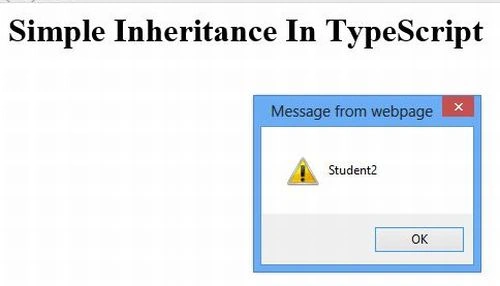
Step 3. Write the following code in the app.ts file as:



Pankajkumar PatelPosted Sep 9, 2019, 1:26 AM
Good one ...
Nitin BhardwajeditedPosted Oct 16, 2012, 6:56 AMEdited Oct 17, 2012, 6:44 AM
Hello Richa, .Net is supported only Multilevel Inheritance or single inheritance. I want to ask, Can we use Multiple inheritance in typescript?
Richa GargPosted Oct 10, 2012, 12:44 AM
Yes Gaurav we can use it also in it...Infact In this article A class Student1 inherit the class students its shows simple inheritance and also the class student2 inherits students class it shows the concept of multiple inheritance...... Hope you understand now.In this article I show both the concept.
Gaurav ChauhanPosted Oct 9, 2012, 11:45 PM
Nice article. Can we use multiple Inheritance in it?