

Virtual Private Cloud (VPC)
In AWS, a Virtual Private Cloud (VPC) is a logically isolated segment of the AWS Cloud where you can deploy resources. You must create a VPC for your AWS resources to enable communication with Azure.
Virtual Private Gateway
The Virtual Private Gateway acts as the VPN concentrator on the AWS side of the Site-to-Site VPN connection, serving as the entry point for traffic into the VPC.
Customer Gateway
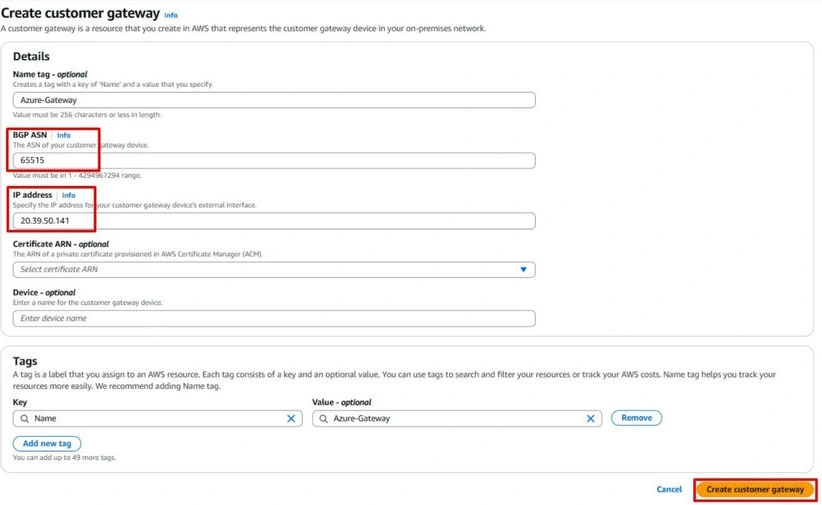
The Customer Gateway represents the remote device's public IP address and serves as an AWS resource that provides information about the customer gateway device, which, in this case, is the Azure VPN Gateway.
Site-to-Site VPN Connection
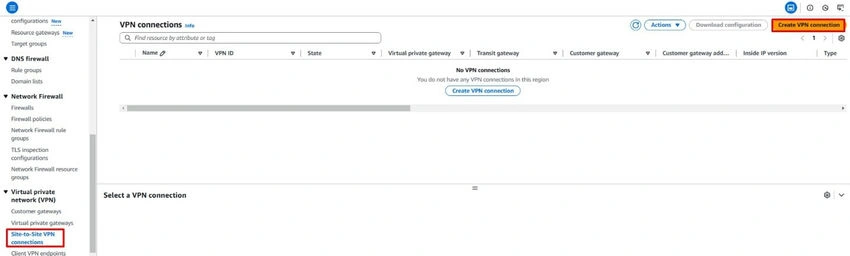
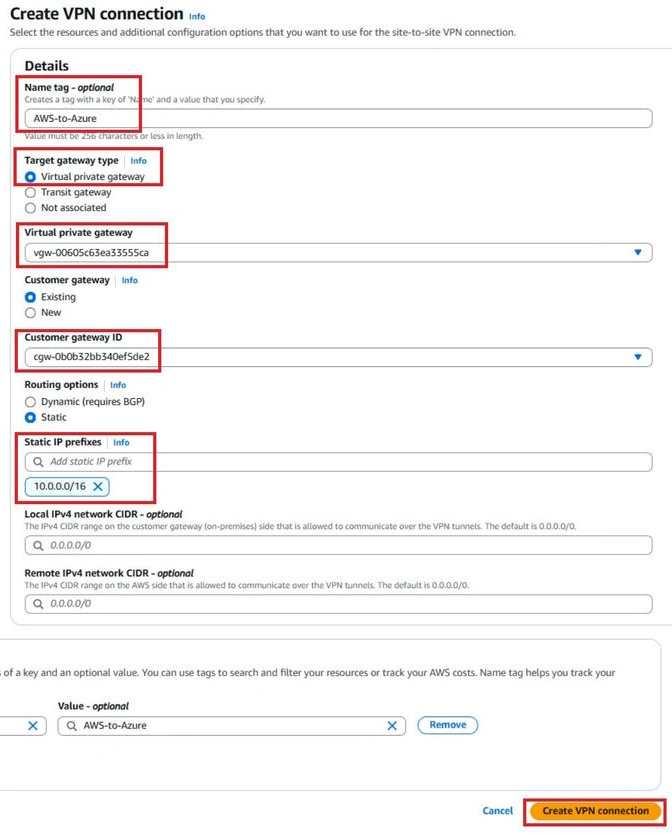
This VPN connection links your VPC to the on-premises network. It requires specifying the configuration settings, including the IKE and IPsec parameters.
Step 1. Creating the Virtual Private Gateway.
Navigate to the Virtual Private Gateways under the Virtual Private Network (VPN) and click Create Virtual Private Gateway.
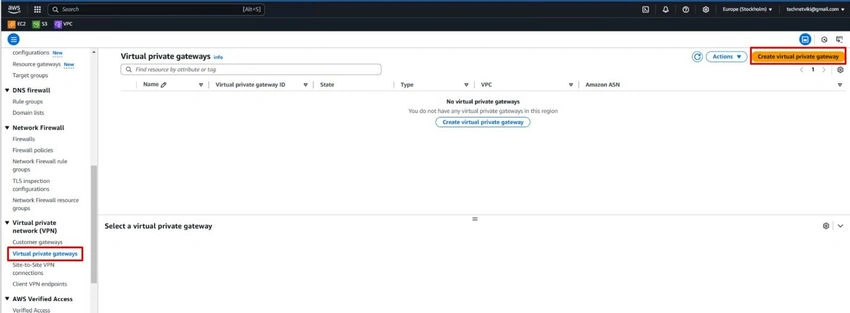
Step 2. Enter the name for the Virtual Private Gateway, choose the Amazon default ASN, and click Create Virtual Private Gateway.
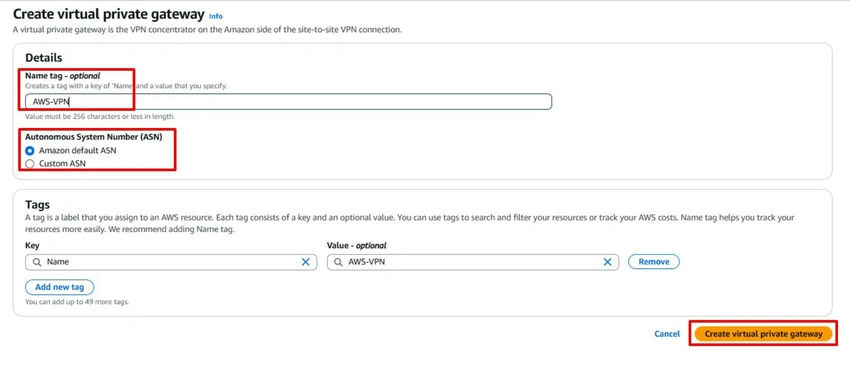
Step 3. Attaching the VPC to the Virtual Private Gateway.
Select Virtual Private Gateway under the Virtual Private Gateway ID.

Step 4. Click the Action Arrow and click Attach to VPC.
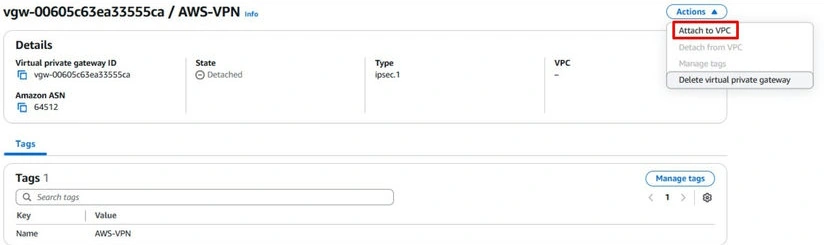
Step 5. Select the correct VPC under the Available VPCs and click Attach to VPC.
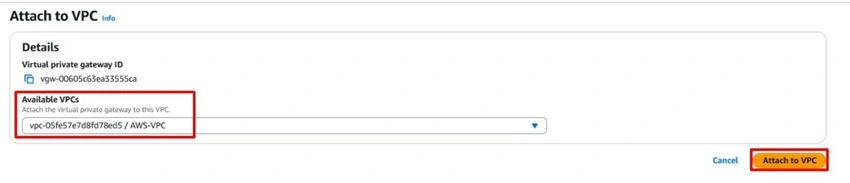
Step 6. Creating the Customer Gateway.
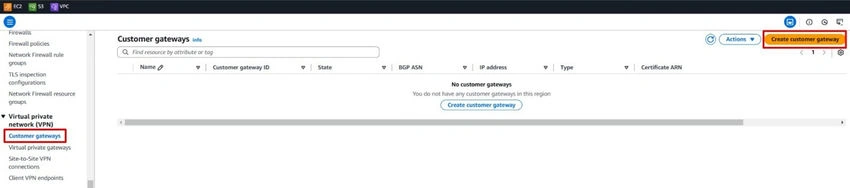
Navigate to the Customer Gateways under the Virtual Private Network (VPN) and click Create Customer Gateway.

Join the conversation! Your thoughts help the community grow.