

Introduction
Intel Edison is small enough for wearables. It gives a lot of flexibility to developers through the languages and programming environment it offers and it has integrated Wi-Fi and Bluetooth that makes it ideal for a wearable. Nowadays there are many wearables in the market for different purposes, so why not we make one for babies. With an increase in nuclear families, there is no one to guide the new parents about their newborn baby. They are always worried about their baby regarding his/her health, temperature, environment, etc. Babies need to be monitored 24*7 which is not always possible as in some families both the parents are working, sometimes they have to do lots of household chores and another issue is sleep also hence in these cases parents need a Smart Baby Monitoring System that can help them to keep track on baby’s health and alert them if any irregular activity happens.
Our Smart Baby Monitor will:
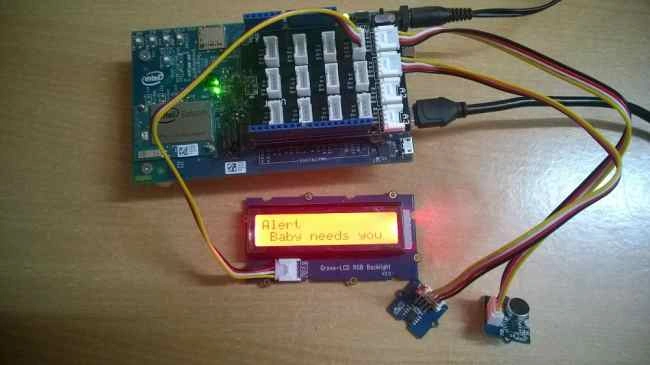
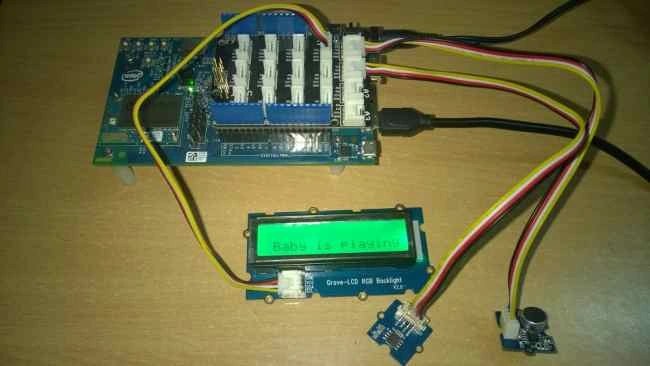
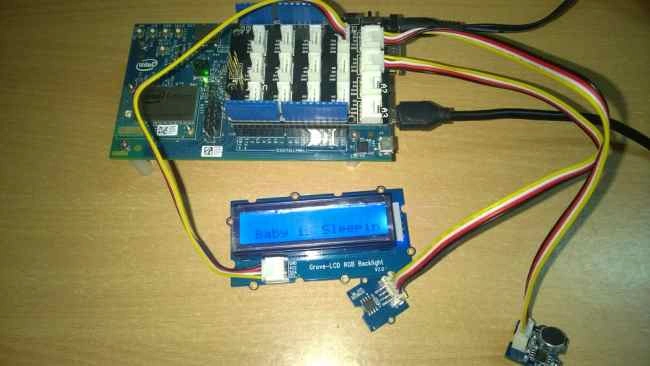
- Monitor the baby if he is sleeping or playing.
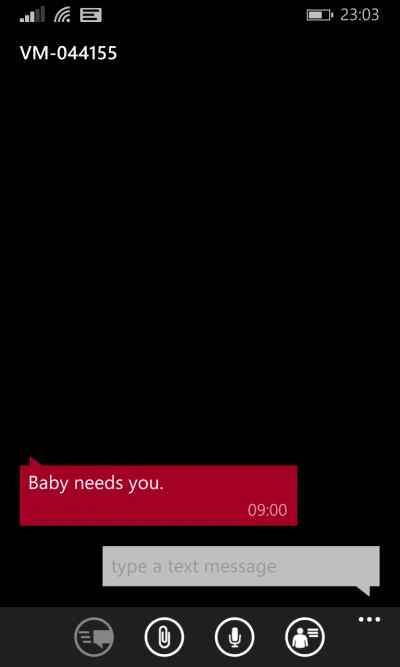
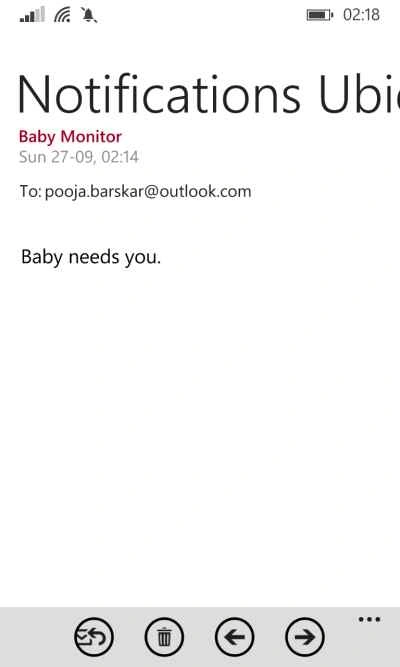
- Will notify parents if he is crying.
- Monitor the baby’s temperature.
- Immediately alerts if it notices abnormal temperature.
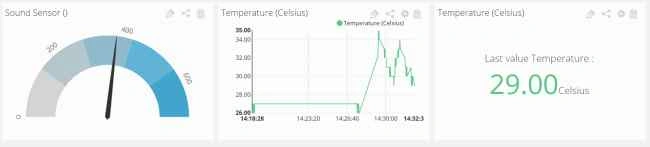
- Visually representation of data.
- Data can be monitored from anywhere.
Requirements:
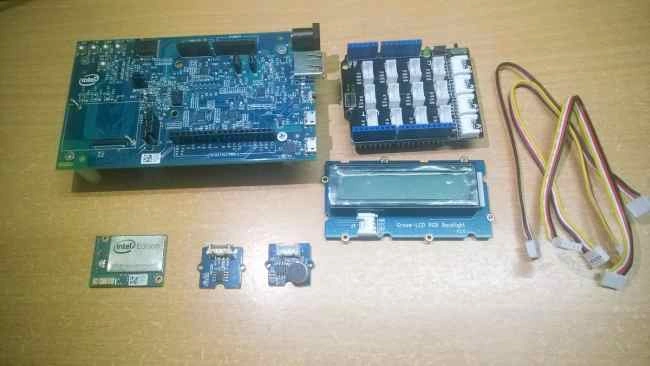
Figure 1: Requirements
- Intel Edison Module
- Arduino expansion board for Edison
- Analog Microphone
- Temperature Sensor
- 16*2 LCD Display
- Power supply
- USB cable
- Jumper wires
Analog Microphone is a simple sound sensor that detects the sound strength of the environment. Here in this project, I am using Grove sensors with a Grove Base Shield. We are going to code in Node.js using Intel XDK IoT Edition.
Making Connections
- Connect your Edison to the power supply and to your PC via USB cable.
- It will take 15-20 seconds to boot up, after that stack the Grove Base Shield.
- Connect the Sound Sensor to analog pin A0.
- Connect the temperature sensor to A1.
- Connect the LCD Display to one of the I2C port.
Programming
- Open Intel XDK IoT edition, if it is not already installed in your PC get it from here.
- If you have flashed you Edison with the Flash Lite Tool Node.Js will be already installed on your board.
- Connect IDE to your Edison board. It will ask you for username and password, the default username is root with no password.
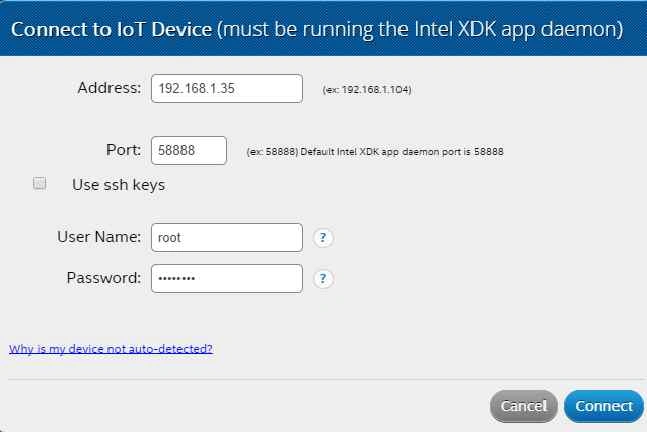 Figure 2: Connect IDE to your Edison board
- Select a blank Node.JS template and create a new project.
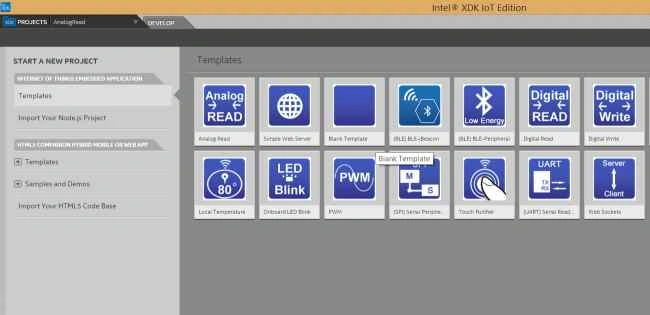 Figure 3: Select a blank Node.JS Template
Code for the Analog Microphone
- function readSoundSensorValue() {
- var buffer = new upmMicrophone.uint16Array(128);
- var len = myMic.getSampledWindow(2, 128, buffer);
- if (len)
- {
- var thresh = myMic.findThreshold(threshContext, 30, buffer, len);
- myMic.printGraph(threshContext);
- if (thresh)
- console.log("Threshold is " + thresh);
- v.saveValue(thresh);
- if(thresh>50 && thresh<150)
- showNormalLCD();
- if(thresh>=150)
- showLCD();
- if(thresh<50)
- showSleepLCD();
- }
- }
- setInterval(readSoundSensorValue, 1000);
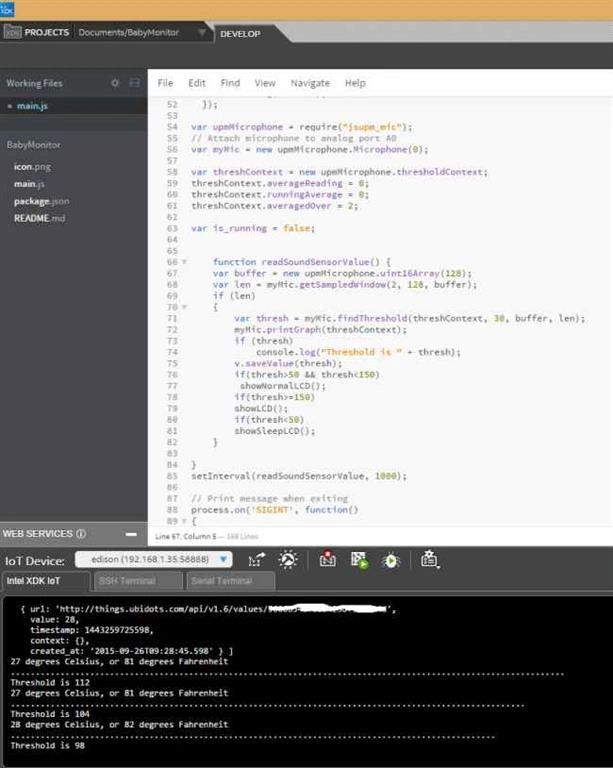
Figure 4: Code
- var temp = new groveSensor.GroveTemp(1);
- console.log(temp.name());
- var i = 0;
- var waiting = setInterval(function() {
- var celsius = temp.value();
- var fahrenheit = celsius * 9.0/5.0 + 32.0;
- console.log(celsius + " degrees Celsius, or " +
- Math.round(fahrenheit) + " degrees Fahrenheit");
- i++;
- if (i == 10) clearInterval(waiting);
- }, 1000);

Sr KarthigaPosted Jan 23, 2016, 5:57 AM
Good one
Ramchand RepallePosted Oct 1, 2015, 8:18 AM
Awesome.. :)
Carmelo La MonicaPosted Sep 30, 2015, 8:15 AM
Very good work Pooja :)
Mohammed IbrahimPosted Sep 29, 2015, 3:28 PM
nice
Pooja BaraskarPosted Sep 29, 2015, 11:35 AM
Thanks a ton :)
Ankit BansalPosted Sep 29, 2015, 7:28 AM
nice..its really awesome...
Shashangka ShekharPosted Sep 29, 2015, 4:46 AM
Great Effort :)
Nilesh JadavPosted Sep 29, 2015, 12:25 AM
Nice information ! Collectively lots of things we can learn it from your article ! Thanks
Santhakumar MunuswamyPosted Sep 28, 2015, 2:08 PM
Great Article
Pankaj Kumar ChoudharyPosted Sep 28, 2015, 1:28 PM
Great Efforts By Great Persons to explain a Great Article..........
Rajeesh MenothPosted Sep 28, 2015, 10:22 AM
Good Article...
Muhammad Aqib ShehzadPosted Sep 28, 2015, 8:26 AM
nice one
Vinodh NarayananPosted Sep 28, 2015, 6:29 AM
nice share
Humayun Kabir MamunPosted Sep 28, 2015, 6:20 AM
Nice article Pooja...
RakeshPosted Sep 28, 2015, 4:48 AM
Good Article Share