

Introduction
Welcome to the SQL-CLR For Beginners article series. This is the first presentation in this series. In this article series, we will understand a few important concepts to develop projects in SQL Server CLR. Please don't be confused by the name SQL-CLR, It's nothing but a SQL Server CLR project. For the sake of simplicity, in this article, we will call it SQL-CLR.
Find more about SQL Server here: SQL Server
Before starting with the technical explanation, let me disclose the purpose of this series. In our current project, we have one requirement, "We need to consume a service from a database layer component (in other words from a Stored Procedure or Trigger)". And by God's grace (because I am pretty new in this area ) I am handling this work alone. I began to search on the web and asked a few people to provide suggestions and ideas. (They may be very busy and most of them did not reply, except Jean Paul Sir. Yes, I wasn't too shy to say publicly "I have received help".) OK, somehow I was able to understand that the SQL CLR project is the best solution to deal with such problems. I started to learn the concepts of SQL-CLR and all, but within a couple of hours, I realized that there are only a few relevant resources on the web.
And I decided that OK, let's start a series with the same topic.
How to create a Stored Procedure using SQL-CLR?
In this article, we will see, how to create a simple Stored Procedure using C# code and how to deploy it in SQL Server. Just follow the following screens and it will get done.
Open Visual Studio 2010 then select "File" -> "New" -> "Project...".
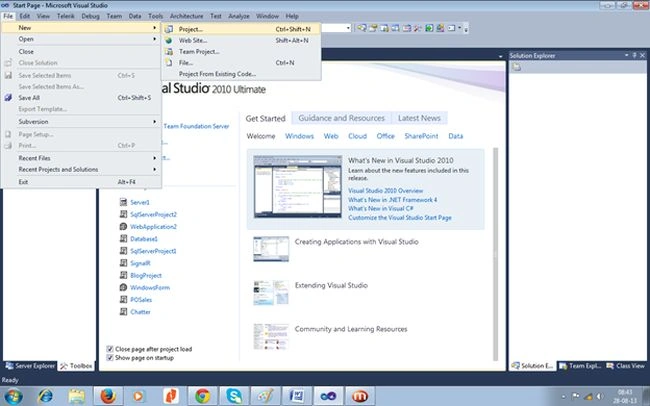
Select the Database node in the left panel and select "Visual C# SQL CLR Database Project". Give a suitable name for your project. In my case, I used the name "MyCLR" and selected a location to save it to.

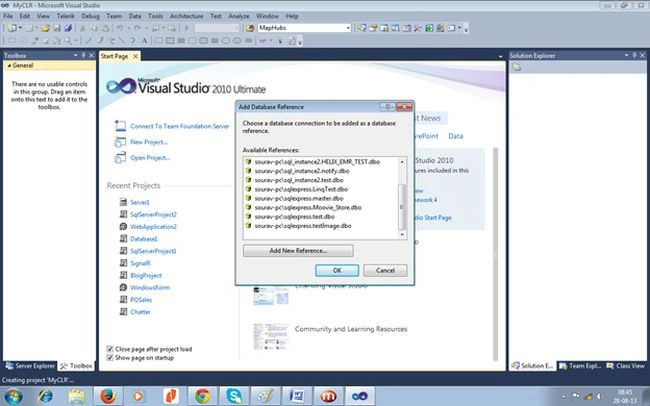
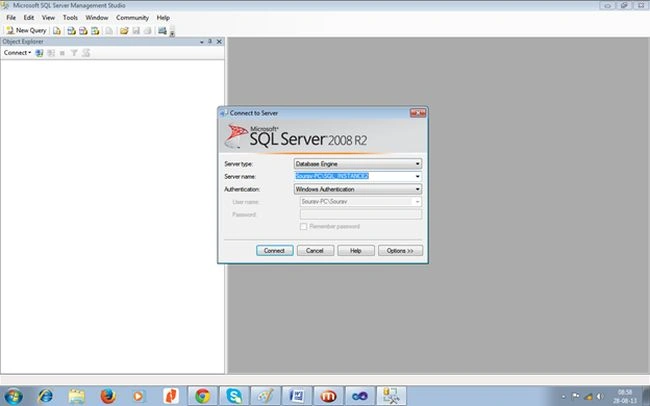
Once you press OK, it will prompt you to choose a database server. You may choose your local server or remote server. I have chosen my local server. Click on the "Add New Reference" button.
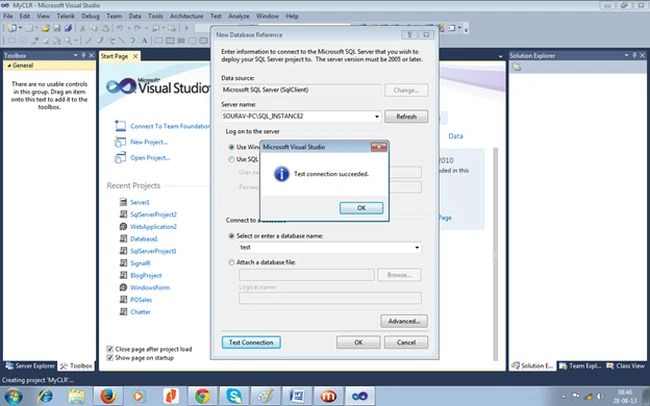
I gave my local server name and database name. Make a test connection by pressing the "Test Connection" button.
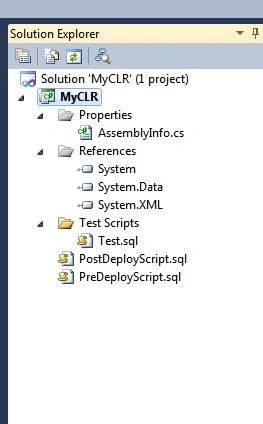
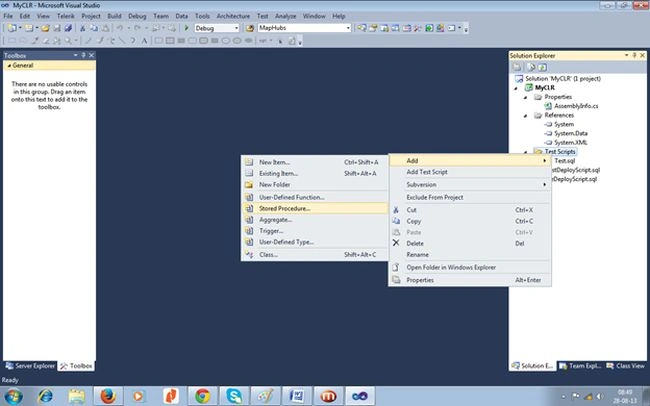
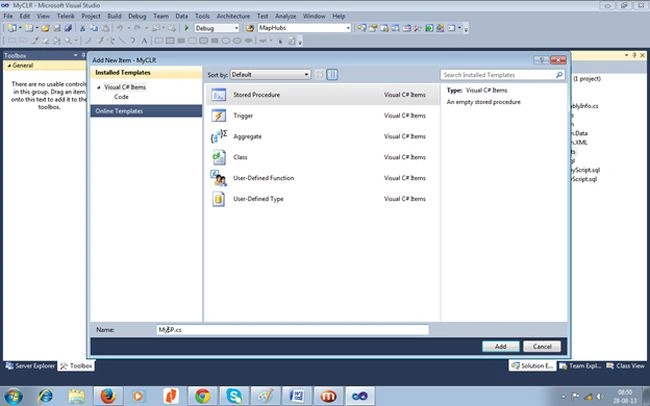
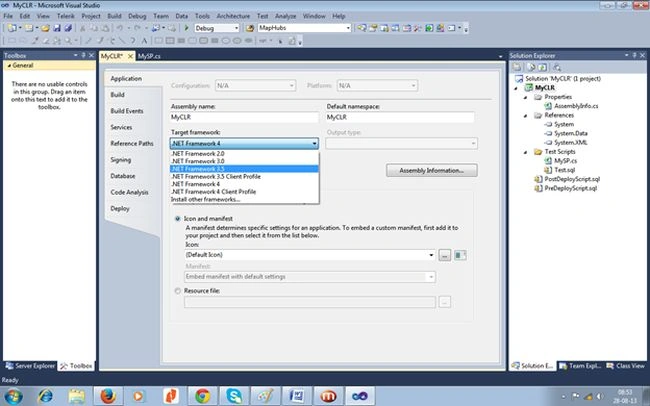
It will now open one new SQL-CLR Project and if you look at the Solution Explorer then you will find the following structure.


Constance ConstancePosted Oct 16, 2014, 10:37 PM
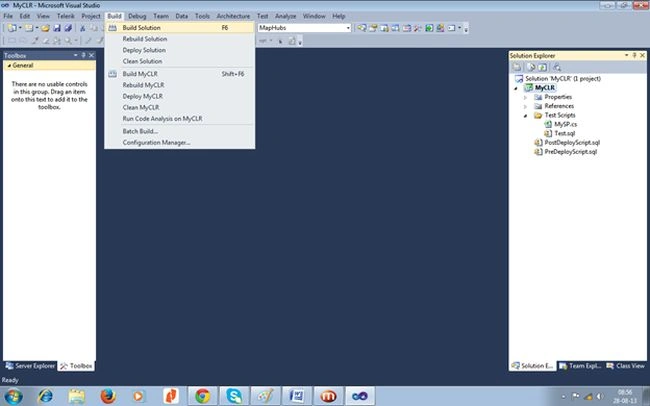
How do you complete the last step here. the author did not give a step by step procedure so I am completely lost: Building, Deploying and Calling the Stored Procedure After making sure you’ve set the database trustworthy property to “on” and the Database Permission Level to External, select Build CreateStoredProc from the Visual Studio Build menu. If the build succeeds, select Deploy Create?StoredProc from the Build menu to copy the CLR stored procedure from your development machine to the SQL Server that hosts the SQL-based graph. There are several ways to call the CLR stored procedure. The Visual Studio project contains a test template you can use. Or you can call the stored procedure directly from SSMS as shown in Figure 2. For example: declare @startNode bigint declare @endNode bigint declare @maxNodesToCheck int declare @pathResult varchar(4000) declare @distResult float set @startNode = 222 set @endNode = 444 set @maxNodesToCheck = 100000 exec csp_ShortestPath @startNode, @endNode, @maxNodesToCheck, @pathResult output, @distResult output select @pathResult select @distResult Another option is to call the CLR stored procedure from within a C# application using ADO.NET, along the lines of Figure 8. Or, if you’re a real glutton for punishment, you can call the CLR stored procedure using LINQ technology. Figure 8 Calling a Stored Procedure from Within C# Using ADO.NET SqlConnection sc = null; string connString = "Server=" + dbServer + ";Database=" + database + ";Trusted_Connection=True"; sc = new SqlConnection(connString); SqlCommand cmd = new SqlCommand("csp_ShortestPath", sc); cmd.CommandType = System.Data.CommandType.StoredProcedure; // sp signature: (System.Data.SqlTypes.SqlInt64 startNode, SqlInt64 endNode, SqlInt32 maxNodesToCheck, out SqlString path) cmd.CommandTimeout = commandTimeout; // Seconds SqlParameter sqlStartNode = cmd.Parameters.Add("@startNode", System.Data.SqlDbType.BigInt); sqlStartNode.Direction = ParameterDirection.Input; sqlStartNode.Value = sn; // ... cmd.ExecuteNonQuery(); string result = (string)cmd.Parameters["@pathResult"].Value; distResult = (double)cmd.Parameters["@distResult"].Value; linke: http://msdn.microsoft.com/en-us/magazine/dn198246.aspx . Any help? thanks