StackLayout organizes views in a one-dimensional line ("stack"), either horizontally or vertically. Views in a StackLayout can be sized based on the space in the layout, using layout options.
Reading this article, you will learn how to use StackLayout in Xamarin Forms applications for Android and Universal Windows Platform with XAML and Visual C# in cross platform application development.
The following important tools are required for developing UWP,
- Windows 10 (Recommended)
- Visual Studio 2015 Community Edition (It is a free software available online)
- Using Visual studio 2015 Installer, enabling the Xamarin (Cross Platform Mobile development and C#/.NET while installing/modifying Visual Studio 2015.
Now, let's discuss step by step app development.
Step 1
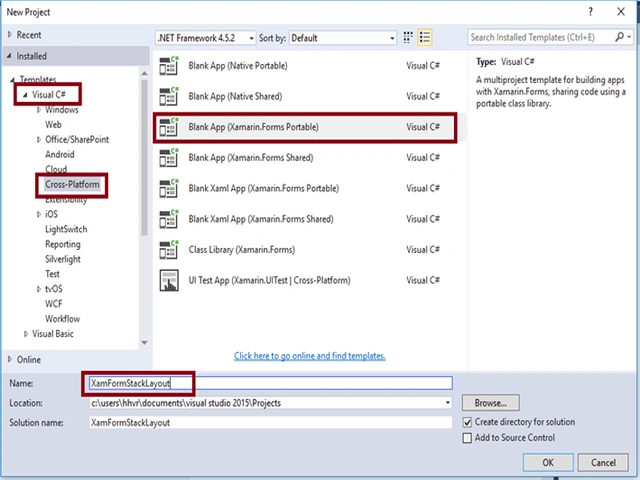
Open Visual Studio 2015. Go to Start -> New Project-> Select Cross-Platform (under Visual C#-> Blank App (Xamarin.Forms Portable)-> Give a suitable name for your app (XamFormStackLayout) ->OK.
 Step 2
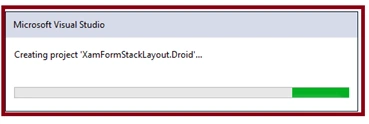
Now, create a project “XamFormStackLayout_Droid”.
 Step 3
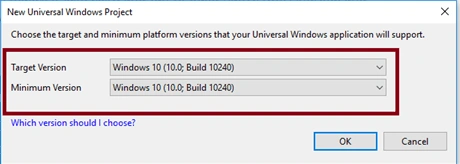
Choose the target and minimum platform versions for your Universal Windows Project.
 Step 4
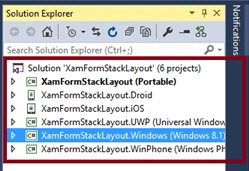
After that, Visual Studio creates six projects. It also displays the GettingStarted.XamarinPage.
Step 5
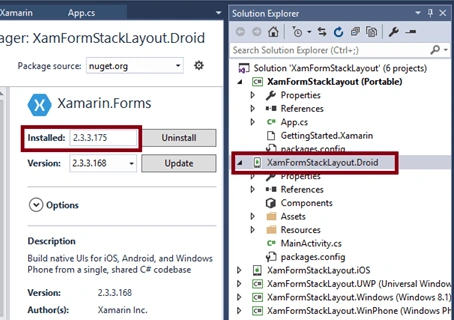
Now, we have to update the Xamarin Forms reference for portable projects and XamFormStackLayout_Droid project.
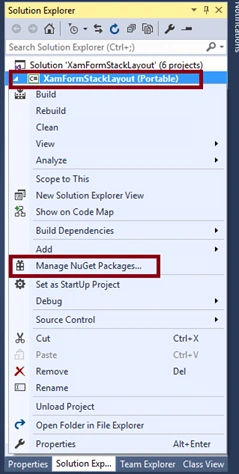
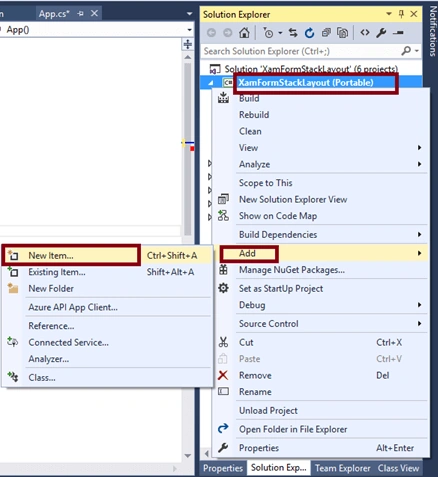
For Updating Xamarin Forms Reference, right click XamFormStackLayout (Portable) -> Select "Manage NuGet Packages".
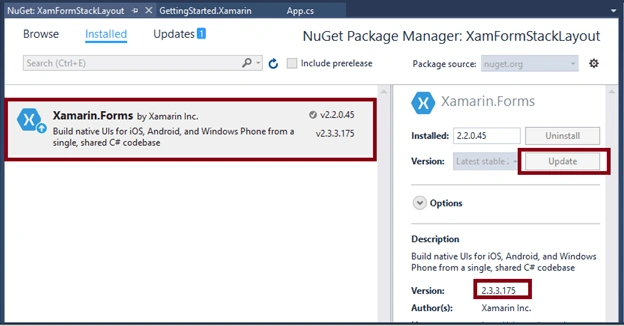
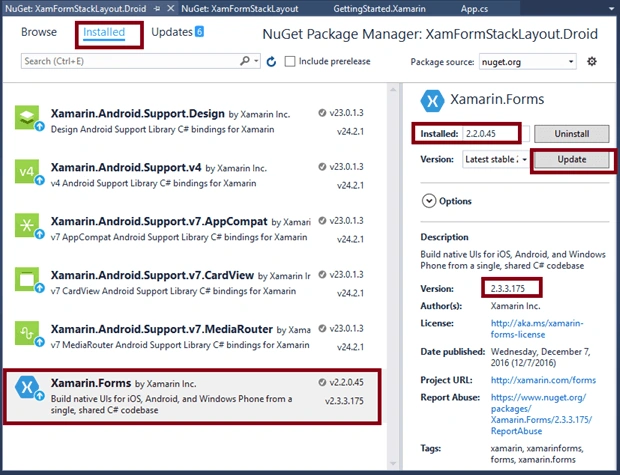
For updating Xamarin Forms reference, select Xamarin Forms package and click Update.
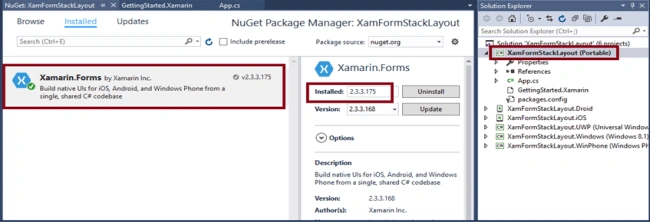
Xamarin Forms is updated in portable project.
Similarly, update the Xamarin Forms in the XamFormStackLayout.Droid Project.
For updating Xamarin Forms Reference, select Xamarin Forms package and click Update.
Xamarin Forms is updated in Android project.
Step 6
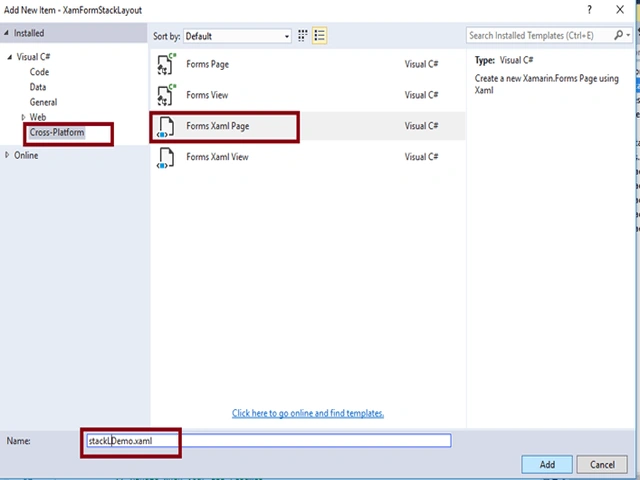
Add an XAML page for StackLayout Demo, right click XamFormStackLayout (Portable) project, and select ADD-> NewItem.
Select ->CrossPlatform-> FormXamlPage-> Give the relevant name.
Step 7
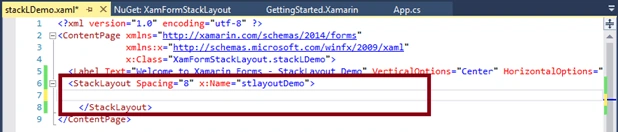
Add the StackLayout tag in the project.
 Step 8
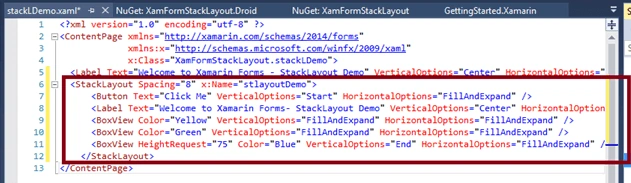
Inside StackLayout, add a Button, a Label, and three BoxViews.
- <StackLayout Spacing="8" x:Name="stlayoutDemo">
-
- <Button Text="Click Me" VerticalOptions="Start" HorizontalOptions="FillAndExpand" />
-
- <Label Text="Welcome to Xamarin Forms- StackLayout Demo" VerticalOptions="Center" HorizontalOptions="Center" />
-
- <BoxView Color="Yellow" VerticalOptions="FillAndExpand" HorizontalOptions="FillAndExpand" />
-
- <BoxView Color="Green" VerticalOptions="FillAndExpand" HorizontalOptions="FillAndExpand" />
-
- <BoxView HeightRequest="75" Color="Blue" VerticalOptions="End" HorizontalOptions="FillAndExpand" />
-
- </StackLayout>
Step 9
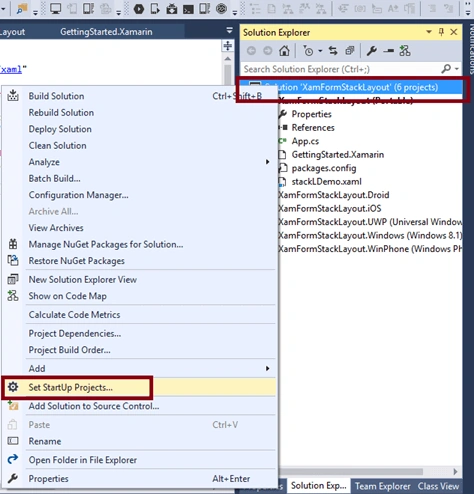
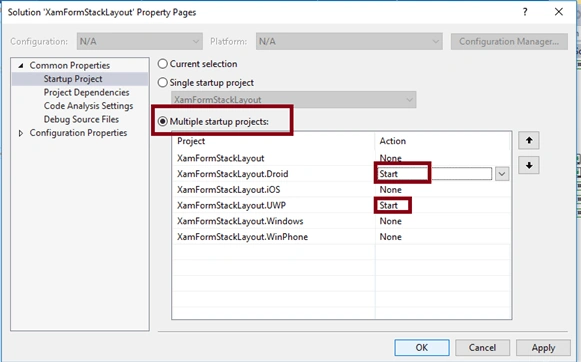
We will test Android and UWP. So, we can set multiple Startup Projects as XamFormStackLayout.Droid and XamFormStackLayout.UWP (Universal Windows).
Step 10
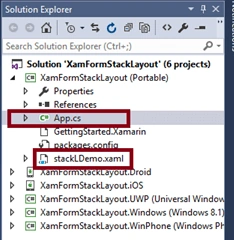
Open (double click) the file App.cs in the Solution Explorer-> XamFormStackLayout(portable) and set the Root Page.
Step 11
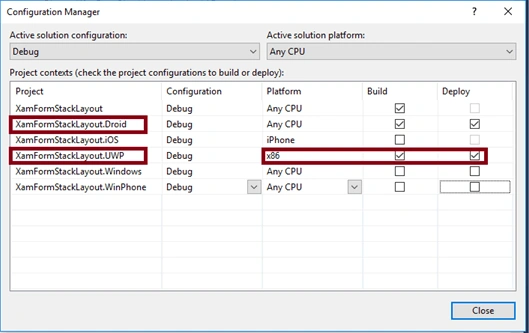
Change the Configuration Manager settings, Go to Build -> Configuration Manager, Uncheck all the build and deploy options to the XamFormStackLayout.iOS, XamFormStackLayout.Windows, XamFormStackLayout.WinPhone.
Check the XamFormStackLayout.Droid, XamFormStackLayout.UWP.
Step 12
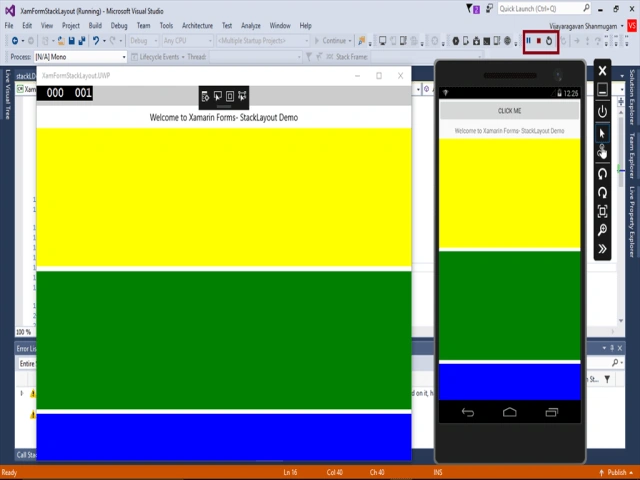
Deploy your app on a local machine, The output of the XamFormStackLayout app is -
Summary
Now, you have successfully created and tested your StackLayout in Xamarin Forms application in cross-platform application using Visual C# and Xamarin.


Join the conversation! Your thoughts help the community grow.