

Before reading this article, I highly recommend reading the previous part of the series.
Here we are reading scope & expression.
$Scope Inheritance
If you define nested controllers then the child controller will inherit the $scope of its parent controller.
It has two types.
1. $root Scope: An app can have only one $root scope which will be shared among all the components of an app. It is available in the entire application. It acts like a global variable.

Now you create your project.
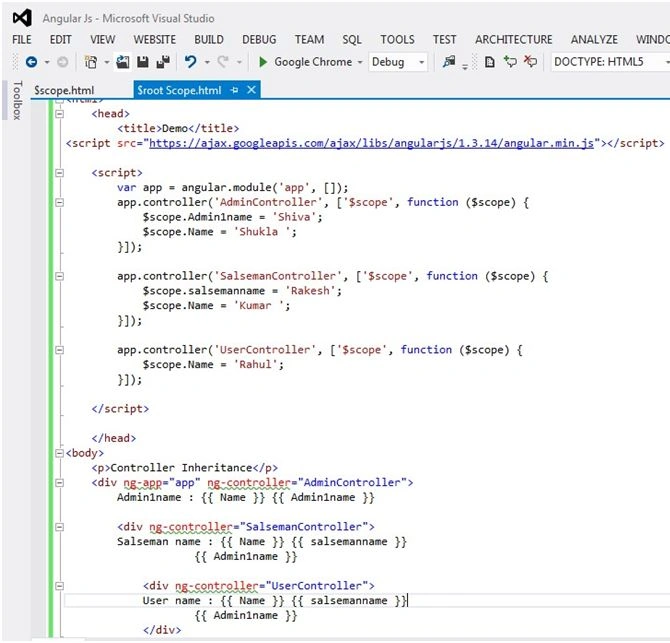
Complete code
<!DOCTYPE html>
<html>
    <head>
        <title>Demo</title>
        <script src="https://ajax.googleapis.com/ajax/libs/angularjs/1.3.14/angular.min.js"></script>
        <script>
            var app = angular.module('app', []);
            app.controller('AdminController', ['$scope', function ($scope) {
                $scope.Admin1name = 'Shiva';
                $scope.Name = 'Shukla ';
            }]);
            app.controller('SalsemanController', ['$scope', function ($scope) {
                $scope.salsemanname = 'Rakesh';
                $scope.Name = 'Kumar ';
            }]);
            app.controller('UserController', ['$scope', function ($scope) {
                $scope.Name = 'Rahul';
            }]);
        </script>
    </head>
    <body>
        <p>Controller Inheritance</p>
        <div ng-app="app" ng-controller="AdminController"> Admin1name : {{ Name }} {{ Admin1name }}
            <div ng-controller="SalsemanController"> Salsemanname : {{ Name }} {{ salsemanname }} {{ Admin1name }}
                <div ng-controller="UserController"> User name : {{ Name }} {{ salsemanname }} {{ Admin1name }} </div>
            </div>
        </div>
    </body>
</html>
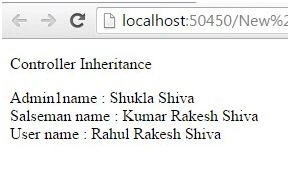
Output
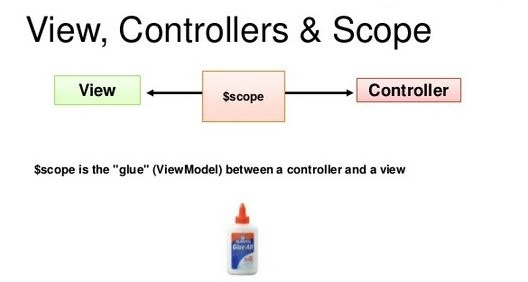
2. $Scope: $Scope is a JavaScript object that refers to the application model. It acts as the glue between the controller and the view. $scope is passed as the first argument to the controller during its constructor definition.
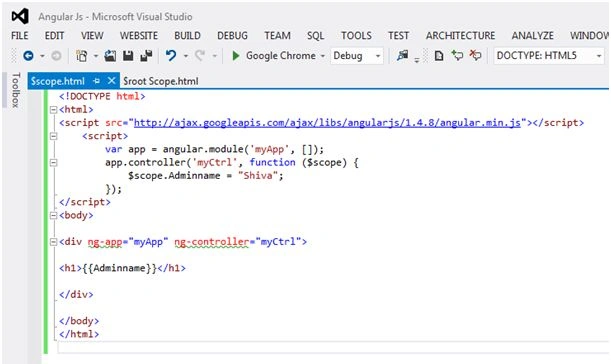
Complete code
<!DOCTYPE html>
<html>
    <script src="http://ajax.googleapis.com/ajax/libs/angularjs/1.4.8/angular.min.js"></script>
    <script>
        var app = angular.module('myApp', []);
        app.controller('myCtrl', function ($scope) {
            $scope.Adminname = "Shiva";
        });
    </script>
    <body>
        <div ng-app="myApp" ng-controller="myCtrl">
            <h1>{{Adminname}}</h1>
        </div>
    </body>
</html>
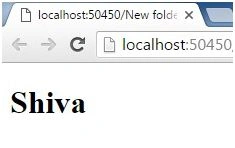
Output
Expression
Expressions are used to bind application data to HTML. AngularJS expressions can be written inside double braces: {{expression}}. It is used for bindings to insert dynamic values into the html pages.
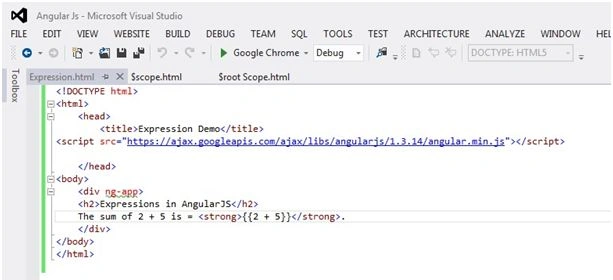
Complete code
<!DOCTYPE html>
<html>
    <head>
        <title>Expression Demo</title>
        <script src="https://ajax.googleapis.com/ajax/libs/angularjs/1.3.14/angular.min.js"></script>
    </head>
    <body>
        <div ng-app>
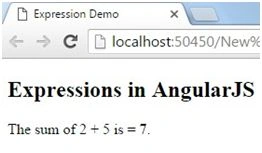
            <h2>Expressions in AngularJS</h2> The sum of 2 + 5 is = <strong>{{2 + 5}}</strong>.
        </div>
    </body>
</html>
Output
Sonu ChaudharyPosted Mar 31, 2016, 11:54 AM
good one
Anil Kumar MurmuPosted Feb 10, 2016, 1:37 AM
Thank you Shiva for the quick response.
Shiva ShuklaPosted Feb 9, 2016, 7:22 AM
here you can see also what flow work in your code with the help of broadcast & emit for more info visit my tutorial.
Shiva ShuklaPosted Feb 9, 2016, 7:20 AM
code help for controller inheritance Module.controller('ParentCtrl', function ($scope) { $scope.$broadcast('event', args); $scope.$on('event-response', function (result) { }); }); Module.controller('ChildCtrl', function ($scope) { $scope.$on('event', function (args) { var result; $scope.$emit('event-response', result); }); });
Shiva ShuklaPosted Feb 9, 2016, 7:18 AM
Anil Kumar controller inheritance also work as like scope inheritance at senorio of controller inheritence by implementation the scope in the child controller will inherit prototypicaly from its parent scope. So when you need to reuse functionality from the parent controller, all you need to do is add the required methods to the parent scope.
Anil Kumar MurmuPosted Feb 9, 2016, 4:37 AM
Moreover, i what i can understand in JS part also we are creating 3 independent controller out of the module. So, i am unable to relate the concept. Need more inputs. Please help.
Anil Kumar MurmuPosted Feb 9, 2016, 4:36 AM
Hi Shiva, Thank you for Sharing the article. It is informative. However, i came across few of the questions. What do we mean by controller inheritance? I tried few scenarios with out nested controller structures on front end. i.e. the view and i get the same output as it is mentioned in your code snippet. Could you please provide more clarity?
Sibeesh VenuPosted Feb 1, 2016, 1:14 AM
Nice Share
Ankit BansalPosted Feb 1, 2016, 12:40 AM
nice one..
Shiva ShuklaPosted Jan 30, 2016, 6:16 AM
thanks Debasis Saha & Mohsin Azam
Mohsin AzamPosted Jan 30, 2016, 6:07 AM
good one
Debasis SahaPosted Jan 30, 2016, 5:20 AM
Good one..
Shiva ShuklaPosted Jan 30, 2016, 2:25 AM
Welcome Santhakumar Munuswamy
Santhakumar MunuswamyPosted Jan 30, 2016, 2:18 AM
Thanks for nice share