

Here's another post about the Window phone 7. In this post we'll create an
Window phone that will utilize the System Tray progress bar for waiting while
the work is being done in background. This application is simple twitter search
application that I've already created back in silverlight post
"Twitter search application".
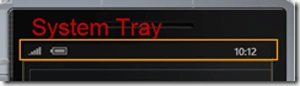
If you want to know more about the the SystemTray in window phone then
Here is nice blog post byeugenedotnet.
Lets get start, Open the visual studio 2010-> New project -> Silverlight phone
application.
Name it whatever you like and go to the MainPage.XAML. Design a UI like this:
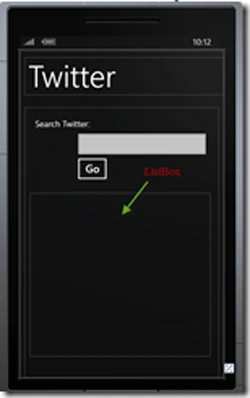
Here is the markup for this:
<!--TitlePanel contains the name of the application and page title-->
<StackPanel x:Name="TitlePanel" Grid.Row="0" Margin="12,17,0,28">
<TextBlock x:Name="ApplicationTitle" Text="" Style="{StaticResourcePhoneTextNormalStyle}"/>
<TextBlock x:Name="PageTitle" Text="Twitter" Margin="9,-7,0,0" Style="{StaticResource PhoneTextTitle1Style}"/>
</StackPanel>
<!--ContentPanel - place additional content here-->
<Grid x:Name="ContentPanel" Grid.Row="1" Margin="12,0,12,0">
<ListBox Height="383" HorizontalAlignment="Left" Margin="12,201,0,0"Name="TweetList"
VerticalAlignment="Top" Width="425">
<ListBox.ItemTemplate>
<DataTemplate>
<Grid Margin="10">
<Grid.ColumnDefinitions>
<ColumnDefinition Width="Auto"/>
<ColumnDefinition Width="*"
/>
</Grid.ColumnDefinitions>
<Image Source="{Binding Image}" Grid.Column="0"Margin="3" Width="50"
Height="50" Stretch="UniformToFill"/>
<TextBlock Text="{Binding Message}" FontSize="14"Margin="3"
Grid.Column="1" TextWrapping="Wrap"/>
</Grid>
</DataTemplate>
</ListBox.ItemTemplate>
</ListBox>
<TextBlock Height="30" HorizontalAlignment="Left" Margin="25,25,0,0"Name="textBlock1"
Text="Search
Twitter: " VerticalAlignment="Top"
/>
<TextBox Height="72" HorizontalAlignment="Left" Margin="114,50,0,0"Name="txtSearchTerm"
Text="" VerticalAlignment="Top" Width="323"
/>
<Button Content="Go" Height="72" HorizontalAlignment="Left"Margin="114,108,0,0"
Name="btnGo" VerticalAlignment="Top" Width="90"Click="btnGo_Click"
/>
</Grid>
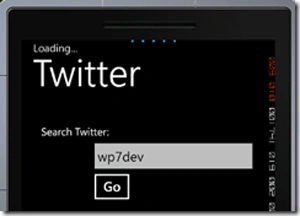
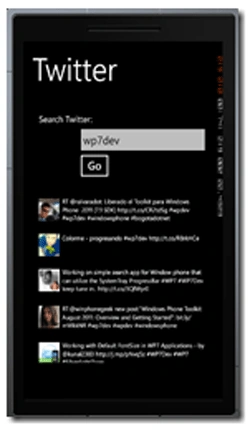
Now set the property for the SystemTray to Enable the ProgressBar and you can
also set the opacity property to a value equal to or less than 1. Also you can
set the Text property of the ProgressIndicator.
Shalini JunejaPosted Aug 22, 2011, 4:21 AM
Nice One Amit............