

Introduction
Inheritance is a concept of Object Oriented Programming. Inheritance is a mechanism of deriving a new class from a base class. A derived class can inherit the properties of a base class.
In this article you will see inheritance among a tables. In this article I make a parent table (Vehicles) and their child tables Car, Bus, Bike. The child table inherits the properties of the parent table.
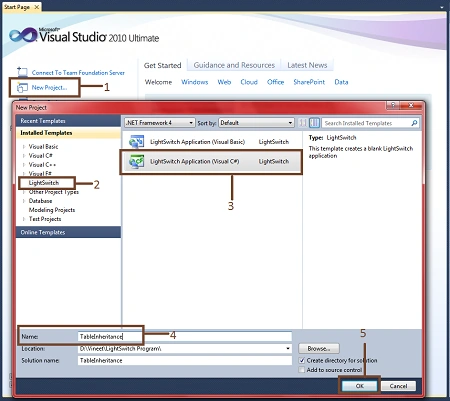
Step 1 : First of all open Visual Studio LightSwitch->New project->Select LightSwitch application->Write name of project->Ok.
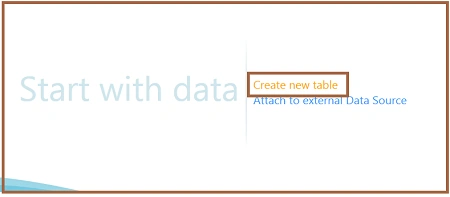
Step 2 : Click on create new table.
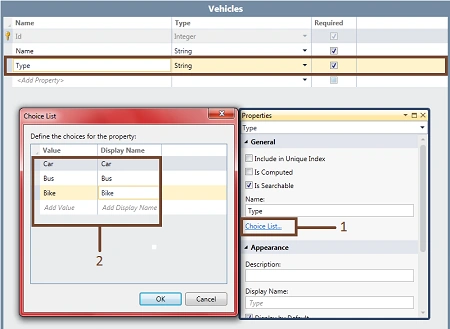
Step 3 : Create a parent table with the name Vehicles. Go to properties of type->Click on choice list->Add value->ok.
Step 4 : Now we will create child tables like Bike, Car, Bus.



Step 5 : Now we will make a relationship among these tables. Like as in the following images.
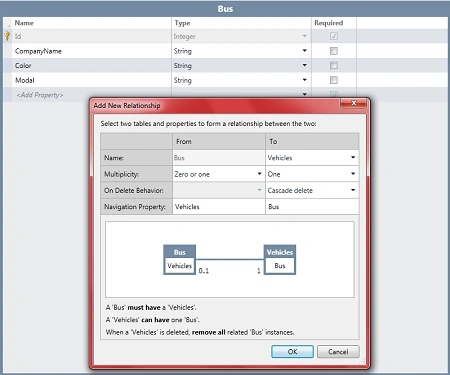
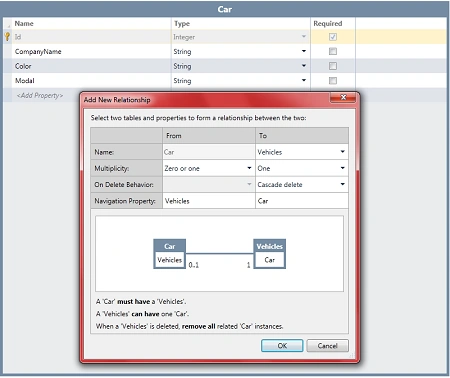
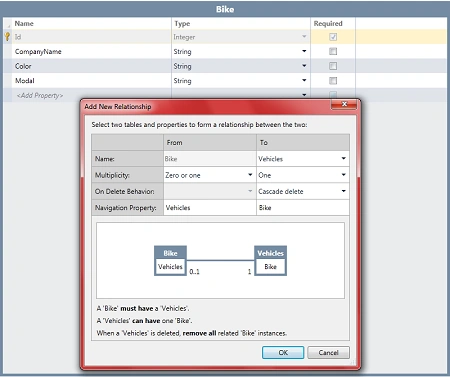
Step 6 : When we establish relationships among these tables then the vehicles tables will look like as in the following image.
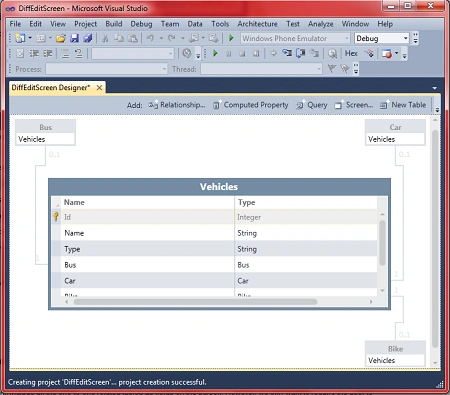
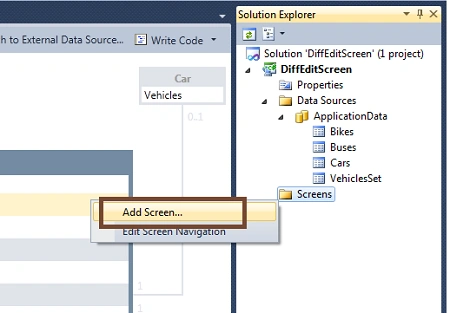
Step 7 : Now we will add a screen. Right-click on screens-Add screen.
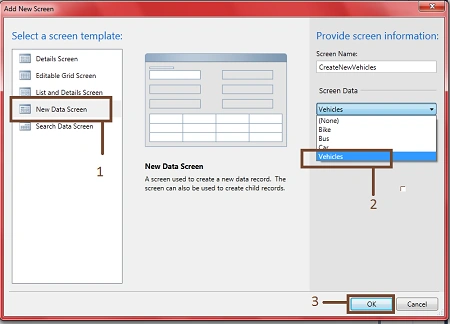
Step 8 : Select New Data Screen->Select screen data (Vehicles)->Ok.
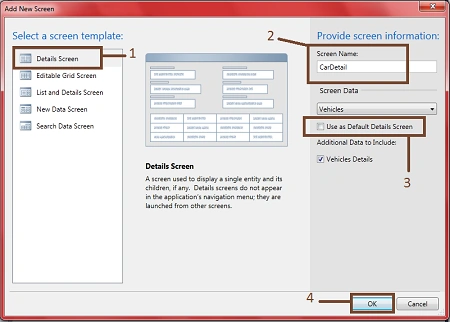
Step 9 : Now we will a add details screen for Car, Bike, Bus.
Go to Solution Explorer->Right-click on screen->Add screen->Select Details screen->Change screen name->Unmark checkbox for default details screen->Ok.
In the same manner we will create a Bus details screen and a Bike details screen.
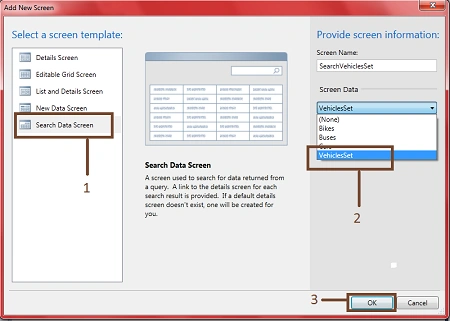
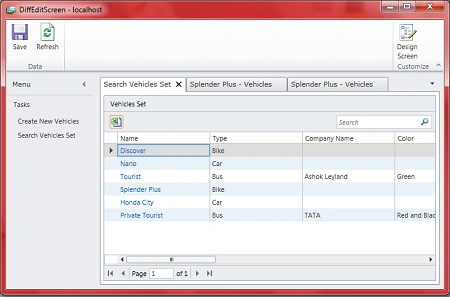
Step 10 : Now we will add a search screen. Go to Solution Explorer->Right click on screen->Add screen->Select search data screen->Select screen data (Vehicles)->Ok.
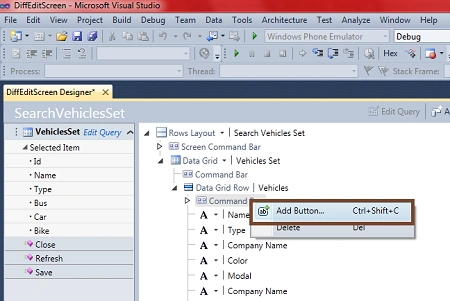
Step 11 : Now we will add a button. Right-click on Command bar->Add button.
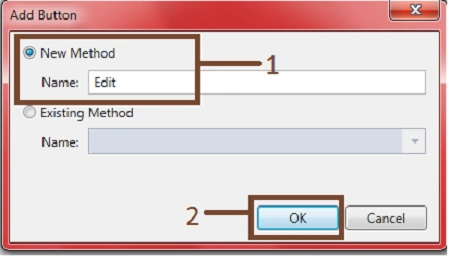
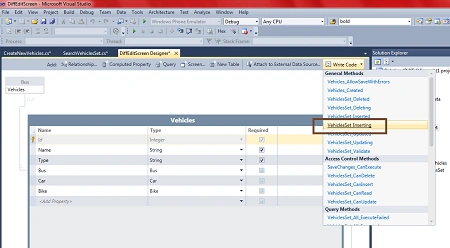
Step 12 : Click on new method->Write name (edit)->Ok.
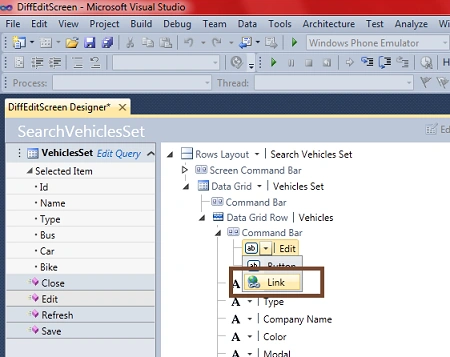
Step 13 : Expand edit->Select link.
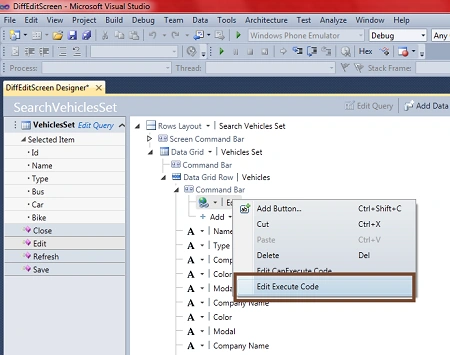
Step 14 : Right click on edit button->Select edit execute code->Write code.
Code
- using System;
- using System.Linq;
- using System.IO;
- using System.IO.IsolatedStorage;
- using System.Collections.Generic;
- using Microsoft.LightSwitch;
- using Microsoft.LightSwitch.Framework.Client;
- using Microsoft.LightSwitch.Presentation;
- using Microsoft.LightSwitch.Presentation.Extensions;
- namespace LightSwitchApplication
- {
- public partial class SearchVehiclesSet
- {
- partial void Edit_Execute()
- {
- // Write your code here.\
- if (this.VehiclesSet.SelectedItem != null)
- {
- switch (this.VehiclesSet.SelectedItem.Type)
- {
- case "Car":
- this.Application.ShowCarDetail(this.VehiclesSet.SelectedItem.Id);
- break;
- case "Bus":
- this.Application.ShowBusDetail(this.VehiclesSet.SelectedItem.Id);
- break;
- case "Bike":
- this.Application.ShowBikeDetail(this.VehiclesSet.SelectedItem.Id);
- break;
- }
- }
- }
- }
- }
brajesh kumarPosted Feb 1, 2012, 9:20 AM
Good article...........