
In this article I would like to share the procedure to take a backup of a specific site collection.
Procedure to take a backup of SharePoint Site Collection
Step 1
Go to Central Administration using a Farm Administrator account as shown below: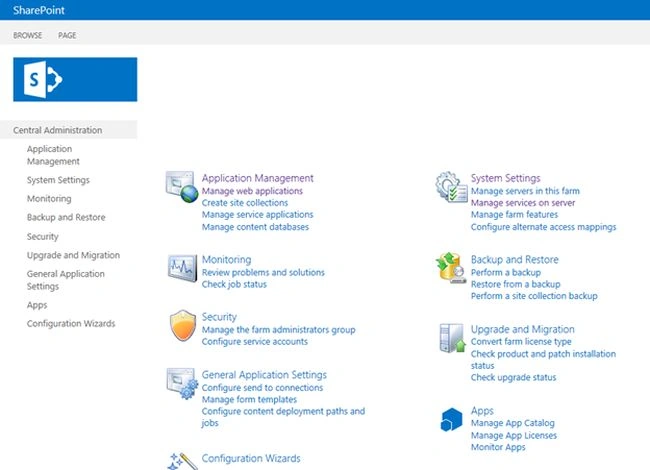
Step 2
In Central Administration, click “Backup and Restore” from the left navigation. Then you will be navigated to the Backup and Restore page.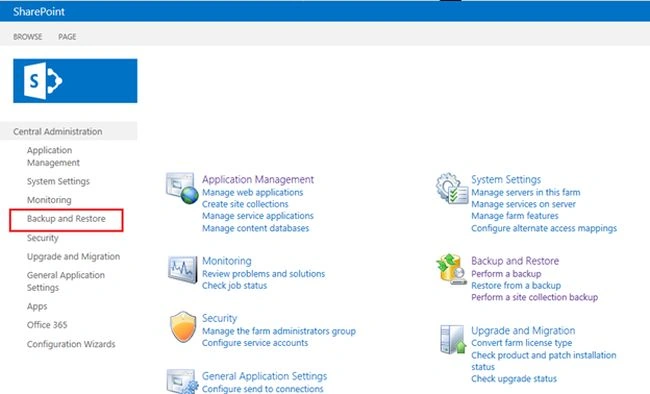
Step 3
On the Backup and Restore page click “Perform a site collection backup” under the “Granular Backup” to take a specific site collection.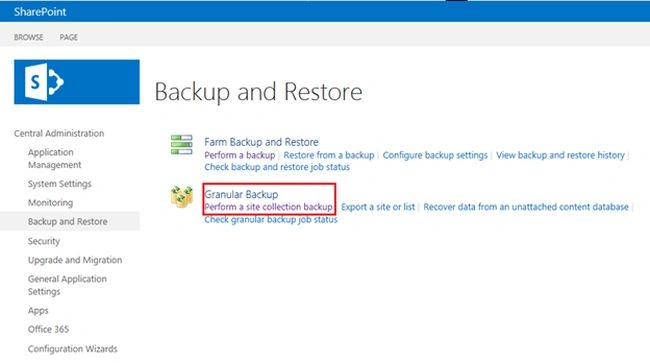
Step 4
When you click on “Perform a site collection backup”, you will be navigated to the Site Collection backup page. There you can change the site collection as you want.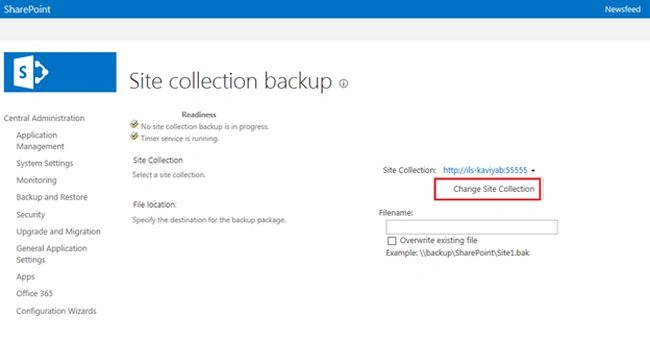
Step 5
Then specify the destination for the backup package on the text box as shown below.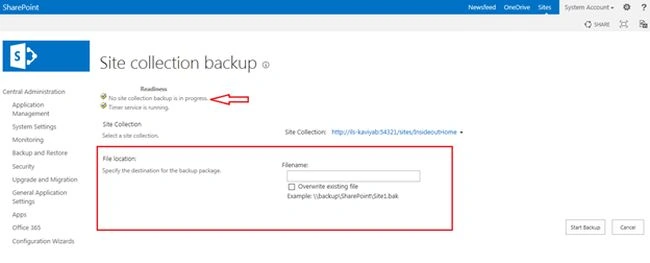
Step 6
Click on the Start Backup to create a backup package.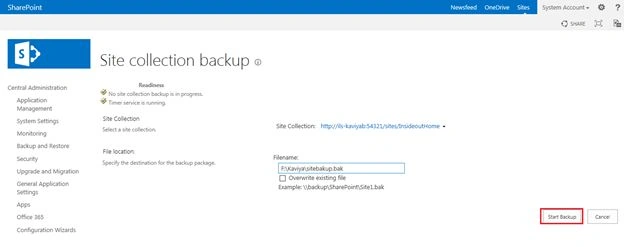
Step 7
When you click on Start Backup, you will get the following Granular backup Job status.
Finally the backup process will be completed.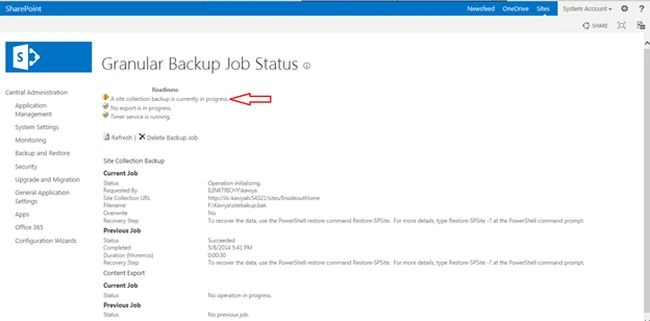
Summary
In this article we explored how to take a backup for a specific SharePoint site collection using Central Administration.

Join the conversation! Your thoughts help the community grow.