

Introduction
The ternary conditional operator(?) is not a statement but it creates conditional logic. It is used to assign a certain value to a variable based on a condition.
It will return the value on the left of the colon ( : ) if the expression is true, and return the value on the right of the colon if the expression is false.
TypeScript ternary operators take three operands.
Syntax
condition ? result1 : result2;
The following example shows how to use a ternary condition operator in TypeScript.
Step 1
Open Visual Studio 2012 and click "File" -> "New" -> "Project...". A window is opened. In this window, click HTML Application for TypeScript under Visual C#.
Provide the name of your application as "Ternary_Operator" and then click "Ok".
Step 2
After this session the project has been created; a new window is opened on the right side. This window is called the Solution Explorer. The Solution Explorer contains the ts file, js file, and CSS files.
Coding
ternary_operator.ts
- class ternary_operator {
- condition() {
- var first = 5;
- var second = 3;
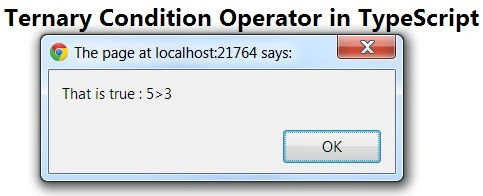
- var result = (first > second) ? "That is true : 5>3" : "That is false : 5<3";
- alert(result);
- }
- }
- window.onload = () => {
- var obj = new ternary_operator();
- obj.condition();
- };
ternaryoperatot_Demo.htm
Amit Kumar SinghPosted Nov 23, 2018, 2:03 AM
Thanks for sharing Nitin !!!