

Threading with Monitor
A monitor is a mechanism for ensuring that only one thread at a time may be running a certain piece of code (critical section). A monitor has a lock, and only one thread at a time may acquire it. To run in certain blocks of code, a thread must have acquired the monitor. A monitor is always associated with a specific object and cannot be dissociated from or replaced within that object.
Monitor has the following features:
- It is associated with an object on demand.
- It is unbound, which means it can be called directly from any context.
- An instance of the Monitor class cannot be created.
The following information
is maintained for each synchronized object:
- A reference to the thread that currently holds the lock.
- A reference to a ready queue, which contains the threads that are ready to obtain the lock.
- A reference to a waiting queue, which contains the threads that are waiting for notification of a change in the state of the locked object.
Monitor Class
The Monitor Class Provides a mechanism that synchronizes access to objects. The Monitor class is a collection of static methods that provides access to the monitor associated with a particular object, which is specified through the method's first argument. the class provide following method.
- Monitor.Enter() : Acquires an exclusive lock on the specified object. This action also marks the beginning of a critical section.
- Monitor.Exit() : Releases an exclusive lock on the specified object. This action also marks the end of a critical section protected by the locked object.
- Monitor.Pules() : Notifies a thread in the waiting queue of a change in the locked object's state.
- Monitor.Wait() : Releases the lock on an object and blocks the current thread until it reacquires the lock.
- Monitor.PulesAll() : Notifies all waiting threads of a change in the object's state.
- Monitor.TryEnter() : Attempts to acquire an exclusive lock on the specified object.
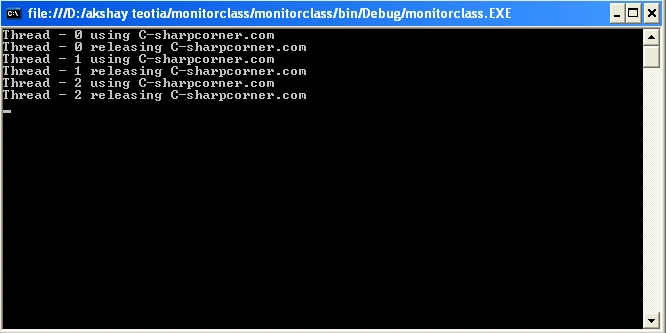
In the following example we have three threads which are trying to write a file (akshay.txt). Basically each thread will wait until the locker object gets released by the first thread that achieved a lock, before it attempts to write to our file.
using
System;
using System.IO;
using
System.Threading;
namespace
monitorclass
{
class Program
{
static object
locker = new object();
static void
ThreadMain()
{
Thread.Sleep(800); // Simulate Some work
WriteToFile(); // Access a shared resource / critical
section
}
static void
WriteToFile()
{
String ThreadName =
Thread.CurrentThread.Name;
Console.WriteLine("{0}
using C-sharpcorner.com", ThreadName);
Monitor.Enter(locker);
try
{
using (StreamWriter
sw = new
StreamWriter(@"D:\akshaydata\akshay.txt",
true))
{
sw.WriteLine(ThreadName);
}
}
catch (Exception
ex)
{
Console.WriteLine(ex.Message);
}
finally
{
Monitor.Exit(locker);
Console.WriteLine("{0}
releasing C-sharpcorner.com", ThreadName);
}
}
static void
Main(string[] args)
{
for (int
i = 0; i < 3; i++)
{
Thread thread =
new Thread(new
ThreadStart(ThreadMain));
thread.Name = String.Concat("Thread
- ", i);
thread.Start();
}
Console.Read();
}
}
}
Output
Bohdan StupakPosted May 2, 2020, 8:59 AM
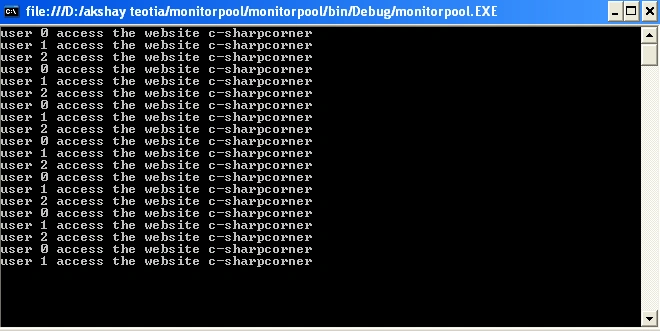
You have a typo in a word "pulse". Also, I'd love to see a brief explanation of what is the purpose of the 3rd example