

TypeScript Project in Visual Studio 2012
TypeScript is a superset of JavaScript that combines type checking and static analysis, explicit interfaces, and best practices into a single language and compiler. TypeScript enables great tooling experiences for JavaScript development. You are writing client-side JavaScript to run on Windows, Internet Explorer, and any other browsers and operating systems, or whether you're writing server-side JavaScript to run on Windows Azure and other servers and clouds.
How to Start a Project
Step 1
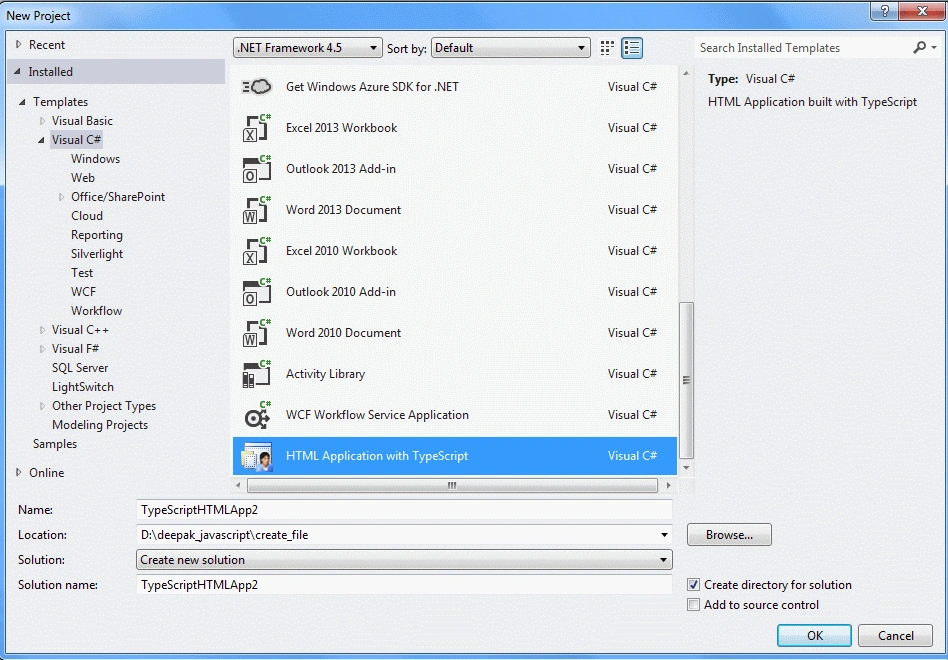
First of all, we open Visual Studio 2012 and take the TypeScript application project shown under Visual C# and called HTML Application with TypeScript.
Step 2
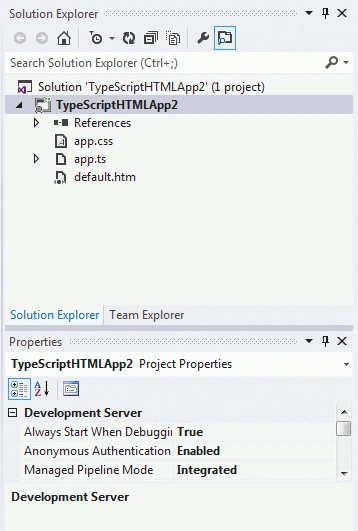
After performing this action the project has been created; your new project should look like this:
Step 3
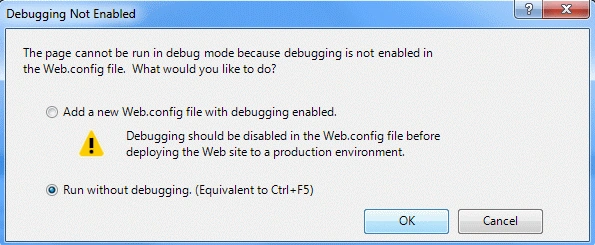
Then when you press F5 or click on Debug it will tell you that you need a Web.Config file to enable debugging, as in:
Step 4
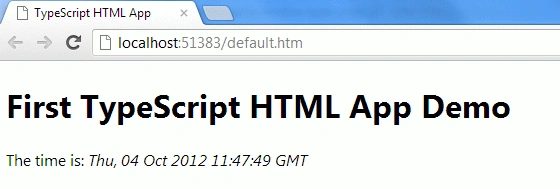
When you click Ok, the project should start in your browser and finally, you are good to go.
Coding
app.ts
- class Greeter {
- element: HTMLElement;
- span: HTMLElement;
- timerToken: number;
- constructor(element: HTMLElement) {
- this.element = element;
- this.element.innerText += "The time is: ";
- this.span = document.createElement('span');
- this.element.appendChild(this.span);
- this.span.innerText = new Date().toUTCString();
- }
- start() {
- this.timerToken = setInterval(() => this.span.innerText = new Date().toUTCString(), 500);
- }
- stop() {
- clearTimeout(this.timerToken);
- }
- }
- window.onload = () => {
- var el = document.getElementById('content');
- var greeter = new Greeter(el);
- greeter.start();
- };
default.html
- <!DOCTYPEhtml>
- <htmllang="en"
- xmlns="http://www.w3.org/1999/xhtml">
- <head>
- <metacharset="utf-8"/>
- <title>TypeScript HTML App</title>
- <linkrel="stylesheet"href="app.css"type="text/css"/>
- <scriptsrc="app.js">
- </script>
- </head>
- <body>
- <h1>First TypeScript HTML App Demo</h1>
- <divid="content"/>
- </body>
- </html>
Referenced By
http://www.typescriptlang.org/
Join the conversation! Your thoughts help the community grow.