

Introduction
The $window service in AngularJS refer to the browser window object. With reference to JavaScript, window is a global object that includes many methods like prompt, conform, alert, etc.
With window object in JavaScript, there is a testability problem due to it is defined as a global variable. In AngularJS, it can always refer a service called "$window" so that we may override (removed or mocked) for testing.
The $window service is just wrapped around the JavaScript window object. It is most recommended to use $window service with AngularJS application instead of using window object directly.
Example
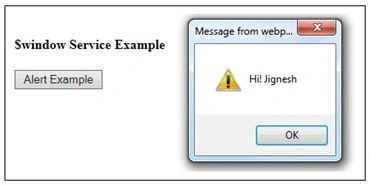
Alert Example
- <!DOCTYPEhtml>
- <html>
- <head>
- <title>$window Service in AngularJS</title>
- <scriptsrc="angular.js">
- </script>
- </head>
- <bodyng-app="app">
- <h4>$window Service Example</h4>
- <divng-controller="HelloController">
- <buttonng-click="showAlert()">Alert Example</button>
- </div>
- <script>
- var app = angular.module("app", []);
- app.controller("HelloController", function($scope, $window) {
- $scope.showAlert = function() {
- $window.alert('Hi! Jignesh');
- };
- });
- </script>
- </body>
- </html>
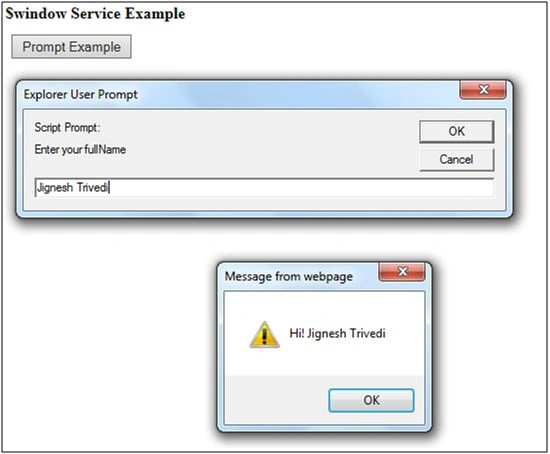
Prompt Example
- <!DOCTYPEhtml>
- <html>
- <head>
- <title>$window Service in AngularJS</title>
- <scriptsrc="angular.js">
- </script>
- </head>
- <bodyng-app="app">
- <h4>$window Service Example</h4>
- <divng-controller="HelloController">
- <buttonng-click="showPrompt()">Prompt Example</button>
- </div>
- <script>
- var app = angular.module("app", []);
- app.controller("HelloController", function($scope, $window)
- {
- $scope.showPrompt = function()
- {
- var name = $window.prompt('Enter your fullName');
- $window.alert('Hi! ' + name);
- }
- });
- </script>
- </body>
- </html>
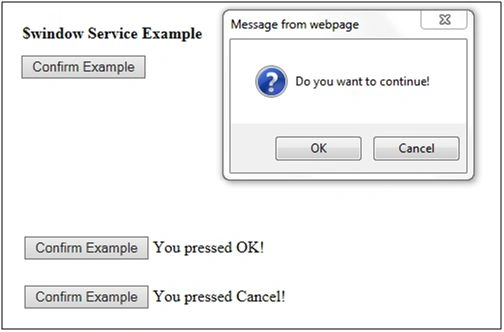
Confirm Example
- <!DOCTYPEhtml>
- <html>
- <head>
- <title>$window Service in AngularJS</title>
- <scriptsrc="angular.js">
- </script>
- </head>
- <bodyng-app="app">
- <h4>$window Service Example</h4>
- <divng-controller="HelloController">
- <buttonng-click="showConfirm()">Confirm Example</button>
- {{result}}
- </div>
- <script>
- var app = angular.module("app", []);
- app.controller("HelloController", function($scope, $window) {
- $scope.showConfirm = function() {
- varconfirmExample = $window.confirm("Do you want to continue!");
- if (confirmExample == true) {
- $scope.result = "You pressed OK!";
- } else {
- $scope.result = "You pressed Cancel!”
- }
- }
- });
- </script>
- </body>
- </html>
Browser Resize with AngularJS
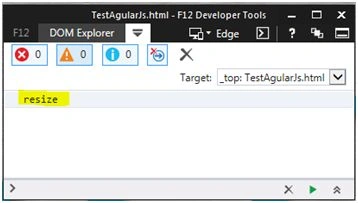
The $window service can also be used to get the window resize event. To do this, we need to bind resize event with window object.
Controller Code
- var app = angular.module("app", []);
- app.controller("HelloController", function($scope, $window)
- {
- var window = angular.element($window);
- window.bind('resize', function()
- {
- console.log('resize');
- });
- }
Summary
This article will help you to understand window service in AngularJS.
Santhakumar MunuswamyPosted Dec 24, 2015, 10:12 AM
Thanks for nice article. keep it up
Ankit BansalPosted Dec 24, 2015, 7:39 AM
nice..