

Introduction
In this article, we'll explore the UNION and UNION ALL operators. In addition, we'll also see the difference between the two operators. Furthermore, we'll give a performance tip about when to use these operators. Lastly, if you ever have been interviewed, UNION and UNION ALL are usually being questioned in an interview.
Ok, let's get started.
What's UNION?
- Union allows us, developers, to combine all rows in two union-compatible tables or two sets of rows into a single result set.
- In addition, the result set includes all the rows belonging to all the queries in the UNION.
- When using UNION, the order of tables doesn't matter because the resulting rows in the union will be the same. E.g., Table1 Ս Table2 is equivalent to Table2 Ս
Ensuring Union Compatibility For Both Tables
- The number of columns should be the same.
- Tables don't need to have the same column names. The names of the columns in the result set will usually be from one of the tables.
- The sequence should be in the same order.
- Data types must be compatible.
Syntax of UNION

Example
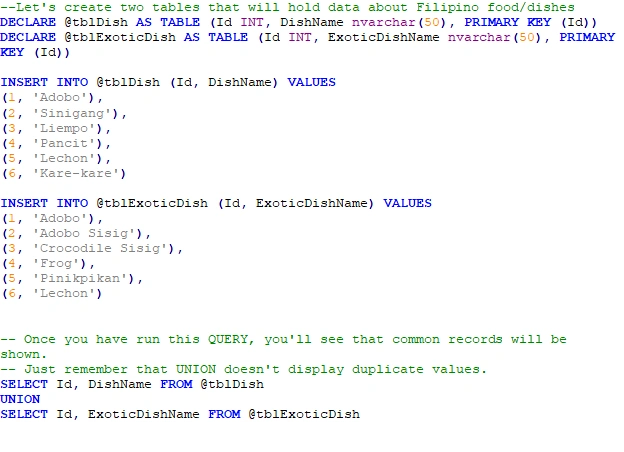
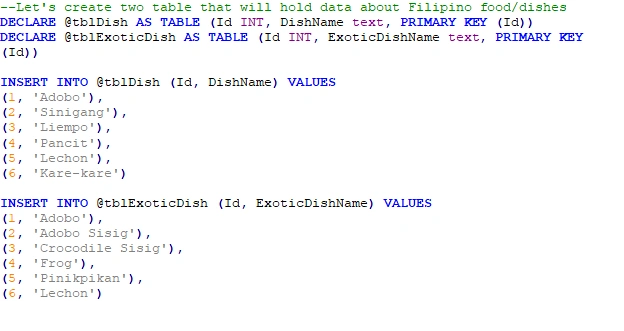
Let's see an example to appreciate what we have described so far about UNION. Furthermore, for us to enjoy this example, food data would be a good example, in my opinion.
Let's see the sample code below.
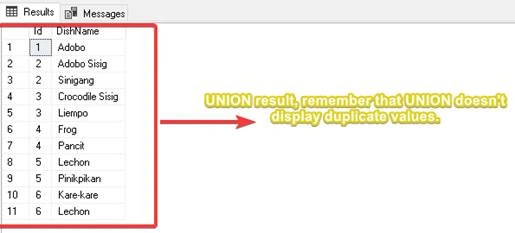
Output
What's UNION ALL?
- It is similar to the UNION operator, but it includes a duplicate row in the result set.
- Remember that you can use the UNION operator if you don't want duplicate records.
Syntax of UNION ALL

Example
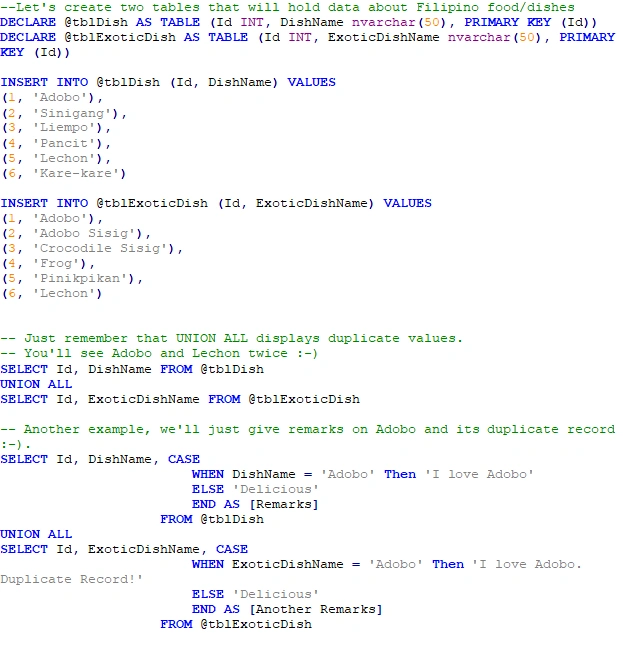
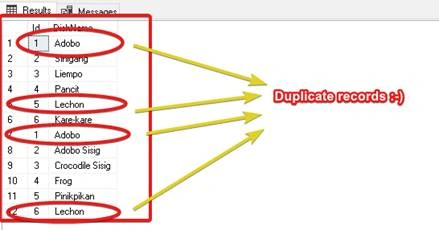
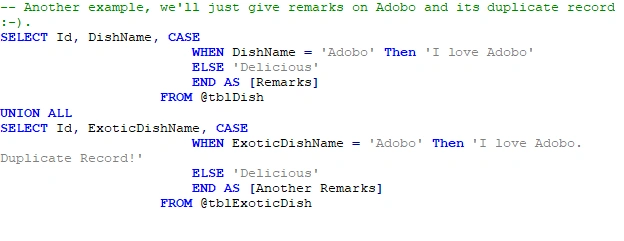
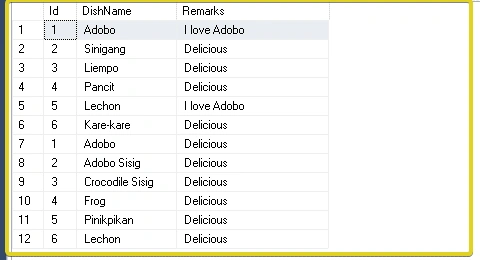
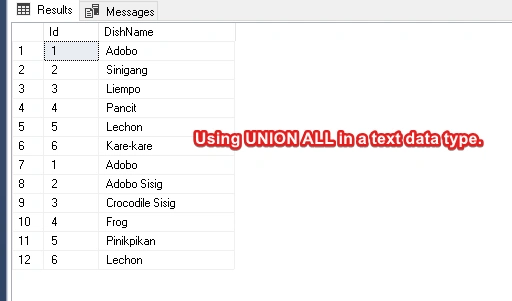
Let's see an example about UNION ALL. Again, we'll continue the sample data as food and add a bit of SQL CASE statement to give remarks and show the duplicate record [Hoping you won't get confused!].




Join the conversation! Your thoughts help the community grow.