

Here, you will learn the steps for using a simple C++ DLL in C# in .NET Framework 4.
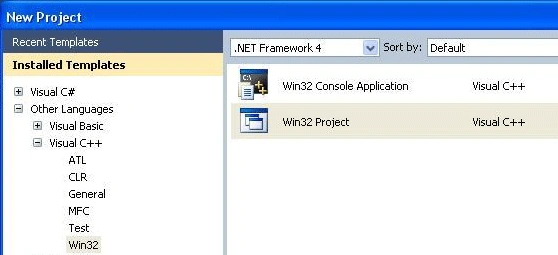
Open Visual C++ Win 32 Project.
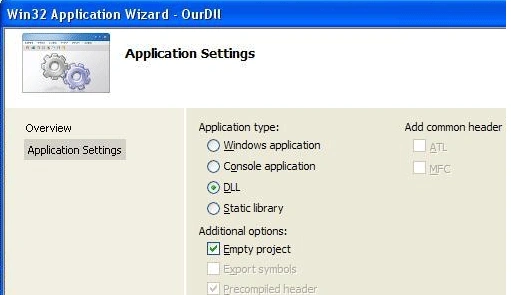
In Application Settings, chose "DLL" and select "Empty Project".
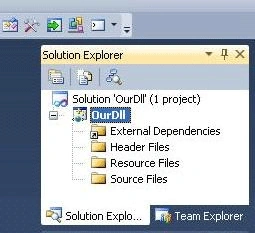
The solution will look like the following.
Add New Item (*.cpp) in the Source folder.
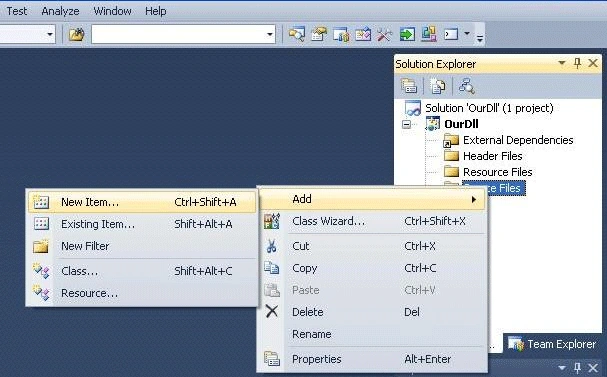
Select the C++ (.cpp) File type.
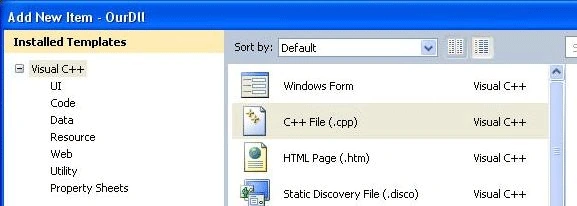
Write down the following simple code in this .cpp file.
- #include < stdio.h >
- extern "C" {
- __declspec(dllexport) int add(int a, int b) {
- return a + b;
- }
- __declspec(dllexport) int subtract(int a, int b) {
- return a - b;
- }
- }
Now, export *.res file in the "Resource" folder for version information.
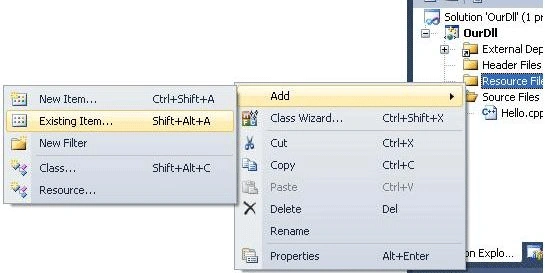
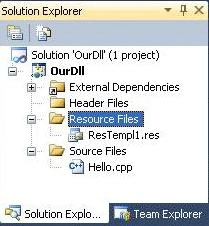
Now, the Solution Explorer will look like the following.
After compiling, you will see the Debug folder as below.
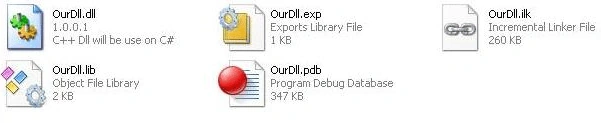
Now, our Unmanaged DLL is ready. Let us build a Managed C# App.
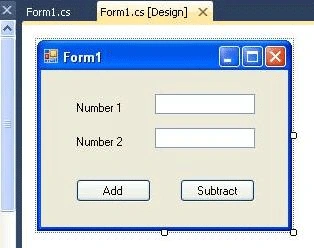
The design is like this.
The code is as follows.
- [DllImport("OurDll.dll", CallingConvention = CallingConvention.Cdecl)]
- publicstaticexternint subtract(int a, int b);
- privatevoid button2_Click(object sender, EventArgs e) {
- int x = Convert.ToInt32(textBox1.Text);
- int y = Convert.ToInt32(textBox2.Text);
- int z = subtract(x, y);
- MessageBox.Show("Required Answer is " + Convert.ToString(z), "Answer", MessageBoxButtons.OK, MessageBoxIcon.Information);
- }
The output will be like this.
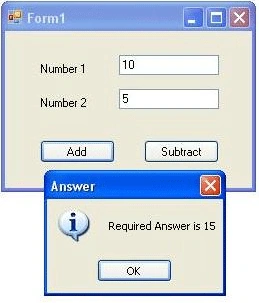
In case of the previous version of .NET (3.5), the code will be like below.
- [DllImport("OurDll.dll")]
- publicstaticexternint subtract(int a, int b);
- privatevoid button2_Click(object sender, EventArgs e) {
- int x = Convert.ToInt32(textBox1.Text);
- int y = Convert.ToInt32(textBox2.Text);
- int z = subtract(x, y);
- MessageBox.Show("Required Answer is " + Convert.ToString(z), "Answer", MessageBoxButtons.OK, MessageBoxIcon.Information);
- }
The output will be the same for both.
Explanation
extern "C" helps to show all code within brackets from outside.
__declspec(dllexport) int add(int a,int b) is a prefix which makes DLL functions available from your external application.
In .NET Framework 3.5 or the previous version, the code is like -
- [DllImport("OurDll.dll")]
- publicstaticexternint add(int a, int b);
For ..NET 4 and above, the code will be liek this.
- [DllImport("OurDll.dll", CallingConvention = CallingConvention.Cdecl)]
- publicstaticexternint add(int a,int b);
If you only write framework 3.5 [DllImport("OurDll.dll")], you get an exception -
"… the managed PInvoke signature does not match the unmanaged signature …"
"… the managed PInvoke signature does not match the unmanaged signature …"
Now, you can call a C++ dll from your C# application (.NET Framework 4)
Thank You!
Saif Eddin DkhilalliPosted Apr 19, 2021, 8:26 AM
Hello ! what do I do when I need to export many classes ?
Neil WalkerPosted May 31, 2018, 10:41 AM
Hello, 2018 here, it doesn't work. DLL not found, even though it's there.
Saurabh RaiPosted Jan 3, 2017, 3:14 AM
Nice and well written article. It was really helpful!
chandrashekhar sharmaPosted Dec 21, 2015, 5:31 AM
How to call unmanaged dll from wcf library? [DllImport("dhnetsdk.dll")] private static extern bool CLIENT_CapturePicture(int hPlayHandle, string pchPicFileName);
chandrashekhar sharmaPosted Dec 21, 2015, 5:30 AM
Can you help me.
archana mallaiahPosted Sep 25, 2015, 6:28 AM
I followed the below link to invoke the dll from c# on a windows phone. http://stackoverflow.com/questions/16074887/how-to-import-c-dll-in-windows-phone-project but still I am getting DLLnotfoundexception . I am using WIndowsphone 8/8.1 with vs2013 development environment. can any one please tell me how to invoke DLL form C#
Santhakumar MunuswamyPosted Jul 6, 2015, 9:28 AM
Good one
Sathwick SivvalaPosted Mar 30, 2012, 9:19 AM
Thanks! good article.
Sam HobbseditedPosted Jan 27, 2011, 1:52 AMEdited Jan 27, 2011, 2:09 AM
Actually it is best to not check the checkbox for Empty Project when creating the project for the DLL. In other words, it is better to let Visual Studio create the DLL project with code for the project. If you do that, then I think the sample functions in the DLL use WINAPI. If you use WINAPI for your functions in the DLL then the DllImport in C# will work without the need to specify CallingConvention since the default for the DllImport CallingConvention is winapi. The reason why there seems to be a difference between the current version and the previous versions is that the previous versions fixed the error in the DllImport when the CallingConvention was not specified but was supposed to be.