

Introduction
In my previous article you have learned about the Aggregate functions. I will now describe how to use Scalar functions in a Windows Forms application.
Scalar Functions
Scalar functions perform calculations on a single value and returns a single value for the specified column.
- RightTrim( )
- LeftTrim( )
- UPPER( )
- LOWER )
- SUBSTRING( )
- CONVERT( )
- ABSOLUTE( )
- ROUND( )
RightTrim ( )
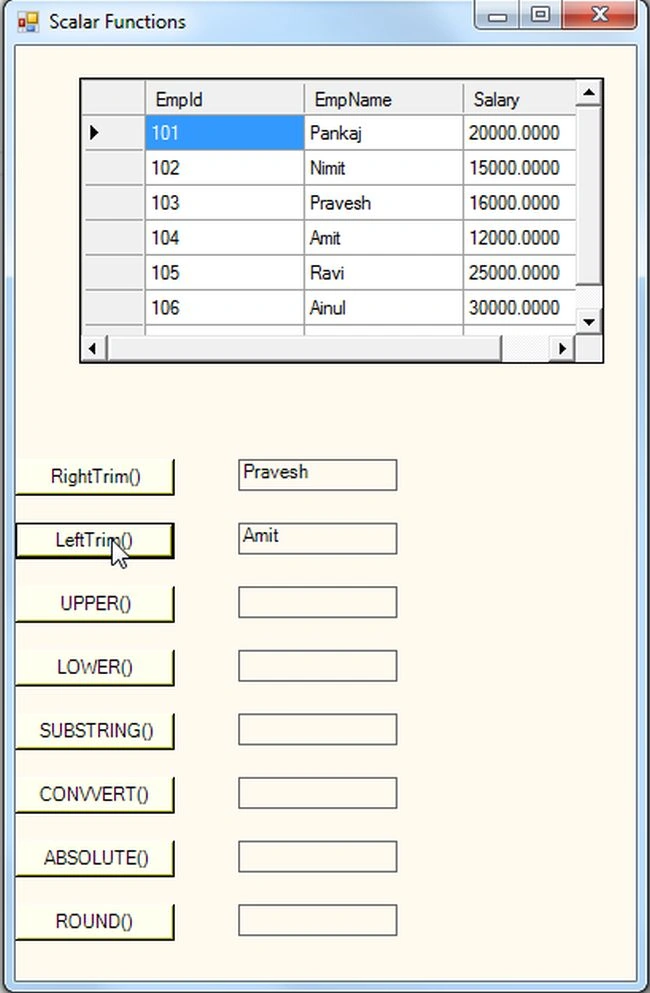
Retruns a string after removing all the spaces from the right side of the string.
syntax: Select RTRIM(char-expression) from tablename
LeftTrim ( )
Retruns a string after removing all the spaces from the left side of the string.
syntax: Select Ltrim(char-expression) from tablename
UPPER ( )
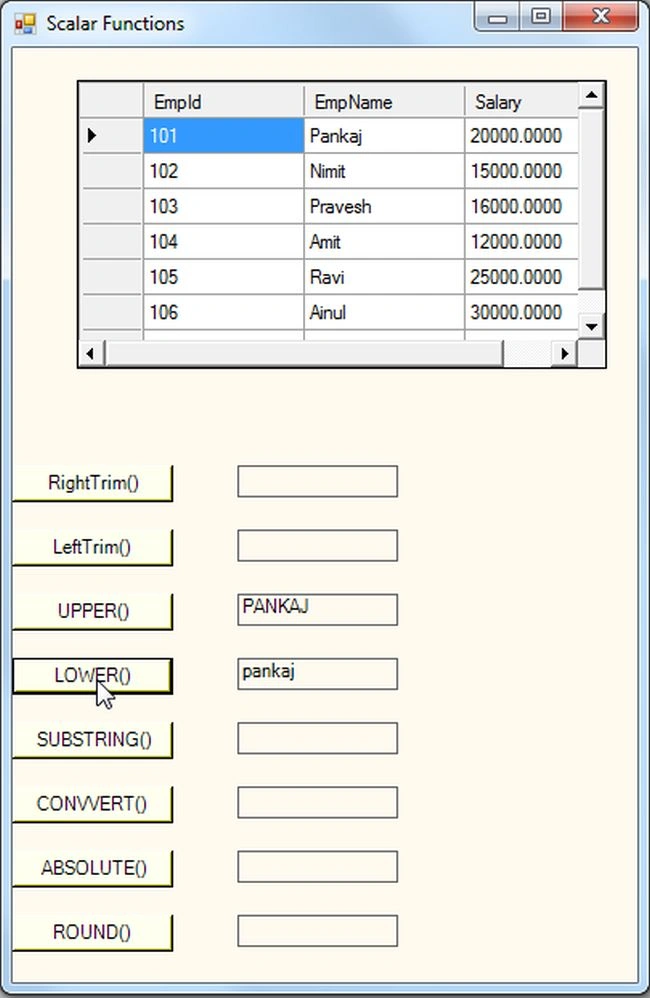
The Upper function returns the upper case of a given string. You can use this function to maintain the data integrity of text columns in your tables.
syntax: Select UPPER('string')
LOWER ( )
The Lower function converts the string passed to the function into all lower case characters.
syntax: Select Lower('string')
SUBSTRING ( )
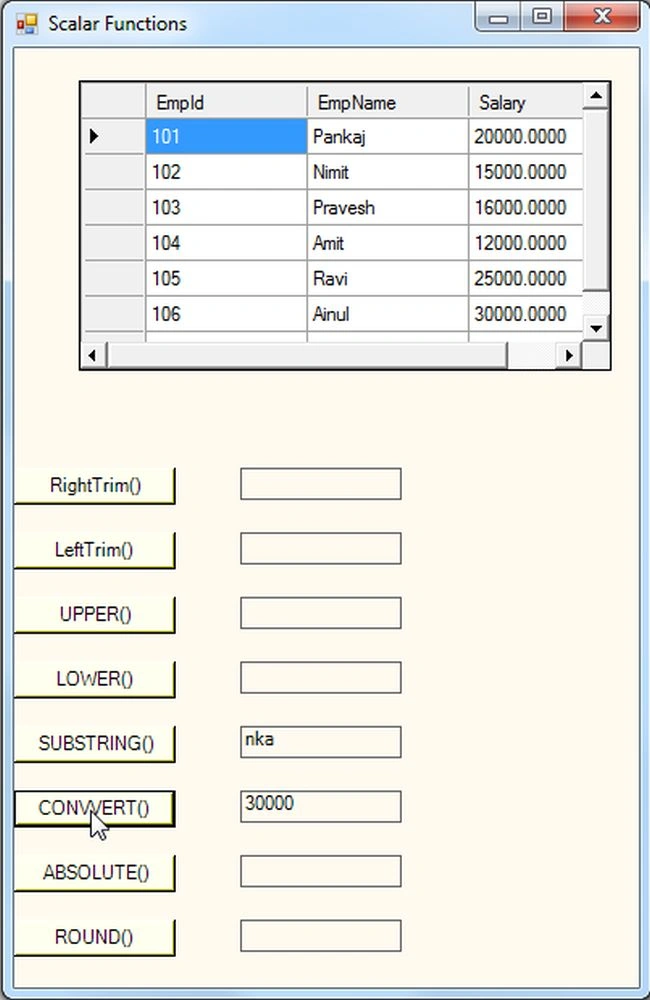
String manipulation can be done by the substrring function; this function returns a portion of the String.
syntax: Select substring(char-exprssion,startpos,length) from tablename
CONVERT ( )
The Convert function converts the one data type to another type; you just specify the data type in which the expression is to be converted to.
syntax: Select convert(datatype,value)
ABSOLUTE ( )
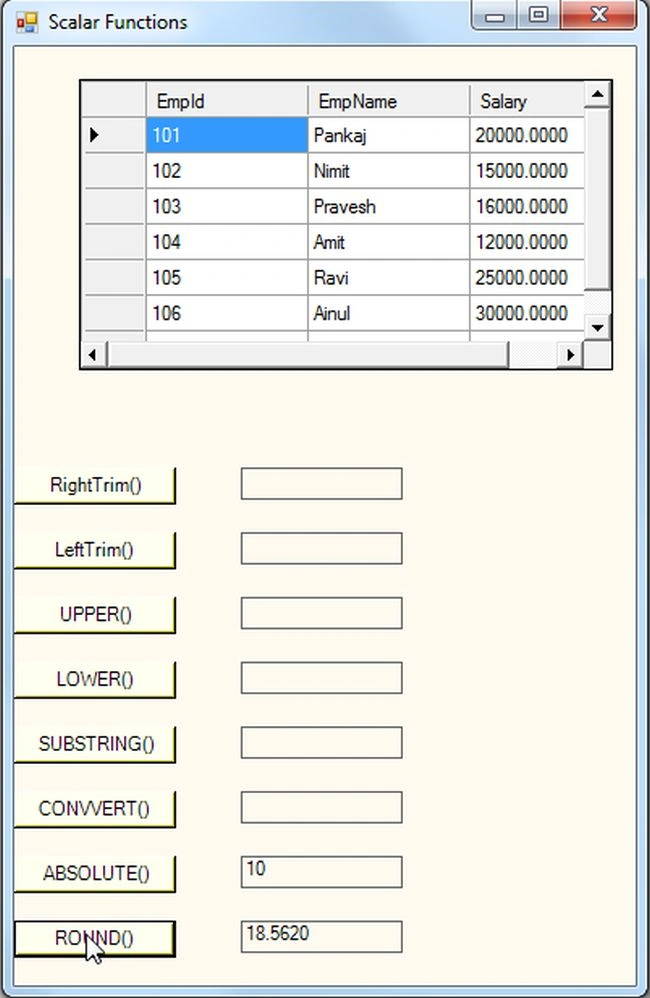
The Absolute function returns an absolute number of the given number. This function gives the positive value of the argument. The argument can be int, float, double, short or byte.
syntax: Select abs('-value')
ROUND ( )
The Round function rounds a numeric field to the number of decimals specified.
syntax: Select Round(decimalnumber,decimals)
Use the following procedure to create the database and table in SQL Server:
Create Database Employee
use Employee
create table EmployeeSalary
(
EmpId int primary key,
EmpName varchar(max),
Salary money
)
Use the following procedure to insert the values in the database table in SQL Server:
insert into EmployeeSalary values(101,'Pankaj',20000)
insert into EmployeeSalary values(102,'Nimit',15000)
insert into EmployeeSalary values(103,'Pravesh',16000)
insert into EmployeeSalary values(104,'Amit',12000)
insert into EmployeeSalary values(105,'Ravi',25000)
insert into EmployeeSalary values(106,'Ainul',30000)
Use the following procedure to execute the query in the database table in SQL Server:
select * from EmployeeSalary
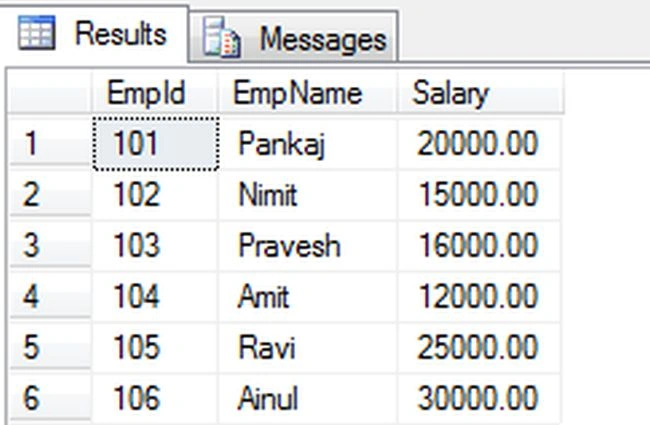
Now I will show you how to use aggregate functions in a Windows Forms application. Let's use the following procedure.
Step 1:
Open Visual Studio then select "Create New Project" --> "F# Console Application".
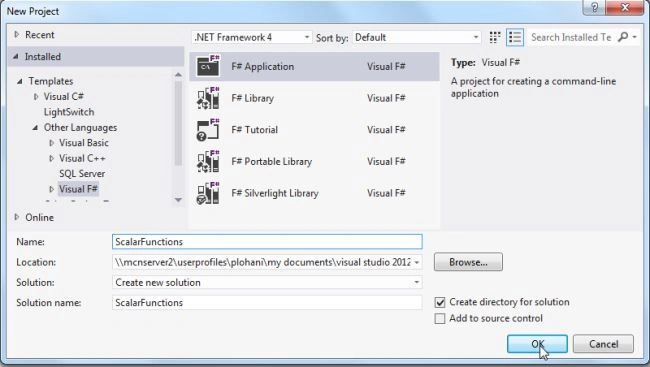
Step 2:
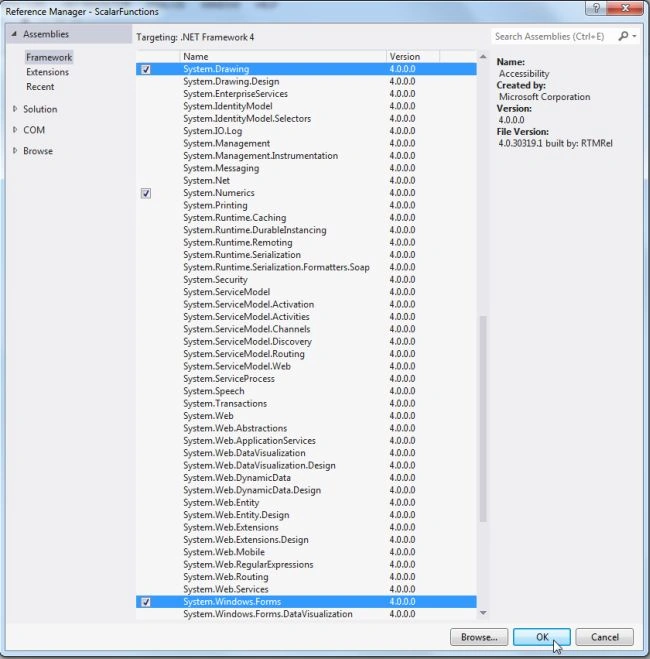
Now go the Solution Explorer, on the right side of the application. Right-click on "References" and select "Add references".
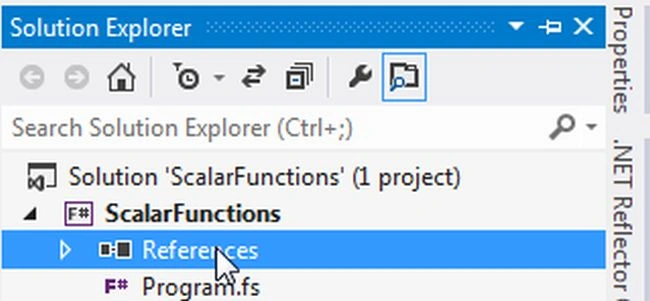
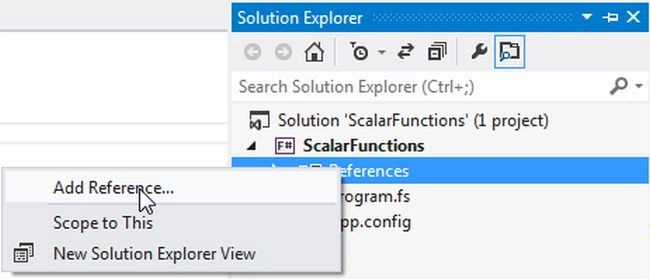
Step 3:
After selecting "Add References", in the framework template you need to select "System.Windows.Forms", "System.Drawing" and "System.Data" while holding down the Ctrl key and click on "Ok."
Step 4:
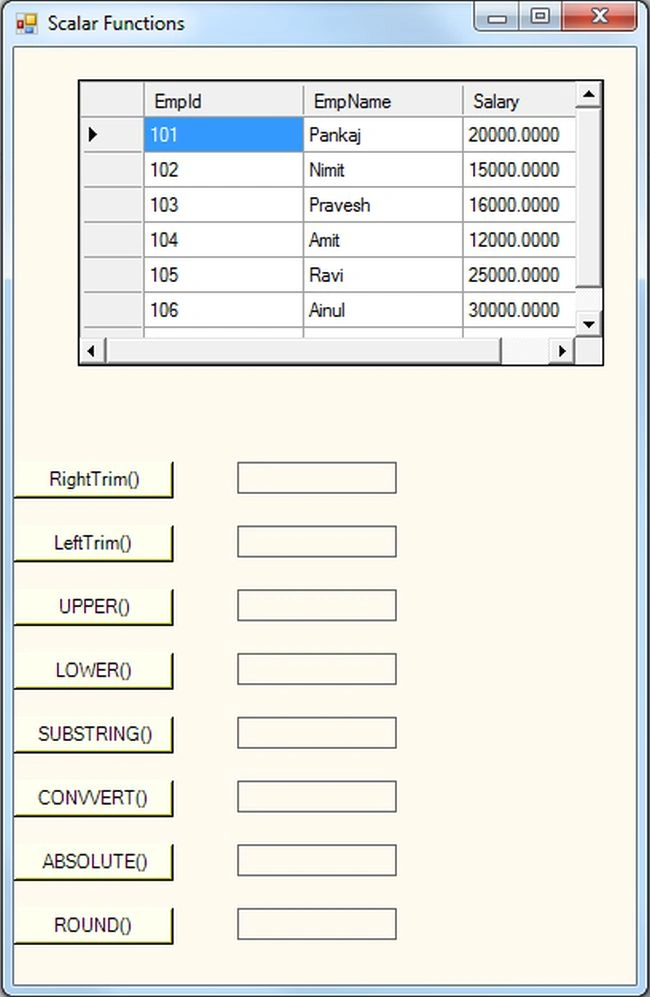
Write the following code that shows how to use scalar functions in a Windows Forms application.
Join the conversation! Your thoughts help the community grow.