

Introduction
Hi I hope you all are fine. Today we will see a new product for easily creating Office documents. Have you ever worked with any Office documents? If yes then I am sure you would encounter very problems and complex operations for loading and showing that loaded file and converting between them, like Word to PDF, PDF to Word, Word to HTML and so on. We developers may need to spend much time for these operations. Now I will introduce a new product that helps you to do it.
Background
A few days ago my manager asked me to integrate a featire in my project to load an Excel file, show that file and prepare to convert it to another format. As you all know these operations are not as easy as it sounds. I began developing it. During my research I became familiar with the product (e-iceblue). Trust me, this product is simply awesome and it does the work it must.
What is explained here
Once you download the necessary file from spire-office-for-net you are ready to go. Please install the application in your system. If you want, you can add the controls to your Visual Studio tool box during installation. Or you can manually load those. We will explain basics of the Spire Doc for .Net. I hope you will enjoy reading.
Starting
We will start with a “Hello World” program. Before getting started, please install Spire.Doc and Visual Studio 2008 or above. I am using Visual Studio 2015 RC. I hope everything is set.
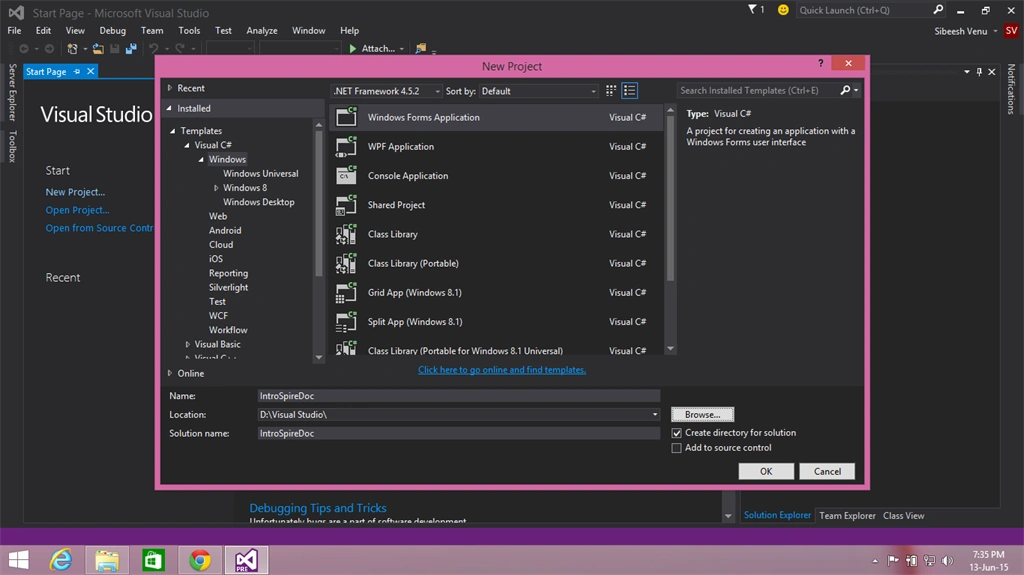
Open your Visual Studio, click on "File" -> "New" -> "Project..." then select Visual C# (if you are good in C# or select Visual Basic) then select Project -> Windows -> Windows Forms Application then name your project (I am naming it IntroSpireDoc).
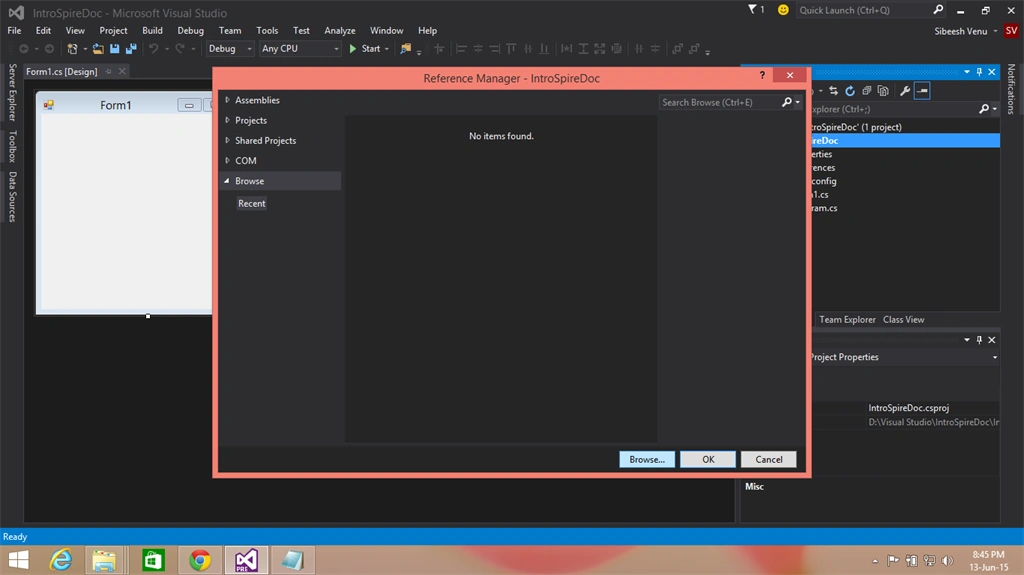
Right-click on your project and click Add reference. In the browse tab determine the folder in which you have installed Spire Doc. Usually it will be in the C:\Program Files\e-iceblue\Spire.Doc. Now just find your framework version from the BIN folder and add Spire.Doc.dll.
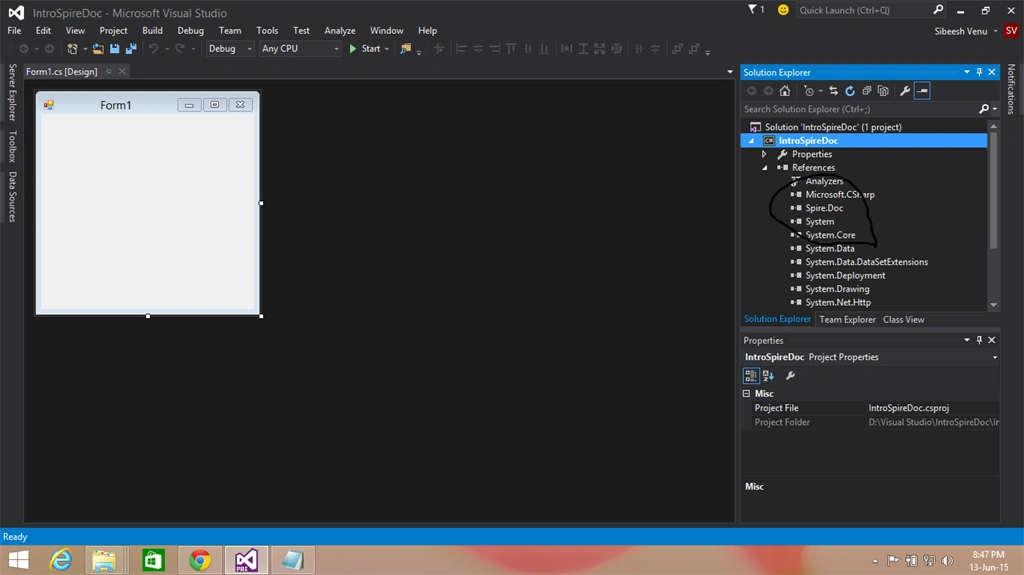
Cool! Now you are ready to go.
Create a button in the form and in the button click event we will start our coding part deal.
Before that please do not forget to load the references as in the following:
- using Spire.Doc;
- using Spire.Doc.Documents;
Now please add the following code to the button click event:
- //Create word document
- Document document = new Document();
- //Create word document
- Paragraph paragraph = document.AddSection().AddParagraph();
- //Append Text
- paragraph.AppendText("Hello World!");
- //Save doc file.
- document.SaveToFile("Sample.doc", FileFormat.Doc);
- //Launching the MS Word file.
- try
- {
- System.Diagnostics.Process.Start("Sample.doc");
- }
- catch { }
As you see in the preceding code, it is so simple, right? We have done the following processes by the preceding mentioned few:
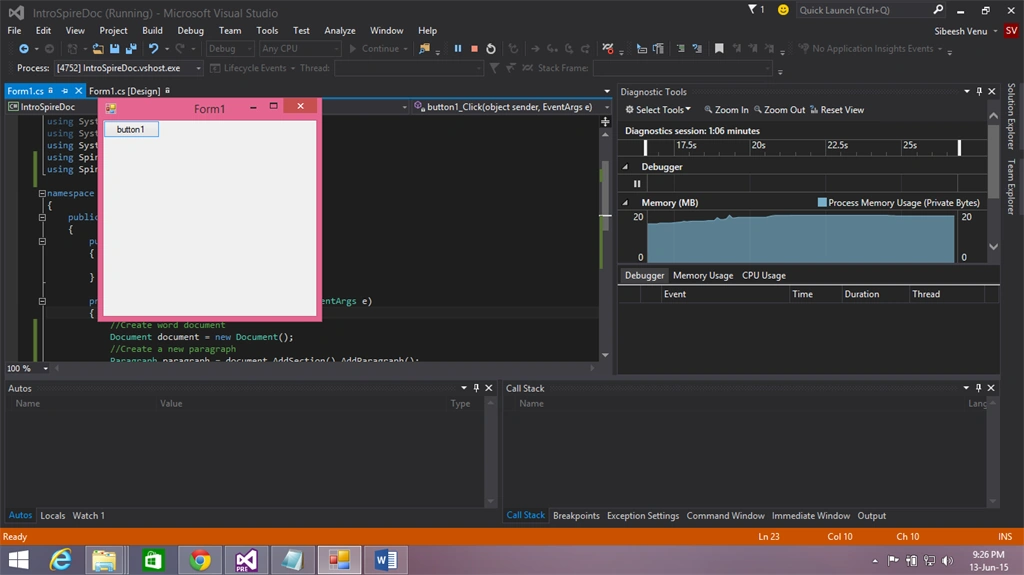
So we have done it. Now we will run our program and see the output. Are you ready?
Output
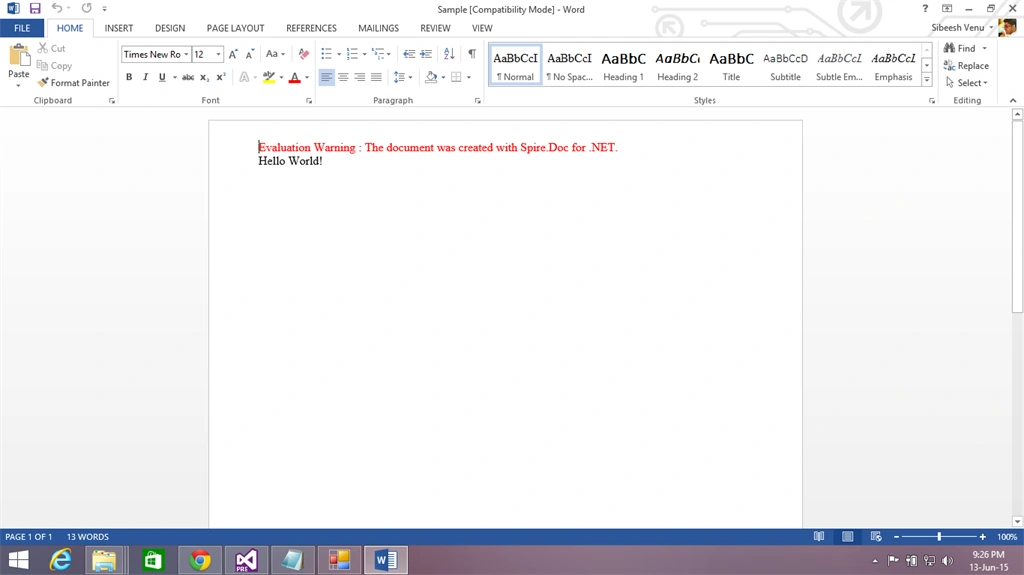
Conclusion
I hope you liked this article. Please share your valuable suggestions and feedback with me.
Kindest Regards,
Sibeesh Venu
Sibeesh VenuPosted May 3, 2016, 7:50 AM
Shakti Singh Dulawat Thanks a lot
Sibeesh VenuPosted May 3, 2016, 7:50 AM
Nitesh Luharuka Thanks
Nitesh KejriwalPosted May 3, 2016, 7:01 AM
More functions from the library - http://www.c-sharpcorner.com/article/managing-word-documents-with-spire-doc-library-functions/
Shakti Singh DulawatPosted Jun 16, 2015, 12:58 AM
Article is good
Shakti Singh DulawatPosted Jun 16, 2015, 12:58 AM
Nice point
Sandeep Singh ShekhawatPosted Jun 15, 2015, 6:01 AM
Third Party Marketing and Advertisement must have different category. These days e-iceblue is asking to write about their product to C# Corner authors. I had an eMail three moths ago which asks me write similar one. It is misuse of this platform. It's totally paid version. I request to admin to define to different category for these type articles.
Sibeesh VenuPosted Jun 15, 2015, 4:29 AM
Van Lai Thank you :)
Van LaiPosted Jun 15, 2015, 3:42 AM
Thanks for sharing.
Sibeesh VenuPosted Jun 15, 2015, 12:21 AM
Rakesh Chavda Thank you :)
Sibeesh VenuPosted Jun 15, 2015, 12:20 AM
Anoop Kumar Sharma Thank you :)
Sibeesh VenuPosted Jun 15, 2015, 12:20 AM
Santhakumar Munuswamy Thank you :)
Sibeesh VenuPosted Jun 15, 2015, 12:20 AM
Pankaj Kumar Choudhary Thank you :)
Sibeesh VenuPosted Jun 15, 2015, 12:20 AM
Manoj Kulkarni Thank you :)
RakeshPosted Jun 14, 2015, 3:13 PM
Good one
Anoop Kumar SharmaPosted Jun 14, 2015, 2:09 PM
Nice Article. Thanks for sharing..!! :-)
Santhakumar MunuswamyPosted Jun 14, 2015, 12:18 PM
Thanks for nice article:) Keep it up
Pankaj Kumar ChoudharyPosted Jun 14, 2015, 12:17 PM
Nice Article Sir............
Manoj KulkarniPosted Jun 14, 2015, 12:14 PM
Very helpful. Thank you for sharing