

Introduction
TypeScript is a new language from
Microsoft. It is actually an Open Source project hosted in CodePlex. You can refer to many of the other articles on this web site for more about TypeScript. TypeScript programs are converted to JavaScript. Therefore, to develop TypeScript programs in Visual Studio we need to have Visual Studio process the TypeScript programs.
This article is written for Visual Studio 2010 (VS 2010). The procedures for doing what is described in this article change in every version of VS, not always for the better. I know that VS 2008 has a more convenient way to do this,
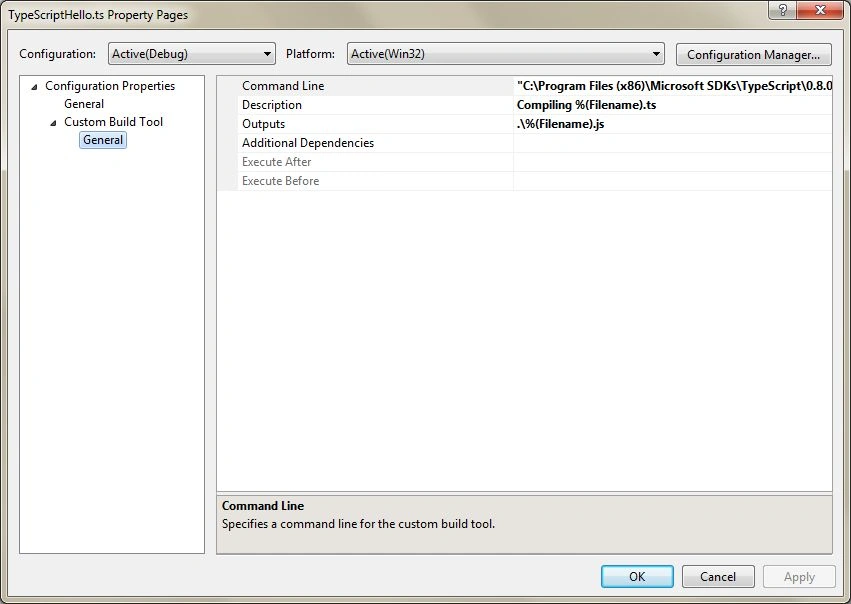
but I forget the details. If you only need to work with TypeScript (and optionally HTML) in a project then this will make it easy to do. This article shows how to specify a Custom Build Tool for TypeScript programs.
A VS 2010 Custom Build Tool is a way to specify a program, such as a
compiler, to be used to process a file in a project. A Custom Build Tool can be specified to do what we need done for TypeScript programs. If you are anxious to see the details of what that is, jump ahead to Specifying the Custom Build Tool.
I will explain what a custom build tool is. If you specify a custom build tool for a file in a VS 2010 project, then when you build the project, if the file has been modified since the last build, then the file is processed by the specified tool. Let me say that in other words. I will use the example of a
C# program. The C# compiler is csc.exe. If a .cs file (C# program) in a project has been modified after the last build was done, then the file is processed by
the tool specified for the file, which is csc.exe for C# programs. For
TypeScript, the tool (compiler) is tsc.exe. Therefore we want VS to execute
tsc.exe for each .ts file in our project when the .ts file has been modified after the last build.
There is one other detail. I am using a C++ project for this. I know that seems
strange, but to do what is described here (and as far as I know), it is a requirement
that a C++ project be used, even though we have no C++
programs in the project. You do not need to understand why but I will try to explain. C++ is the only language that VS supports that is unmanaged or that can be unmanaged. In managed languages, only one language can exist in a project;
projects for managed languages (other than C++) cannot mix languages. C++
projects, however, can include files containing other computer languages, to be compiled by a compiler other than C++. Therefore,
for projects other than C++, VS uses one and only build tool (compiler), such as
CSC; there is no need to specify a custom build tool for any file except the one type of file that the project builds. Items of a C++ project can be other than
C++ and therefore C++ projects support customization of what tool to use to build items.
If you have not yet installed the TypeScript plugin then follow the instructions in TypeScript With Visual Studio 2010
to do that. You will need to know the directory where the test command was
installed, the directory will be used later in this article.
It is possible to do something like this for a file in a managed project in VS
2010 but it is not so easy to figure out. It is easier to use when it is set up but I need to learn more before I can explain it for others. I hope you understand all that but the following is the important part.
You can create any type of C++ project but for this article, I will create an empty C++ project.
Therefore in VS, you can do:
"File" | "New" | "Project..."
Then in the "Installed Templates" click on the "Visual C++" node. Then in the
middle pane click on "Empty Project". Give a name for the project; I used
"TypeScriptHello". Change the location if you need to. The window should look as
in the following:
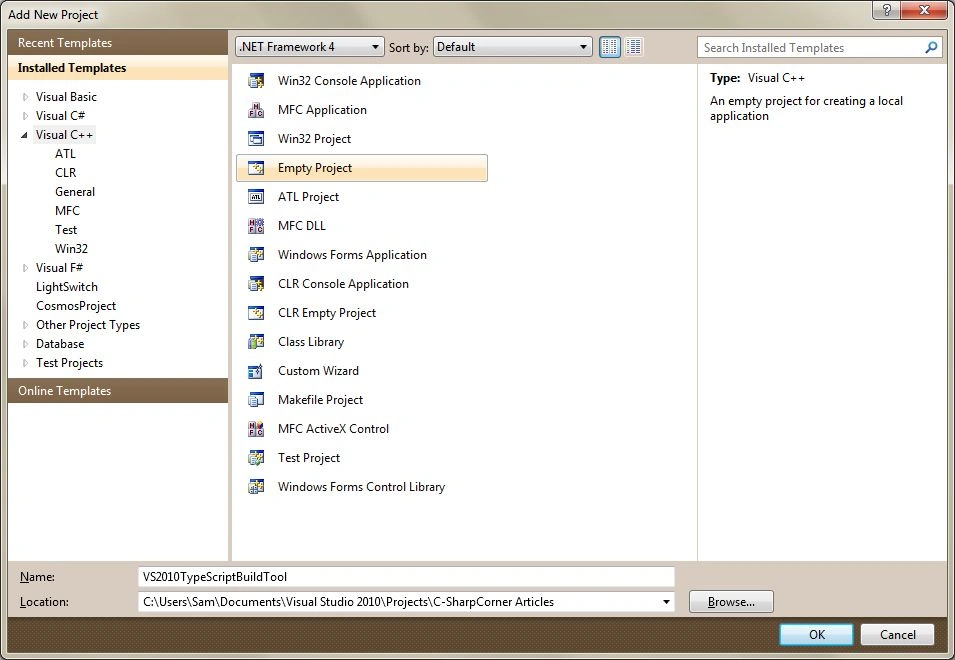
Then click "OK".
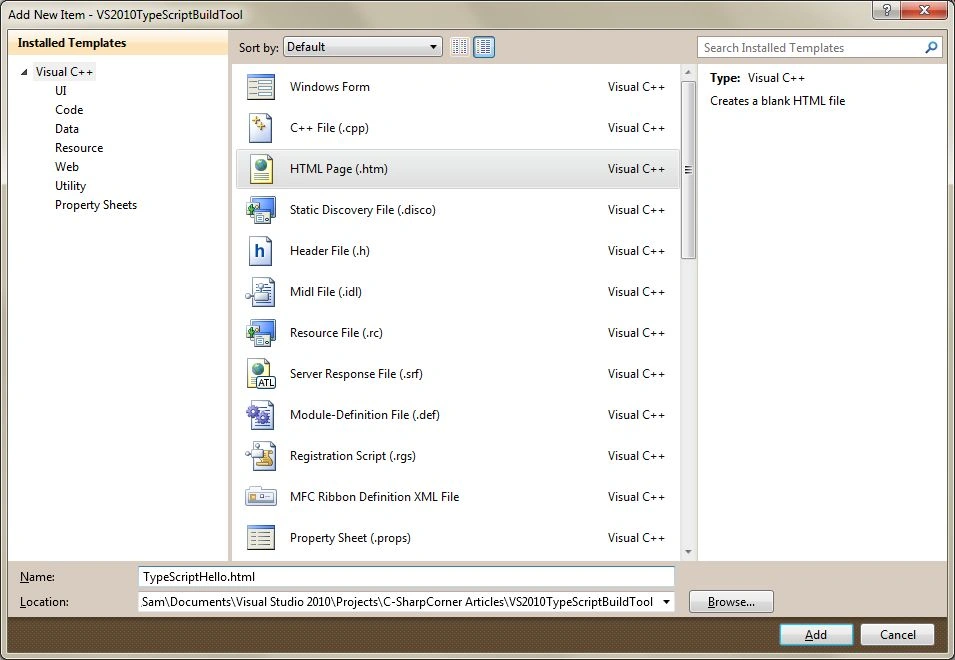
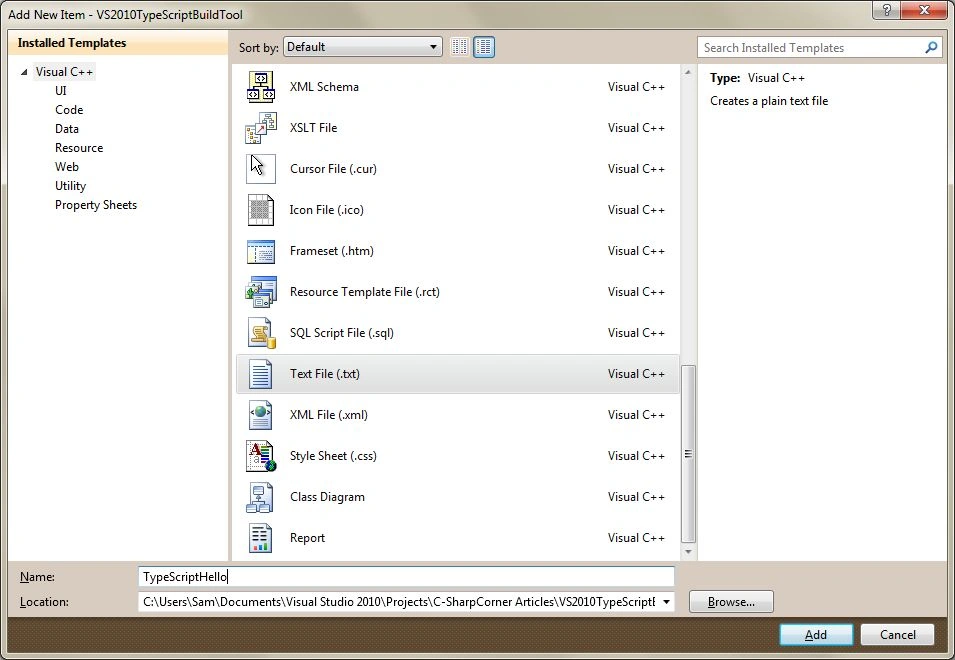
Next, we will add an HTML file. An HTML file is not necessary for this but it makes the sample more interesting. Go to the Solution Explorer and right-click on the project. Select "Add" | "New Item...". You will get an "Add
New Item" window. In the middle pane, select "HTML Page (.htm)". Specify a name for the file; I used "TypeScriptHello.html". The window should look as in the
following:

Hashim ShafiqPosted Aug 21, 2015, 10:16 PM
Nice
Anil KumarPosted Oct 24, 2012, 12:19 PM
Explained so nicely!!!
Nishant RoyPosted Oct 15, 2012, 11:10 PM
Nice article to understands Visual Studio 2010 TypeScript Build Tool. thanks for sharing.
Sam HobbsPosted Oct 15, 2012, 12:05 PM
Nitin, I assume that you are asking about a website that would not be a C++ project. So you could not use this to work with TypeScript in a website. You could create a separate project and develop TypeScript in it and then copy the JavaScript from the C++ project to the website project.
Nitin BhardwajPosted Oct 15, 2012, 6:45 AM
Hello Sam, Can we add ts file in a website?
Dinesh BeniwalPosted Oct 15, 2012, 6:36 AM
Great start Sam.