

As a developer, we always have a chance to install Visual Studio either Professional Edition or Enterprise Edition, and we might meet the same issues, such as choosing components, in each installation. I will screenshot the installation process here, to avoid the duplicated work in each installation, with a brief discussion.
Although the latest version of Visual Studio is 2022, this installation is based on the current Visual Studio 2019. Download the Visual Studio 2019, either Professional Edition or Enterprise Edition, from Microsoft and start to run the installation:
The Principle of choosing components,
If you install Visual Studio in the company, some company might have a default installation, or a customized installation with certain rules or requirements, in those cases, you just need to follow the procedure. We discuss the situation, that developer has admin right and can choose what components he wants.
As a developer, we can never say we have used all Visual Studio components or tools in our development career, however, on the other hand, we might have chance to use additional or new components or tools in our future development, so I usually would like to install Visual Studio like the below:
Principles:
- If computer is fast enough, install all components that we might need
- Not install some components that we never have a chance to use:
- Game
- C++ related
When we run the Visual Studio installer, we usually have two places to choose:
- Workloads
- Individual Components
Installed Items
- A: Work Loads:
- A-1: Web & Clouds
- A-2: Desktop & Mobiles
- A-3: Game
- A-4: Other Toolsets
- B: Individual Components
- B-1: .NET
- B-2: Cloud, Database and Server
- B-3: Code Tools
- B-4: Compilers, Build Tools, and Runtimes
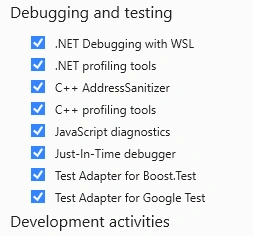
- B-5: Debug and Testing
- B-6: Development Activities
- B-7: Emulators and Games
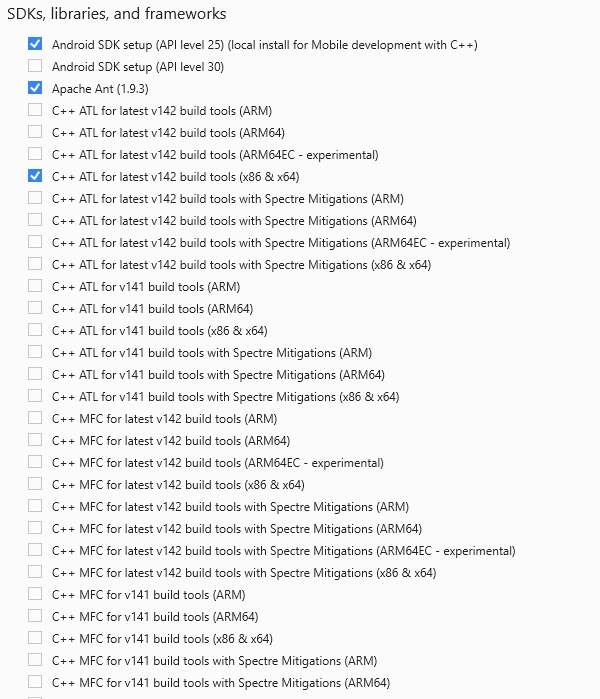
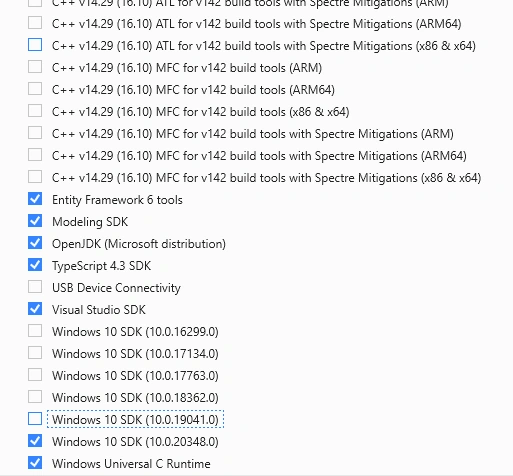
- B-8: SDKs, Libraries, and Frameworks
A: Work Loads
This part will give us chance to make a basic development approach without detailed choices, if you are new in the development field you might only choose this part, that should be enough to include major components for your development.
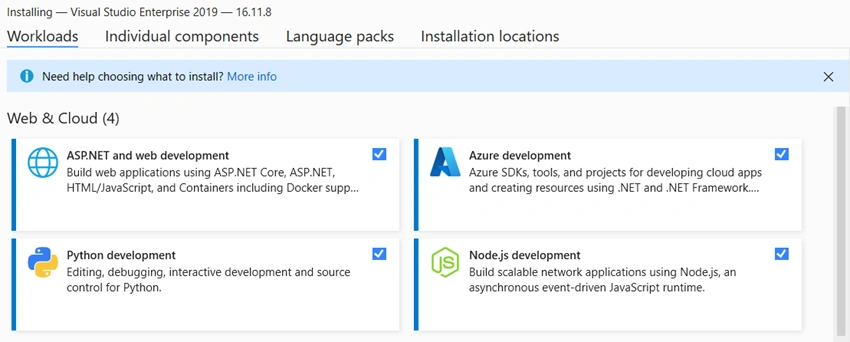
A-1: Web & Cloud
For this category, we might skip Python if not use it or even Node.js.
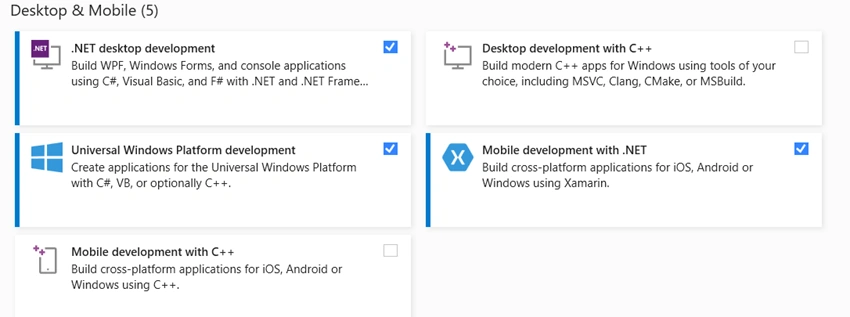
A-2: Desktop & Mobiles
We might just choose Desktop, but I include mobile, just in case I have chance to do that.
A-3: Game
Not choosing, except you are the game developer.

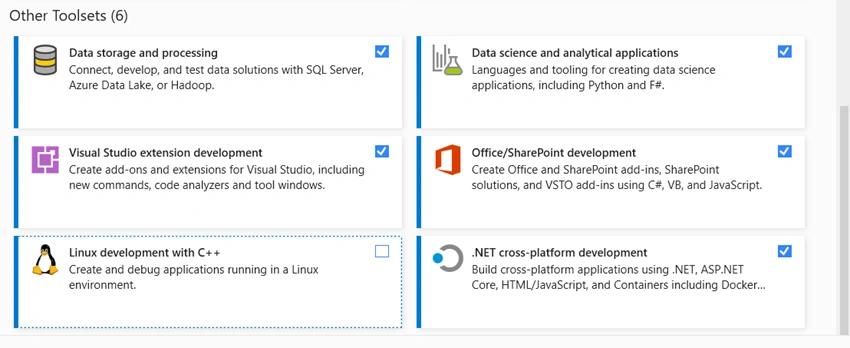
A-4: Other Toolsets
I prefer to include all of them in case we need to use them, except C++ that I am sure I usually do not use it,
B: Individual Components
This part will give us chance to make detailed choices.
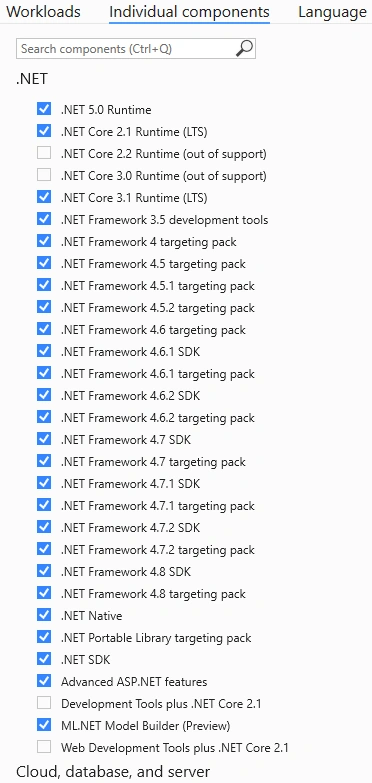
B-1: .NET
We can choose the default that is configured by Work Loads, and we also can choose the most in the case we need them (without our of support ones):
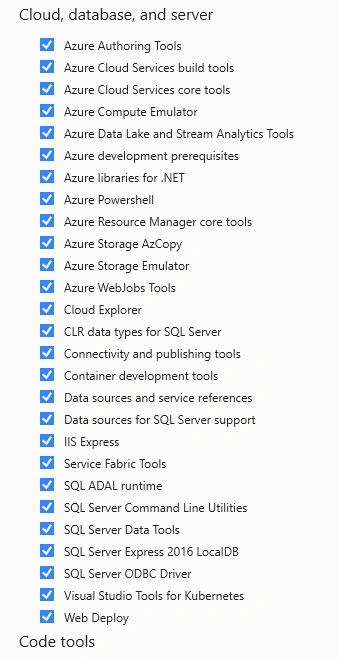
B-2: Cloud, Database and Server
I choose all of them:
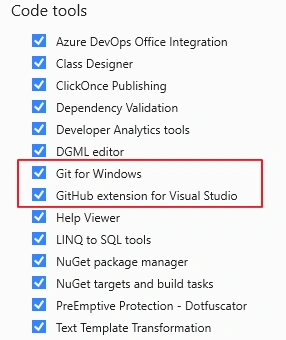
B-3: Code Tools
I choose all of them:
Note
When we installed Visual Studio associated with Git for Windows, then we might not need to install Git independently as introduced in Source Control (4-1), Git --- Configuration, On the other hand, just due to this Visual Studio installation including Git, it introduced the configuration error, introduced in this article: Source Control (4-2), Git --- Configured to Connect to DevOps and GitHub, Therefore, if we make the installation with a standard format, then we will get the same error, and we can debug in the same and known way.
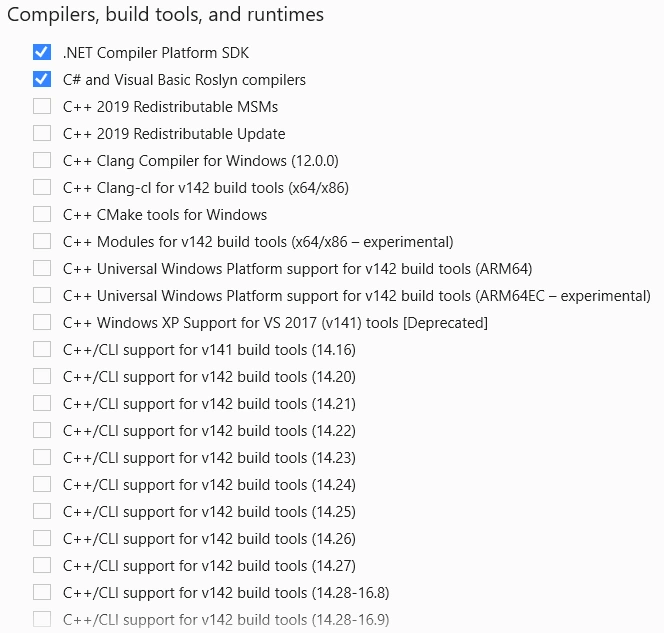
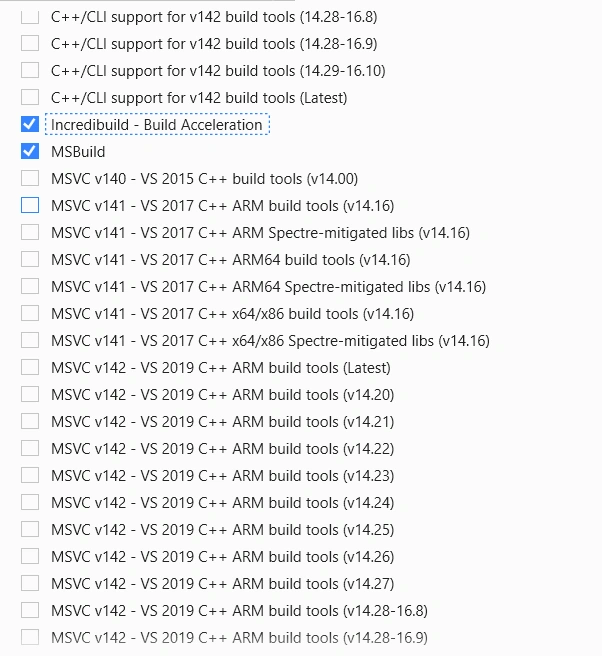
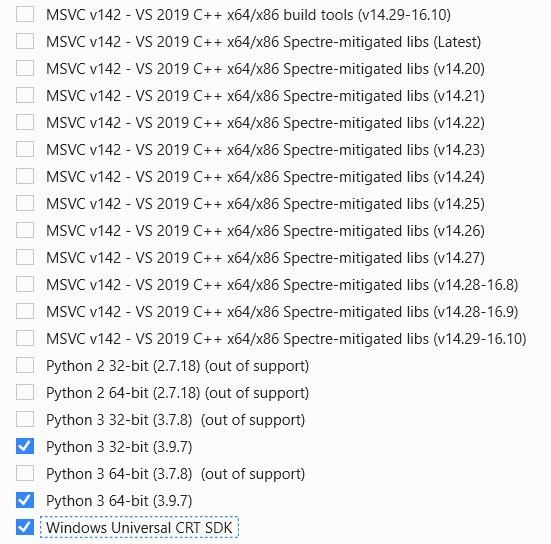
B-4: Compilers, Build Tools, and Runtimes
We do not choose anything related to C++
B-5: Debug and Testing
We do not choose anything related to C++
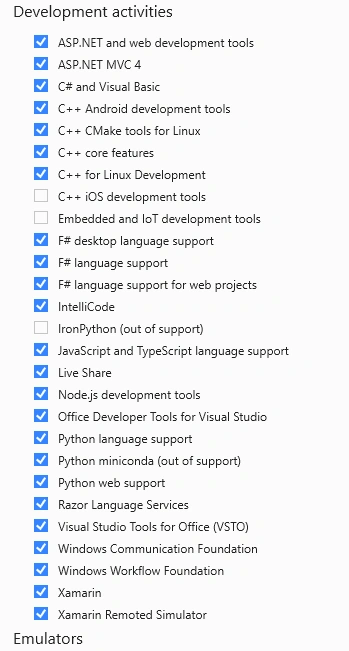
B-6: Development activities
We do not choose anything related to C++
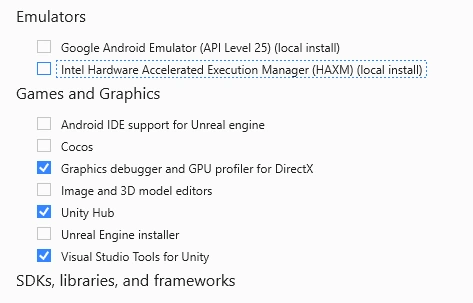
B-7: Emulators and Games:
We will not include in principle.
B-8: SDKs, Libraries, and Frameworks
We do not choose anything related to C++
Summary
With a standard installation, we can reduce the configuration time, and easy to debug the same or similar errors in the installation.
Join the conversation! Your thoughts help the community grow.