
This article is about implementing WCF using NetTcpBinding. NetTcpBinding can be useful where IIS services are not needed.
How WCF NetTcpBinding works?
- The ServiceHost class has been used to configure and expose the service for use by the client application.
- AddServiceEndPoint method of ServiceHost Class
It adds a service endpoint to the hosted service with a specified contract (interface), binding (object of NetTcpBinding), and a URI that contains the endpoint address.
- Open method launches the Service.
- EndPointAddress class
Provides a unique network address that a client uses to communicate with a service endpoint.
It is specified both in the server and the client and must be the same.
- ChannelFactory class
It is a generic class that creates and manages the channels that are used by clients to send messages to service endpoints.
- Class Library for creating the business component.
- One Windows Application to provide the hosting environment.
- Another Windows Application that will act as the client.
The A, B, C's of WCF have been configured manually using the appropriate classes.
System.ServiceModel.dll has been included and the appropriate namespaces and classes have been included to provide the implementation.
1. Business Component
The code for the Business Component has been defined in 2 files. First one is the interface file and second one is the Class file that implements the interface logic.
The name of the class library project was remlbb.
Add reference to System.ServiceModel.dll
Code of the interface
- using System;
- using System.Collections.Generic;
- using System.Linq;
- using System.Text;
- using System.ServiceModel;
- namespace remlbb
- {
- [ServiceContract]
- public interface myinterface
- {
- [OperationContract]
- string Upload(string s);
- }
- }
Code of the class providing the implementation
- using System;
- using System.Collections.Generic;
- using System.Linq;
- using System.Text;
- namespace remlbb
- {
- public class implementclass : myinterface
- {
- public string Upload(string s)
- {
- return "hello" + "--" + s;
- }
- }
- }
The Server Application for providing the Hosting environment
- Give your own name to the application. I named it WindowsFormsApplication7mar.
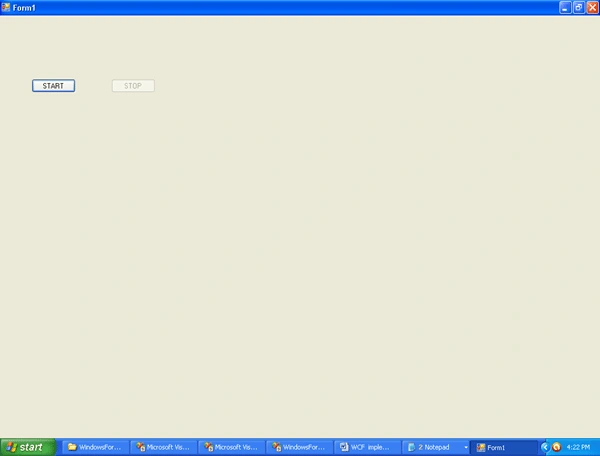
- Take 2 buttons and change their Text to Start and Stop
- Add reference to System.ServiceModel.dll and remlbb.dll
The snapshot of the exe of Server Application looks as follows
Type this code in the Form1.cs file
Sandip AgrawalPosted Jun 24, 2014, 2:38 AM
made in very old version of Visual Studio. Cant be opened in 2013