

This is the "Web API with AJAX" article series. Here we are explaining various concepts of the ajax() function of jQuery by combining it with the Web API . We have explained various concepts of RESTful services and the ajax() function to consume them. You can visit all those articles by clicking on the following links:
- Web API with AJAX: Understand POST request in Web API
- Web API with AJAX: Understand GET request in Web API
- Web API with AJAX: Make PUT Request in RESTful Web API Service
- Web API With AJAX: Understand DELETE Verb in Restful Web API
- Web API With AJAX: Use GetJSON() Function to Get JSON Data
- Web API with AJAX: Understand Method Name and Attribute in Web API
- Web API with AJAX: Understand FormBody and FormUri attribute inWeb API
- Web API With AJAX: Understand AcceptVerb Attribute in Web API
In this article we will learn various parameters of a success callback function in the ajax() function of jQuery. We know that the jQuery ajax() function supports many callback functions and among them "success" and "error" are very popular. So, let's start to understand with examples.
First of all we will create this "person" controller where we have defined one POST action named "PostAction" that is returning one string . And in all examples we will use the same controller.
public class personController : ApiController
{
[HttpPost]
public String PostAction()
{
return "This is post";
}
}
Get return data from controller
From the "PostAction" action of the person controller we are returning string data (that will be returned as JSON) and we need to get it in the ajax() function. Here is the implementation of the ajax() function.
<%@ Page Language="C#" AutoEventWireup="true" CodeBehind="APICall.aspx.cs" Inherits="WebApplication1.APICall" %>
<head id="Head1" runat="server">
<script src="jquery-1.7.1.js" type="text/javascript"></script>
<script>
$(document).ready(function () {
$("#Save").click(function () {
$.ajax({
url: 'http://localhost:3413/api/person',
type: 'POST',
dataType: 'json',
success: function (data, status, textStatus) {
console.log("Value of data:- " + data);
},
error: function (xhr, textStatus, errorThrown) {
console.log('Error in Operation');
}
});
});
});
</script>
</head>
<body>
<input type="button" id="Save" value="Save Data" />
</body>
</html>
We are receiving return data using a "data" parameter. Here is the output with the content of the "data" parameter.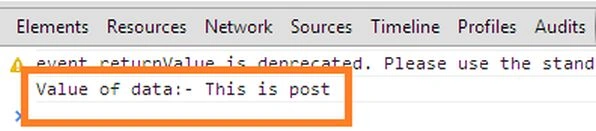
Status parameter to check status
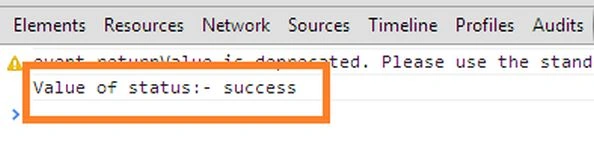
The status parameter helps to check the status of the ajax() request and response. In this example we are printing the value of the status parameter.
<%@ Page Language="C#" AutoEventWireup="true" CodeBehind="APICall.aspx.cs" Inherits="WebApplication1.APICall" %>
<head id="Head1" runat="server">
<script src="jquery-1.7.1.js" type="text/javascript"></script>
<script>
$(document).ready(function () {
$("#Save").click(function () {
$.ajax({
url: 'http://localhost:3413/api/person',
type: 'POST',
dataType: 'json',
success: function (data, status, textStatus) {
console.log("Value of status:- " + status);
},

Join the conversation! Your thoughts help the community grow.