Introduction
This article describes, what are predefined system variables in Automation Anywhere using community edition.
About Variables
Variables are used to store any value for future need like any calculation or passing value from one location to another location. We can use value via variable in the rest of the code based on variable scope. Sometimes we need to show system based values so in Automation Anywhere there are some predefined system variables like-
- Machine
- OSName
- AAControlRoom
- Date
- Day
- Hour
- Minute
- Millisecond
- Month
- RAMUsage
- Second
- TotalRAM
- Year
If you are a beginner then need to check this article Getting Started Robotic Process Automation using Automation Anywhere to create environment of Automation Anywhere.
Create a New bot
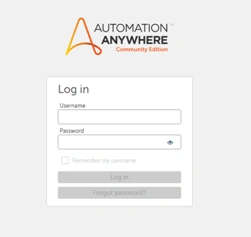
After logging Automation anywhere account through cloud community edition link,
You will see a Dashboard as shown in below image and you can create a new bot through highlighted button ‘create a bot’-
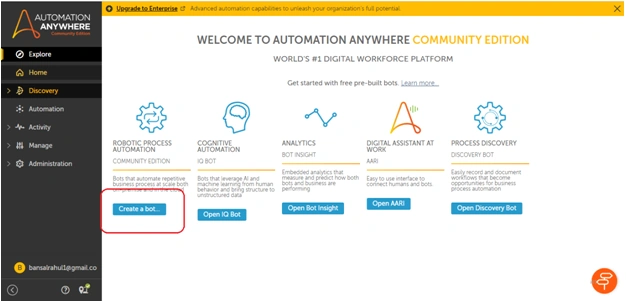
Bot Configuration
After clicking on ‘create a bot’ button, you will get a popup window. It will ask some information about bot which you want to create like-
- Name of bot
- Description of bot
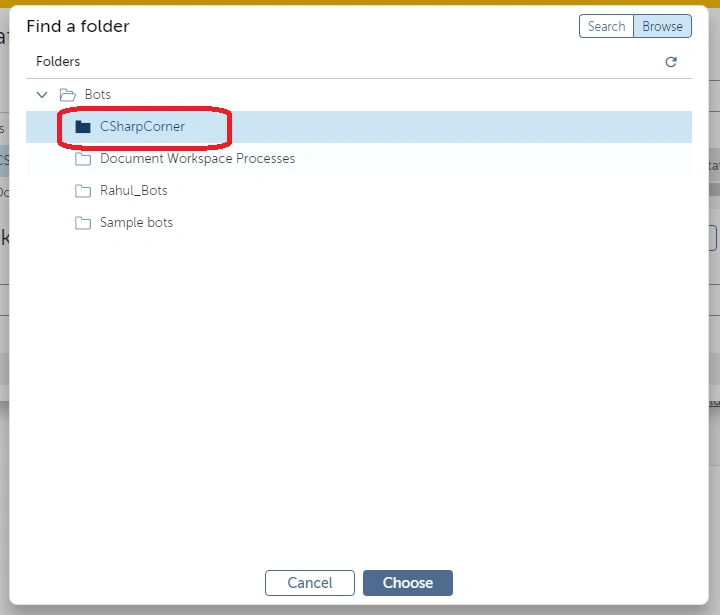
- Folder location of bot

After clicking on choose option, a popup window will come where you can browse ‘CSharpCorner’ folder and click on choose to set a default location for your new bot.
I gave name as ‘System_Variables’ to my new bot. After clinking on ‘create & edit’, Bot Editor will look alike below where you need to
- Select ‘messageBox ’ from left ‘Action’ pane
- Drag/Drop it in flow workspace.
- Add messagebox window title and text through right pane
- Save the bot from top
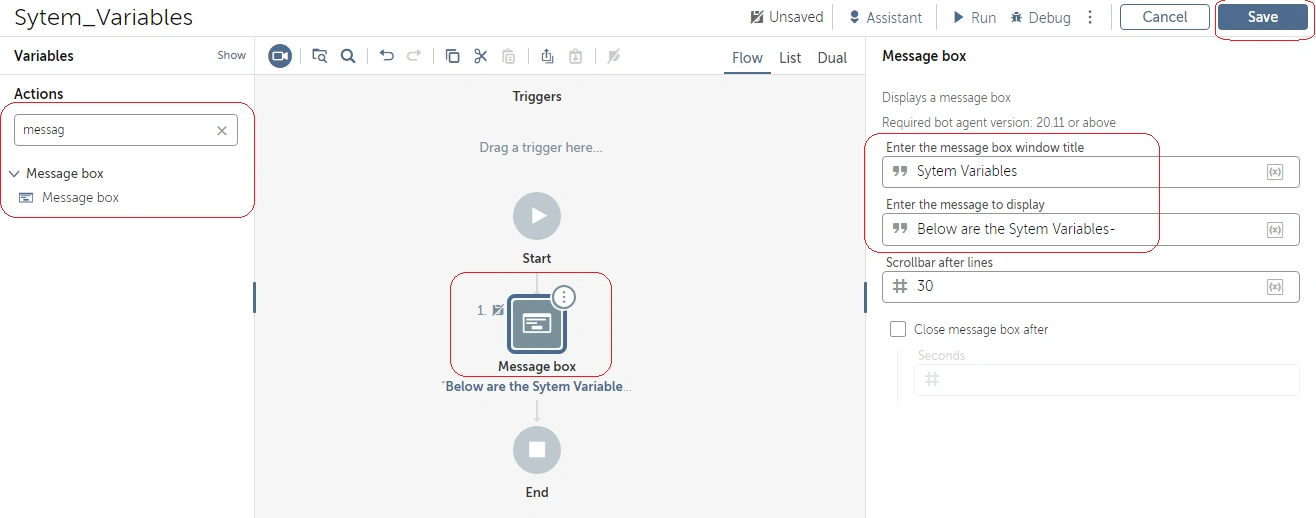
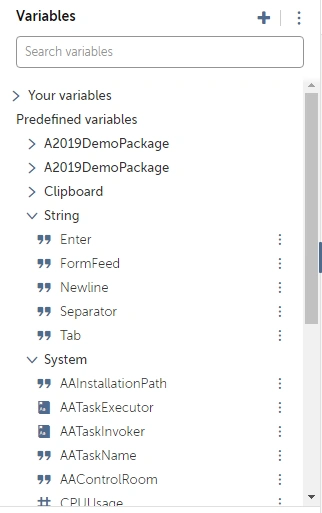
You can go to left ‘Variables’ pane and check that, there are couple of predefined variables including string and system, etc.-
You just need to put below content in message section of ‘Messagebox’ to display value of each variable.
Below are the System Variables-$String:Newline$
- Machine: $System:Machine$$String:Newline$
- OSName: $System:OSName$$String:Newline$
- AAControlRoom: $System:AAControlRoom$$String:Newline$
- Day: $System:Day.Number:toString$$String:Newline$
- Hour: $System:Hour.Number:toString$$String:Newline$
- Minute: $System:Minute.Number:toString$$String:Newline$
- MilliSecond: $System:MilliSecond.Number:toString$$String:Newline$
- Month: $System:Month.Number:toString$$String:Newline$
- RAMUsage: $System:RAMUsage.Number:toString$$String:Newline$
- Second: $System:Second.Number:toString$$String:Newline$
- Year: $System:Year.Number:toString$$String:Newline$
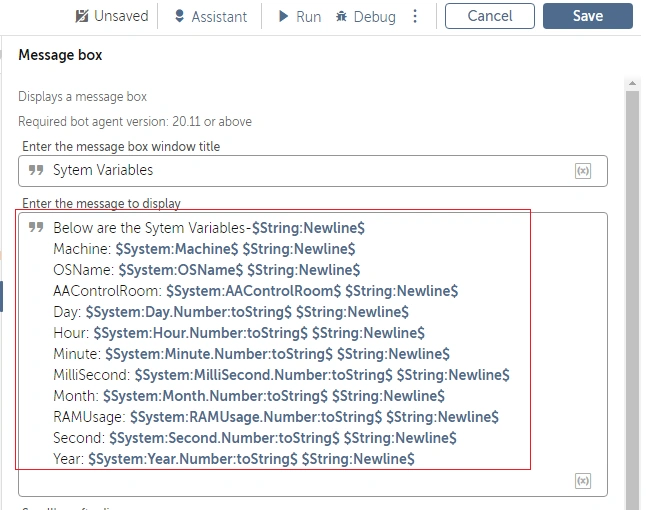
I will explain the syntax of above content where every variable is a predefined variable-
- $String:Newline$ (string variable to create a new line)
- $System:Machine$ (system variable to show machine name)
- $System:OSName$ (system variable to show Operating system name)
- $System:AAControlRoom$ (system variable to show Automation Anywhere control room name)
- $System:Day.Number:toString$ (system variable to show day in number so we converted it into string)
- $System:Hour.Number:toString$ (system variable to show hour in number so we converted it into string)
- $System:Minute.Number:toString$ (system variable to show minute in number so we converted it into string)
- $System:MilliSecond.Number:toString$ (system variable to show millisecond in number so we converted it into string)
- $System:Month.Number:toString$ (system variable to show month in number so we converted it into string)
- $System:RAMUsage.Number:toString$ (system variable to show RAM usage in number so we converted it into string)
- $System:Second.Number:toString$ (system variable to show second in number so we converted it into string)
- $System:Year.Number:toString$ (system variable to show year in number so we converted it into string)
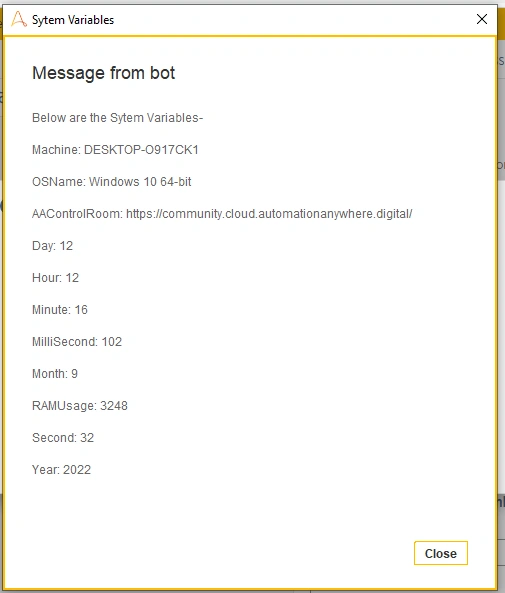
Click on save button and run the bot. You will see the below output window-
Conclusion
In this article, you have learned what are Variables and System variables RPA and how to use them in a bot in an environment of Automation Anywhere.


Join the conversation! Your thoughts help the community grow.