

Introduction of JList
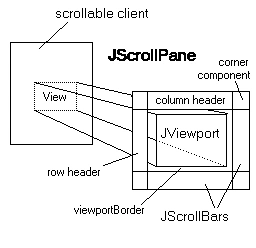
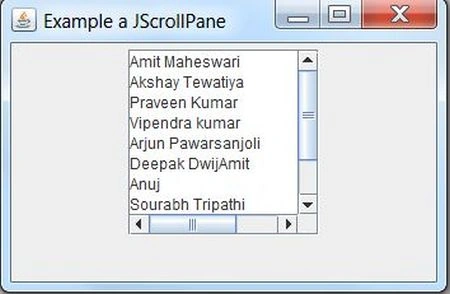
In this article, we are going to describe how to use JList and JScrollPane in an application. JList is a component that displays a group of items to the user and allows him/her to select one or more items from the list. A listModel(interface) is used for maintaining the contents of the list. A class DefaultListModel(inherits ListModel) is used for maintaining a contents list. This class actually provides methods to add removeAll elements or a specific elements list and to find the index of an element. A component that allows the user to select one or more objects from a list. A separate model, ListModel, represents the contents of the list. It's easy to display an array or vector of objects, using a JList constructor that builds a ListModel instance for you. A List doesn't support scrolling directly. To create a scrolling list you make the JList the viewport view of a JScrollPane. By default the JList selection model allows any combination of items to be selected at a time, using the constant MULTIPLE_INTERVAL_SELECTION. The selection state is actually managed by a separate delegate object, an instance of ListSelectionModel. However, JList provides convenient properties for managing the selection.
Note - JJList doesn't provide any special support for handling double or triple (or N) mouse clicks however it's easy to handle them using a MouseListener. Use the JList method locationToIndex() to determine what cell was clicked.
Example
- import javax.swing.*;
- import javax.swing.event.ListSelectionEvent;
- import javax.swing.event.ListSelectionListener;
- import java.awt.*;
- import java.awt.event.*;
- public class JListExample extends JFrame
- {
- JList list;
- String[] listColorNames = {
- "BLACK",
- "BLUE",
- "GREEN",
- "YELLOW",
- "WHITE"
- };
- Color[] listColorValues = {
- Color.BLACK,
- Color.BLUE,
- Color.GREEN,
- Color.YELLOW,
- Color.WHITE
- };
- Container contentpane;
- public JListExample()
- {
- super("List Example ");
- contentpane = getContentPane();
- contentpane.setLayout(new FlowLayout());
- list = new JList(listColorNames);
- list.setSelectedIndex(0);
- list.setSelectionMode(ListSelectionModel.SINGLE_SELECTION);
- contentpane.add(new JScrollPane(list));
- list.addListSelectionListener(new ListSelectionListener()
- {
- public void valueChanged(ListSelectionEvent e)
- {
- contentpane.setBackground(listColorValues[list.getSelectedIndex()]);
- }
- });
- setSize(300, 300);
- setVisible(true);
- }
- public static void main(String[] args)
- {
- JListExample test = new JListExample();
- test.setDefaultCloseOperation(JFrame.EXIT_ON_CLOSE);
- }
- }
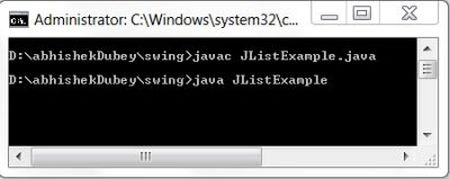
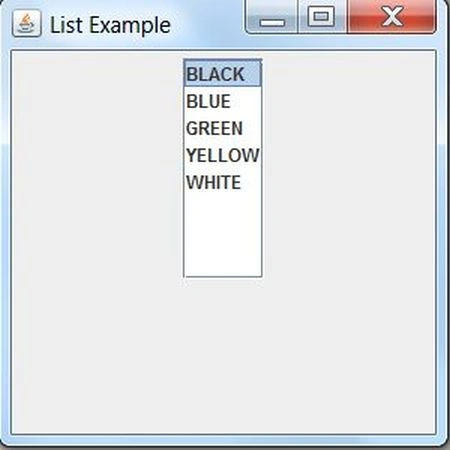
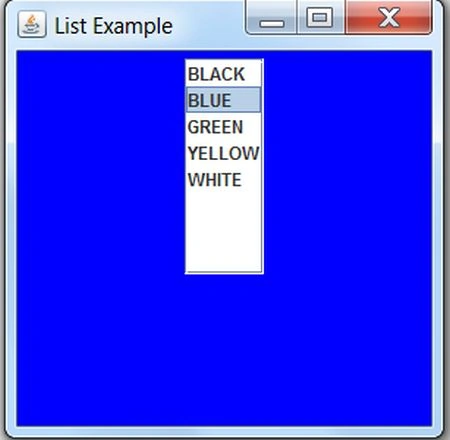
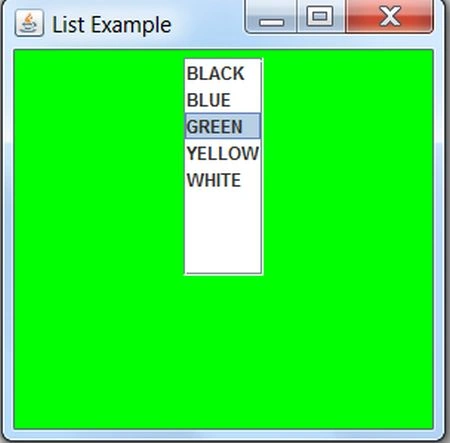
Join the conversation! Your thoughts help the community grow.