
PHP Sessions
A session is a way to store information (in the form of variables) to be used
across multiple pages.
Or
The PHP session variable is used to store information about, or change settings for
a user session. Session variables hold information about one single user, and
are available to all pages in one application.
Starting with PHP session
For starting a php session use the builtin function session_start(). This
function is used in the between the php tags, as follow:
<html>
<head>
<title>Session</title>
</head>
<body
bgcolor="orange">
<center>
<h3>
Starting up a session
</h3><hr>
<p>
session_start()
</p>
<?php
session_start();
// start
up your PHP session!
?>
</center>
</body>
</html>
Save it as session1.php
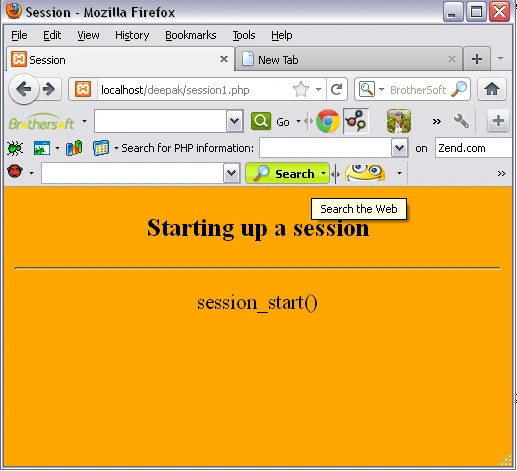
Output of the above script
To run the code Open the XAMPP server an start the services like Apache and MySQL.
Open the browser and type: http://localhost/yourfoldername/session.php
Storing a session variable
In this section we will use the
correct way to store and retrieve
session variables is to use the PHP $_SESSION variable:
PHP script for storing session
<html><head><title></title></head>
<body
bgcolor="cyan">
<center>
<h3>
Storing the session in the variable</h3><hr>
<?php
session_start();
$_SESSION['views']
= 1;
// store
session data
echo
"Pageviews
= ".
$_SESSION['views'];
//retrieve data
?>
</center>
</body>
</html>
Save it as seevar.php
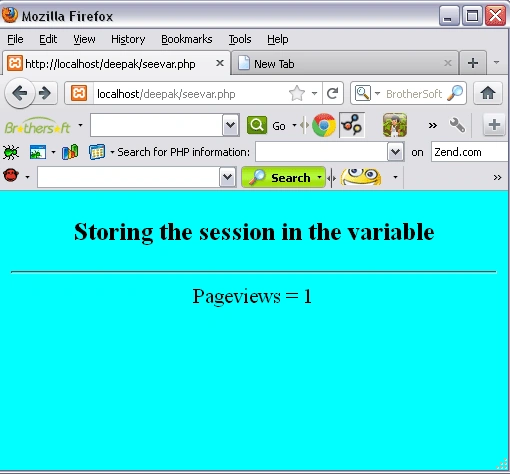
Output of above script
To run the code, Open the XAMPP server and start the services like Apache and MySQL.
Open the browser type: http://localhost/yourfoldername/session.php
Join the conversation! Your thoughts help the community grow.