

Introduction
Windows 8 had a great start in previous days, and my Dell Inspiron N5010 didn't support Bluetooth drivers, I searched many websites but everywhere is was mentioned that N5010 doesn't have a Bluetooth drivers support for Windows 8. But then I found a quick fix. Follow the below steps :
Step 1
Run 15r BTOOTH.exe (your Bluetooth driver for Windows 7).
Your files will get extracted in C:\Dell\R273948
Step 2
Goto the path C:\dell\drivers\R273948\Win64.
Locate BTW.msi and run it in compatibility mode.
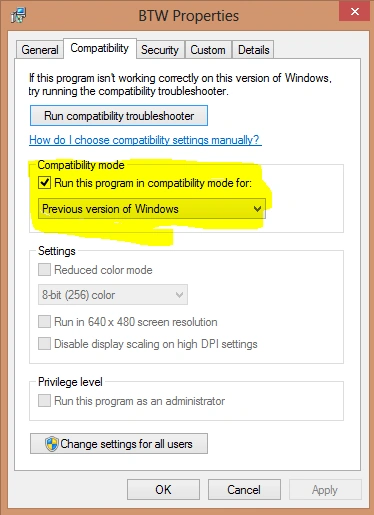
It will start installing and in the end, it will ask did it worked fine well in compatibility mode, Press Yes.
You are done. Enjoy.
Join the conversation! Your thoughts help the community grow.