

In this blog, we Generate XML File From SQL Database Using C#.
Creating Table in SQL Server Database
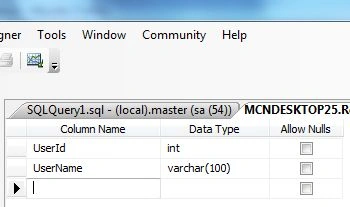
Now create a table named UserDetail with the columns UserId and UserName. The table looks like as below.
Now insert some data into the table.
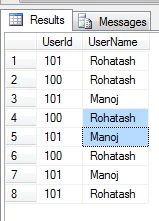
Now creating a new web application project in Visual Studio 2010. Now add the following namespace.
using System.Data.SqlClient;
using System.Data;
using System.Xml;
Now write the connection string to connect to the database.
string strConnection = "Data Source=.; uid=sa; pwd=wintellect;database=Rohatash;";
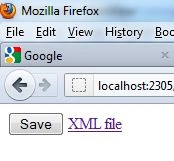
Let's take a closer look at using Generating XML files from SQL Database within the .NET Framework. Creating a new web application project in Visual Studio 2010. Drag and Drop a Button and Label control to the form and make a link in Label control to show the XML file. For a sample design your aspx page might be like this.
<asp:Button ID="Button1" runat="server" onclick="Button1_Click" Text="Save" />
<asp:Label ID="LabelMessage" runat="server" ForeColor ="Red" Text="ShowMessage"></asp:Label>
In Codebehind write the following code on the Button Event.
Codebehind
using System;
using System.Collections.Generic;
using System.Linq;
using System.Web;
using System.Web.UI;
using System.Web.UI.WebControls;

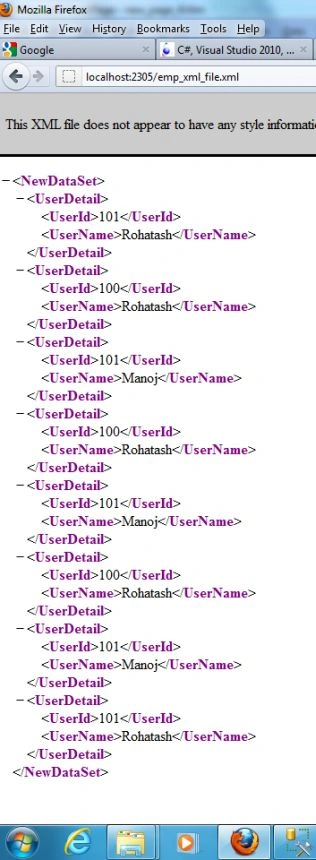
Rohatash KumarPosted Dec 3, 2012, 10:07 PM
thanks. Malcolm
Malcolm DanielsPosted Oct 5, 2012, 1:07 PM
Humm... Looks too easy. Works perfectly, though!!! Thanks...