

1. Browse to the site where you want to add a workflow to a content type.
2. In the Site Actions section, click Site Settings.
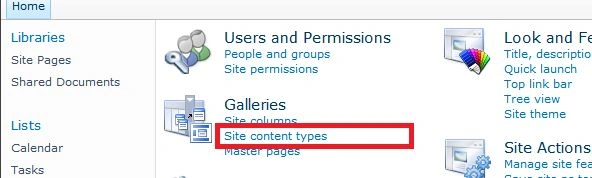
3. On the Site Settings page under Galleries, click Site content types
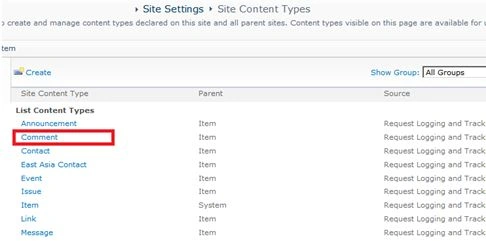
4. On the Site Content Type Gallery page, in the Site Content Type column, click on the content type to which you want to add a workflow.
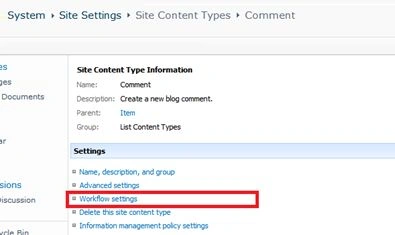
5. On the Site Content Type page, in the Settings section, click Workflow settings.
6. On the Change Workflow Settings page, click Add a workflow.
7. Follow the instructions to configure the workflow instance as noted in the previous procedure, starting with the step 4.
Join the conversation! Your thoughts help the community grow.