

How to remove “index.php” from URL in Codeigniter:
Here I am going to show how to remove index.php from URL in Codeigniter Framework in PHP step by step.
Step 1: Open Notepad and write following program
DirectoryIndex index.php
RewriteEngine on
RewriteCond $1 !^(index\.php|(.*)\.swf|forums|images|css|downloads|js|robots\.txt|favicon\.ico)
RewriteCond %{REQUEST_FILENAME} !-f
RewriteCond %{REQUEST_FILENAME} !-d
RewriteRule ^(.*)$ ./index.php?$1 [L,QSA]
Step 2: Save the above program to “C: /xampp/htdocs/Your Codeigniter
Project Folder /” (for example C: /xampp/htdocs/Demo) as “.accsess”.
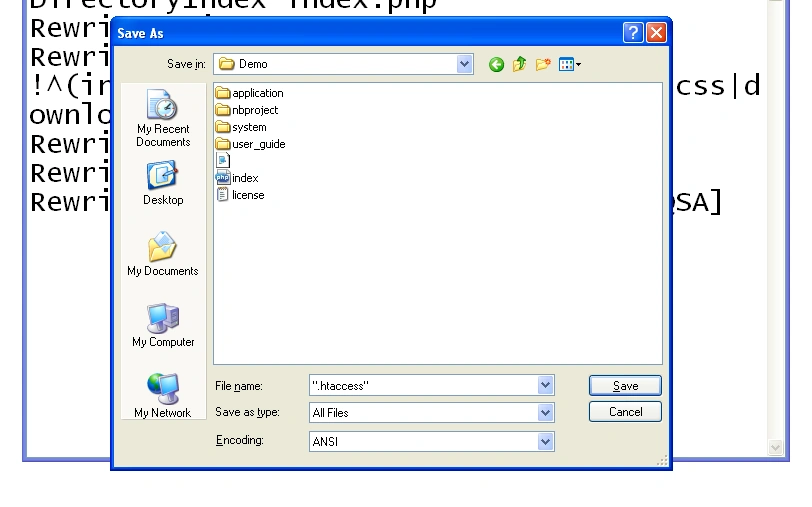
Step 3: Again Open Notepad and write following program and save it to “C:
/xampp/htdocs/Demo/application/controllers/” as “FirstProgram.php”
<?php
class FirstProgram extends CI_Controller
{
function index()
{
echo “This is First Program How to
Remove index.php from URL”;
}
}
?>
Step 4: Open browser and type “http://localhost/Demo/FirstProgram” you
will get following output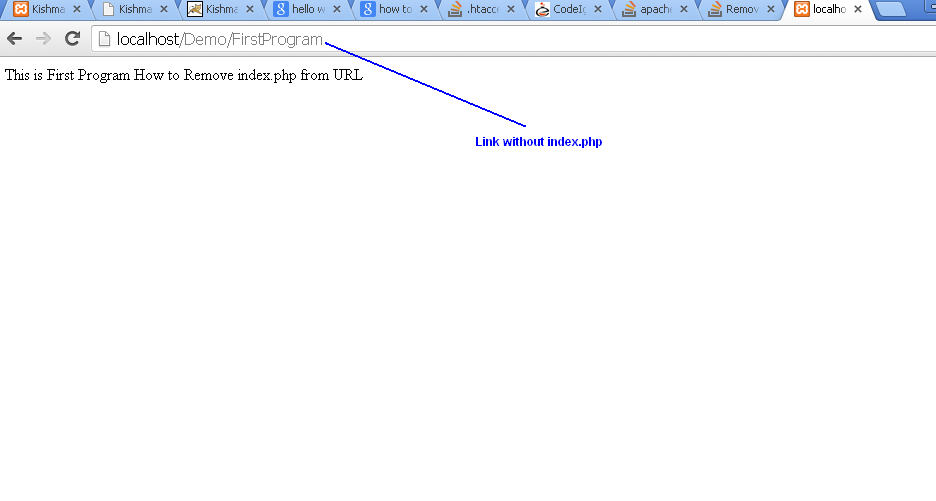
Join the conversation! Your thoughts help the community grow.