
Imagine this: you wake up one morning, excited to start your day as a cloud enthusiast. You sip your coffee,check your email and there it is — a monstrous AWS bill because you left an EC2 instance running overnight. It’s like finding out you left your gaming PC on all night and it downloaded the entire internet. Ouch! This is why setting up a budget in AWS is a lifesaver. Let’s dive into how you can avoid these unwelcome surprises and keep your AWS costs under control.
Prerequisites
- An AWS Subscription. If you don’t have an AWS subscription, you can create a free account.
Steps to Set Up an AWS Budget
Navigate to AWS Budgets
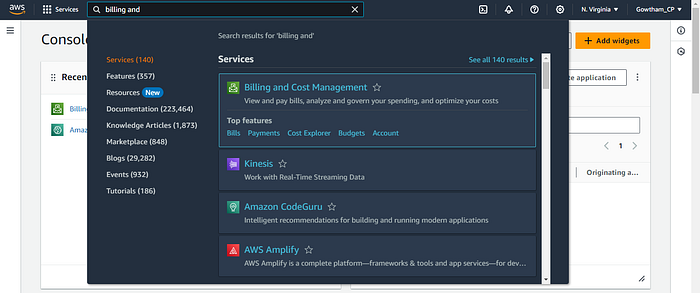
- Log in to your AWS account and type “Billing and Cost Management” in the search bar.
- Hover over “Billing and Cost Management” and click on Budgets under the “Top features” section.
Create a New Budget
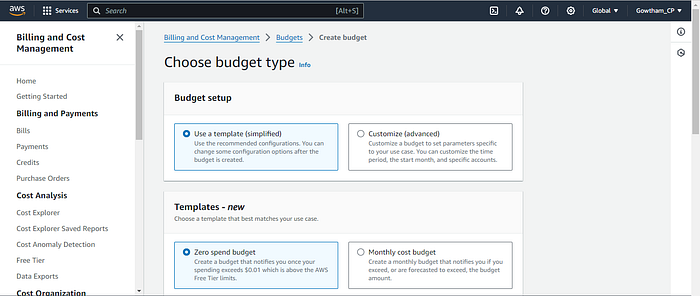
- Click on the “Create budget” button.
- Choose between using a template or customizing your budget.
- If you are using the AWS Free Tier, use the “Zero Spend Budget” template that notifies you once your spending exceeds $0.01, which is above the AWS Free Tier limits. Setting up this budget is straightforward, allowing you to explore on your own.
- For this tutorial, we’ll customize it to suit specific needs.
Select Budget Type
- AWS offers different types of budgets: Cost budget (recommended), Usage budget, Savings Plan budget, and Reservation budget.
- For this tutorial, select “Cost budget.”
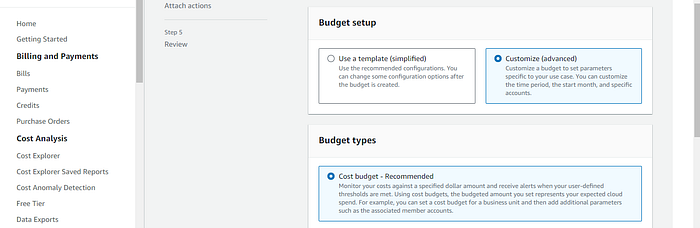
- Click “Next” to proceed.
Set Budget Parameters
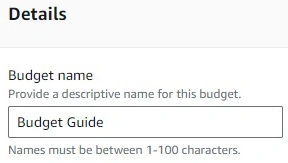
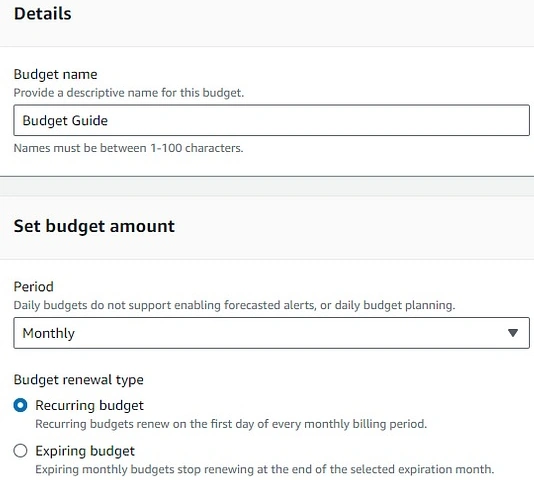
- Budget Name: Enter a name for your budget, like “Budget Guide”.
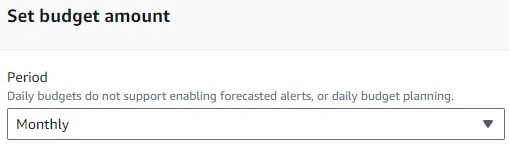
- Budget Period: Choose between daily, monthly, quarterly, or annually. For this example, select “Monthly.”
- Budget Renewal Type: Choose between a recurring budget or an expiring budget. Recurring budgets monitor and track your costs on an ongoing basis, while expiring budgets have a fixed end date. Go with a recurring budget.
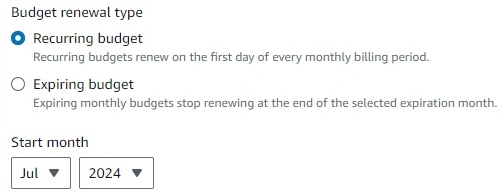
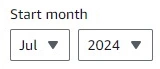
- Start Month: Set the start month for your budget.
Choose Budgeting Method
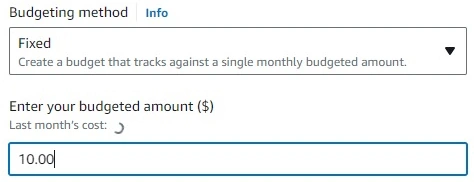
- AWS offers three budgeting methods: Fixed, Plan, and Auto-adjusting.
- Select “Fixed,” which tracks against a single monthly budgeted amount.
- Enter your budgeted amount, for example, $10.
Define Budget Scope
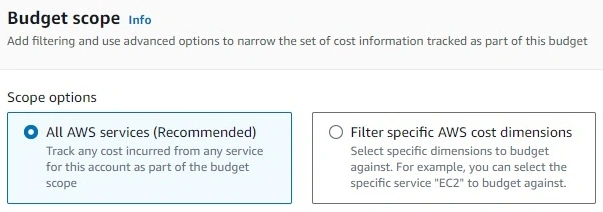
- All Services vs. Filtered Services: Decide if this budget should apply to all AWS services or specific ones like EC2.
- To apply the budget to specific services, use the filter option. For instance, you can filter the budget to only apply to EC2 instances (Elastic Compute Cloud — Compute). You can also choose more than one and then click apply filter.
- For simplicity, choose “All AWS services (Recommended)”.
Advanced Options
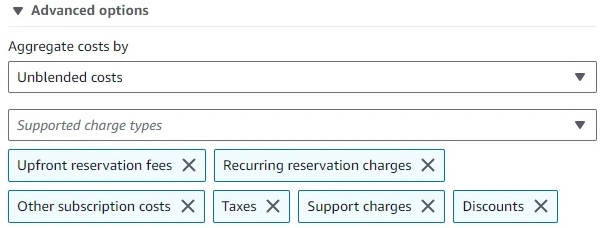
- Select how costs are calculated, such as unblended costs, amortized costs, or blended costs.
- For simplicity, choose “Unblended costs.”
- Click “Next” to proceed.
Set Alert Thresholds
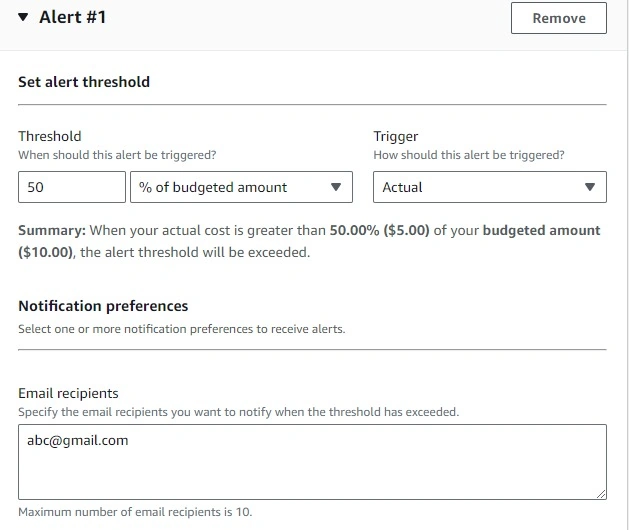
- Create up to five different alerts based on your budgeted amount.
- Add an alert threshold at 50%, so you’re notified when your actual costs exceed half of your budget.
- Choose to be notified when the actual cost is greater than 50% of your budgeted amount, which is $5 in this case.
- Specify the email recipient for alerts.
- Click “Next” to proceed.
- Attach actions as needed(Optional) Click “Next” to proceed.
Review and Create a Budget
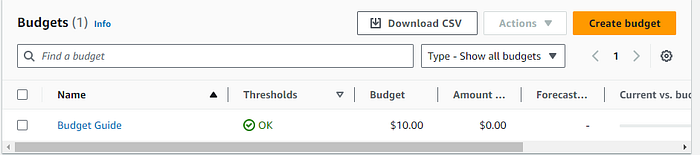
- Review your budget settings and ensure everything is correct.
- Click “Create Budget.”
Benefits of AWS Budgets
Setting up a budget in AWS is crucial for tracking expenses, especially if you’re using services beyond the free tier. This helps avoid unnecessary charges and ensures you stay within your financial limits. Remember, it’s better to be safe than sorry — or in this case, an email alert is worth a hundred dollars saved.
By following these steps, you can gain better control over your AWS spending and prevent those surprise bills that make you feel like you’ve left your gaming PC on all night. Happy budgeting!
In this lesson, we went through the fundamentals of setting up AWS budgets and discovered how to create alerts to manage and control your AWS costs effectively.
Follow me on LinkedIn! Did you like the guide? Leave a comment below and share it in your socials!
Also any comment on anything missing or not right is very welcome. Long live the AWS Learning community.
Attributes and References
- AWS Documentation: AWS Billing and Cost Management
- Meme Image: Image by Chris McKinnel
Join the conversation! Your thoughts help the community grow.