

I have successfully completed the Xamarin Azure Function Challenge. The goal of the challenge is to create a serverless Azure Function and connect it to a Xamarin mobile app. You can refer to one of my previous articles to learn to build a Serverless Mobile App with Azure Functions using Xamarin.Forms.
Are you interested to do it? If the Xamarin setup is ready on your machine, then spend only 15 minutes to complete the challenge, otherwise, it requires some prerequisite installation steps. Follow the below steps.
Challenge Information
-
Duration: The challenge begins on 23 September 2019 and ends on 23 October 2019.
-
Prize:
-
Ten (10) Grand Prizes:Each winner will receive Microsoft Surface Headphones
-
One Thousand (1,000) Prizes: Each winner will receive a 3-month Xbox Game Pass
Prerequisites
-
You can use any Windows or macOS for development.
-
On Windows, Download and install Visual Studio 2019 Community (i.e. free) with the Xamarin workload using our Xamarin-optimized installer.
-
On macOS, download and install Visual Studio 2019 Community for Mac.
-
To deploy and run your Azure Functions, you first need an Azure account. You can sign up for a FREE account here.
Start the Azure Functions Challenge
Task 1
Clone Xamarin Azure Challenge project from GitHub repository.
Task 2
On Windows Machine, refer here to publish the Azure function or if mac machine, refer here for publishing the Azure function.
Task 3
Configure the Azure function to the Azure portal.
Task 4
Configure the Xamarin App.
Task 5
Run the Xamarin application using iOS or Android Platform.
Congratulations.
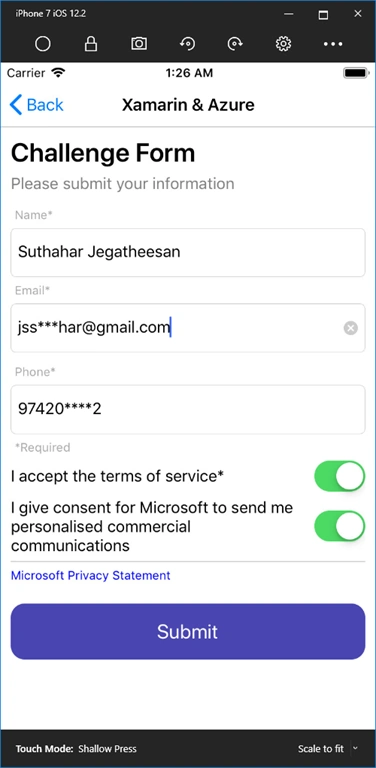
Provide your information, accept the terms and click on submit. You've successfully completed the Xamarin Azure Challenge. You will get an email very shortly. All the best.
Viknaraj ManogararajahPosted Oct 20, 2019, 10:37 AM
Amazing Article