

Image Courtesy: Google
September 24, 2025
Google has officially launched Search Live in English in the U.S., making it easier than ever to interact with Search using voice and camera input — no Labs opt-in required. With Search Live, users can have a real-time conversation in AI Mode and share their phone’s camera feed, enabling Search to “see what you see” and provide instant, contextual answers along with helpful web links.
How to Get Started
Open the Google app (Android or iOS).
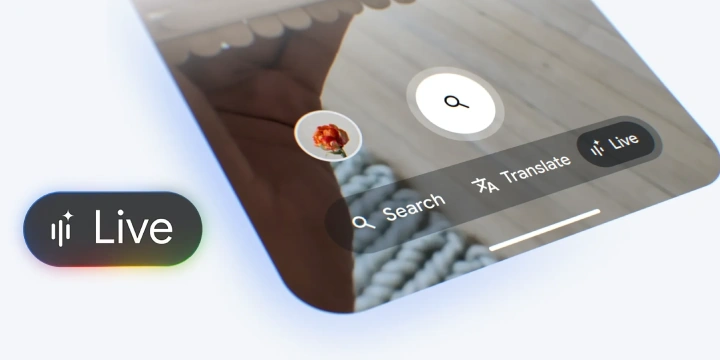
Tap the new Live icon under the search bar.
Start asking questions out loud, and optionally enable video input to share live camera context.
If you’re already using Google Lens, simply select the Live option at the bottom of the screen — camera sharing will turn on automatically.
Five Ways to Use Search Live
Explore while you travel
Get hands-free insights about neighborhoods, landmarks, or sights in real time — all while you’re on the go.
Try a new hobby
Learn skills like making a matcha latte by pointing your camera at tools or ingredients and asking questions about substitutions or techniques.
Troubleshoot electronics
Point your camera at your home theater system and ask which cable goes where — no need to type in model numbers or sift through manuals.
Bring school projects to life
Use Search Live as a science partner — for example, during an “elephant toothpaste” experiment, it can explain the reaction step by step and suggest more experiments.
Make game night easier
Point your camera at several board games at once and get quick recommendations for which game suits your group best.
Why It Matters
Search Live represents a step forward in multimodal AI, combining voice, vision, and reasoning for a faster, more intuitive search experience. By merging the familiar power of Google Search with real-time context awareness, users can move seamlessly from asking to understanding to doing.
Available now: Just update your Google app and tap Live to try it out.
Join the conversation! Your thoughts help the community grow.