

BasicHttpBinding
BasicHttpBinding is suitable for communicating with ASP.NET Web Service (ASMX) based services that conform to the WS-Basic Profile that conforms with Web Services.
- This binding uses HTTP as the transport and text/XML as the default message encoding.
- Security is disabled by default.
- This binding does not support WS-* functionalities like WS- Addressing, WS-Security, WS-ReliableMessaging.
- It is fairly weak on interoperability. (Referenced from: WCF Tutorial.)
WCF BasicHttpBinding
Let's get started. Use the following procedure.
- Create a WCF basicHttpBinding project.
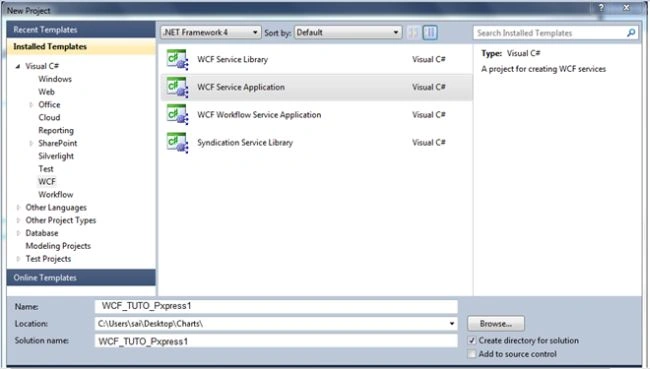
- Start Visual Studio and select New Project from the Start page or from the File menu, select New and then Project.
- After selecting, a dialog will pop up showing all the templates provided by Visual Studio.
- From the Installed Templates select C# then inside that select WCF and inside that you will select WCF Service Application.
Now we need to name this project; I am naming it WCF_TUTO_Pxpress1 (I am creating a basic pizza service kind of view and that is why I named it Pxpress1.)
After adding the project just look for this view in your solution.
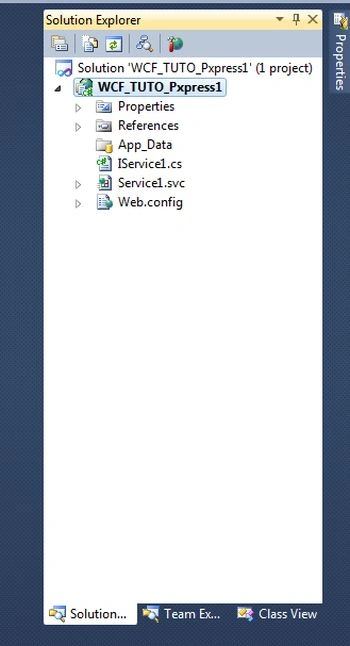
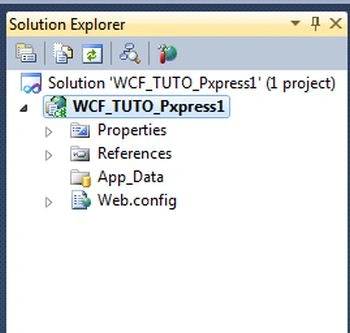
From that you will see the default service has been created. We are going to just delete this service and add a new service to this project after deleting the service.
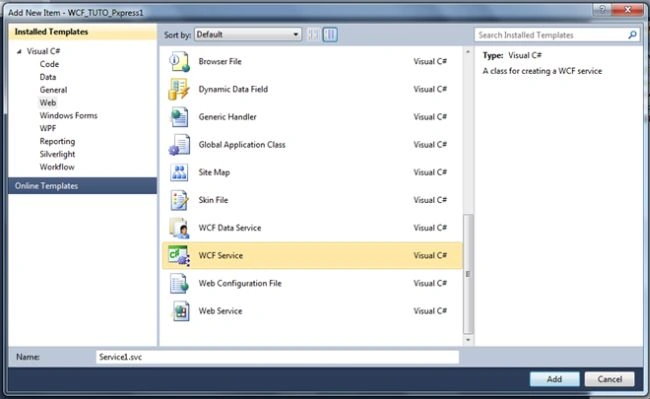
Now to add a new service right-click on the project then select Add New Item and from that select WCF Service.
After adding the new service the solution view will look like this.
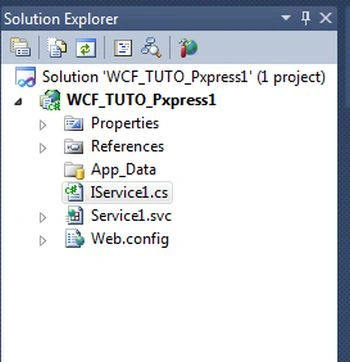
The preceding is from after adding the WCF service.
I will first move to the IService interface and delete all the methods and add a new method with the name OrderPizza_by_Mobileno.
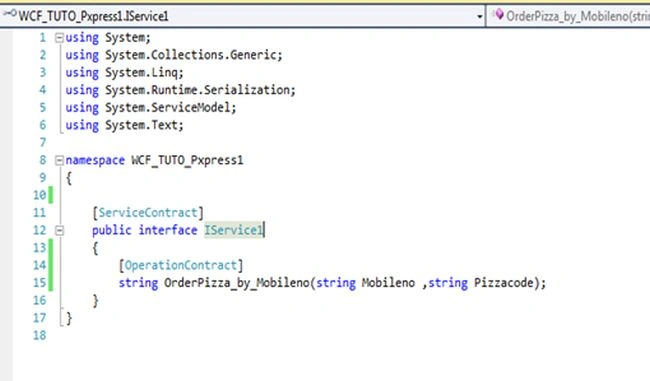
After adding the method I will now move to the Service1.svc. In Service1.svc I will implement IService1.cs.
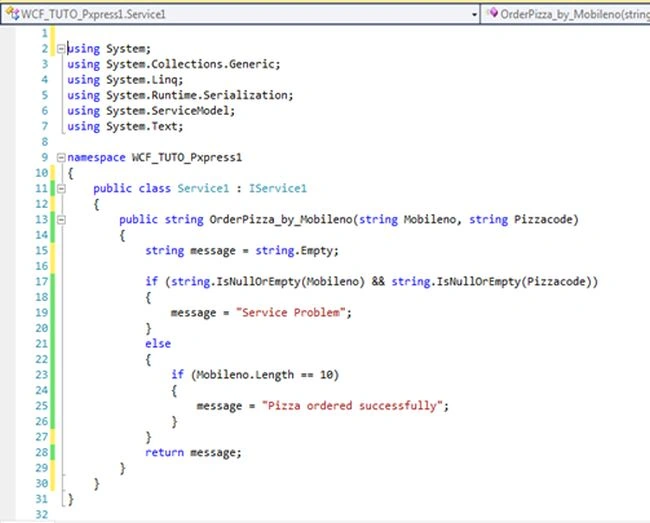
After implementing the interface I will now just move towards the Web.config for configuring the address, binding, contract and endpoint.
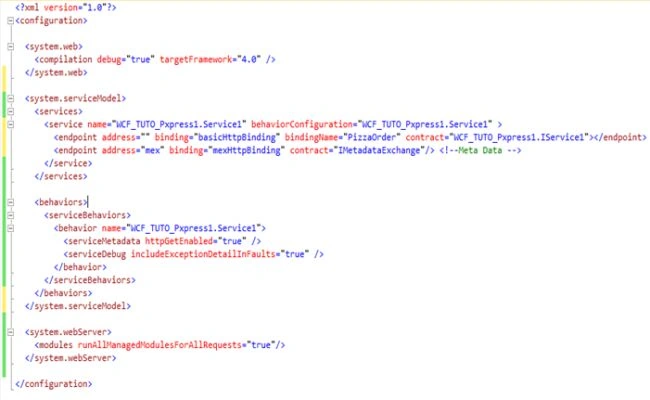
The following describes how to add this tag (step-by-step with snapshots) to the web.config.
- System.serviceModel
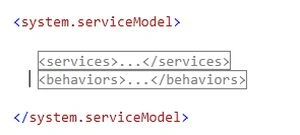
- Services
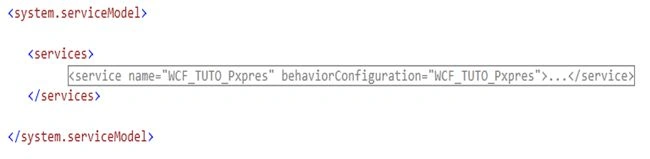
- Service (name of service and the behaviour the configuration)
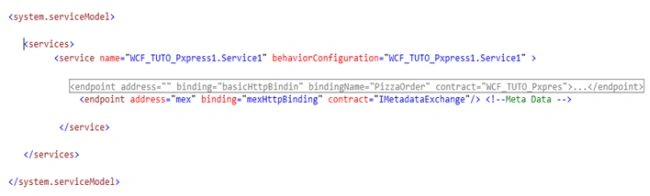
- Endpoints (address, binding and contract) , second endpoint to expose metadata
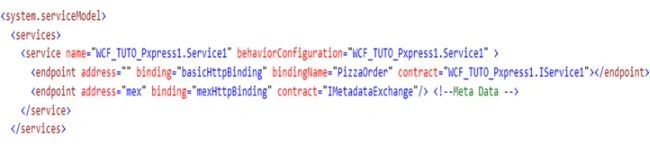
- Behaviours
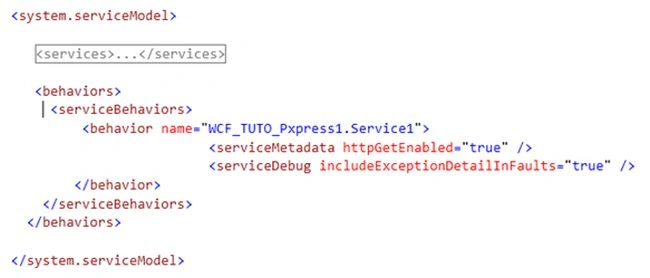
After configuring Webconfig.cs now let's build your application and run it.
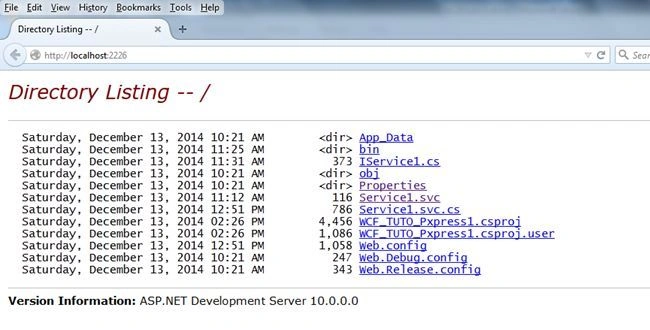
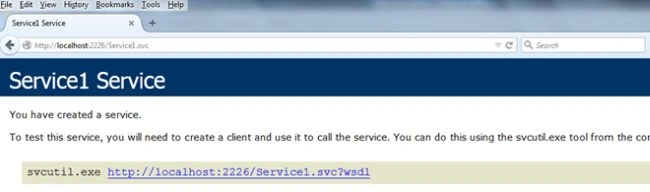
After running in the browser you will find the files in your browser. Just click on the Service1.svc file.
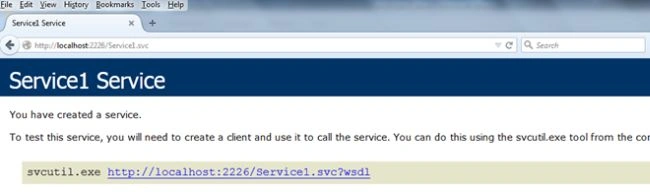
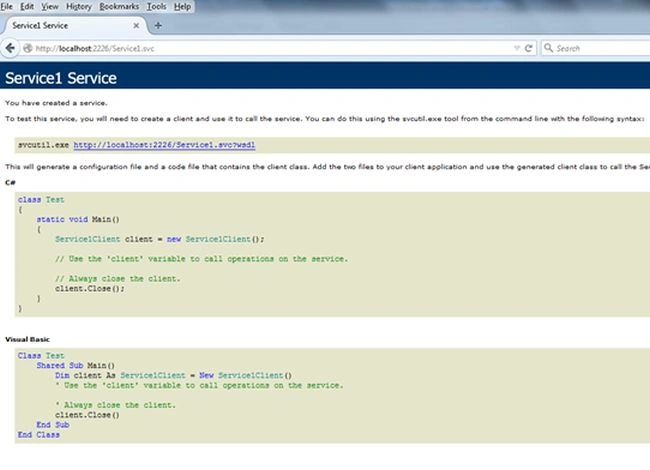
After clicking on that link you will see a Service1.svc link and you can consume this link anywere you want, whether in a console, web or Java application or cross-platform also.
For testing your service you must open a Visual Studio Command Prompt and inside that you will write wcftestclient and press Enter.
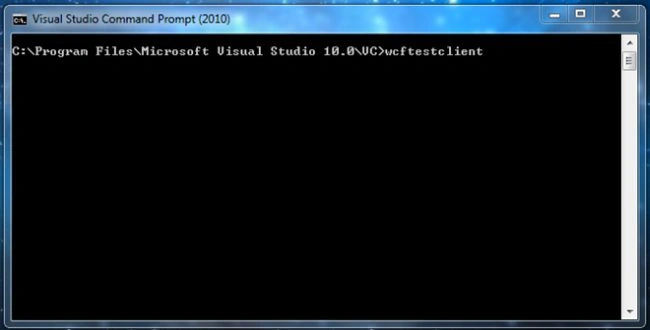
A new dialog will pop up from that.
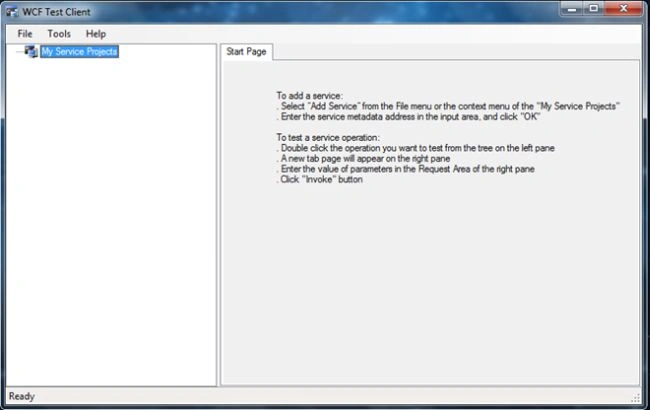
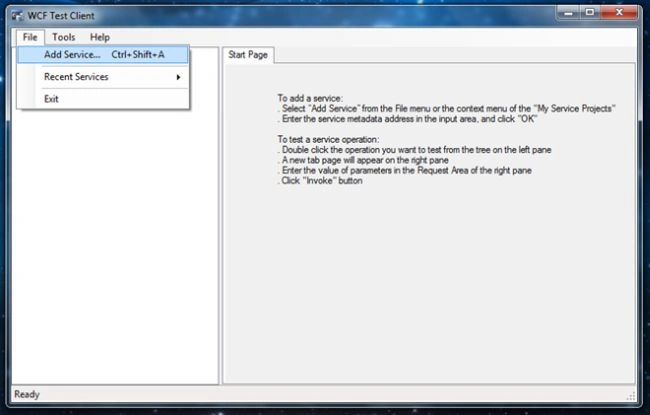
After this just click on File in the menu and select Add Service.
A small dialog will pop up for entering an endpoint address.
Just copy and paste the address that we got while running the application from the browser.
Endpoint address : http://localhost:2226/Service1.svc.
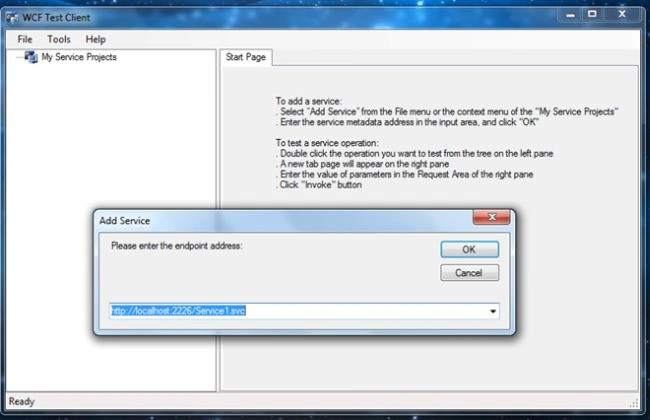
Click the OK button now.
You will see your Service name that you have exposed and just double-click on that method. You will see which parameters must be passed to that service.
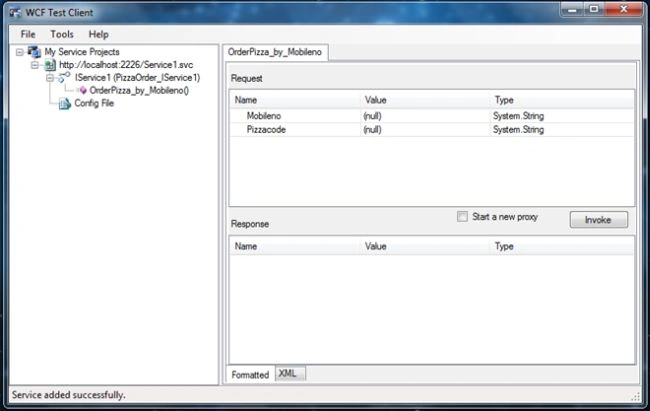
Just enter all the parameters and click the button Invoke. After clicking the button Invoke you will get an answer returned.
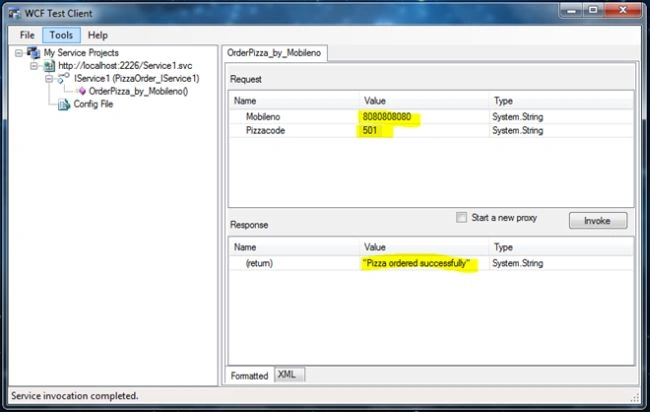
Finally, we have completed Tutorial 1 of WCF How to create WCF basichttpbinding.
In the next tutorial, you will see how to consume this service in a Windows and web application.
Thanks for reading this article.
Zeeshan AzimPosted Jan 23, 2015, 2:51 PM
Bro, I have followed your this article and developed my first WCF service. Its working fine. Hats off. Thank you.